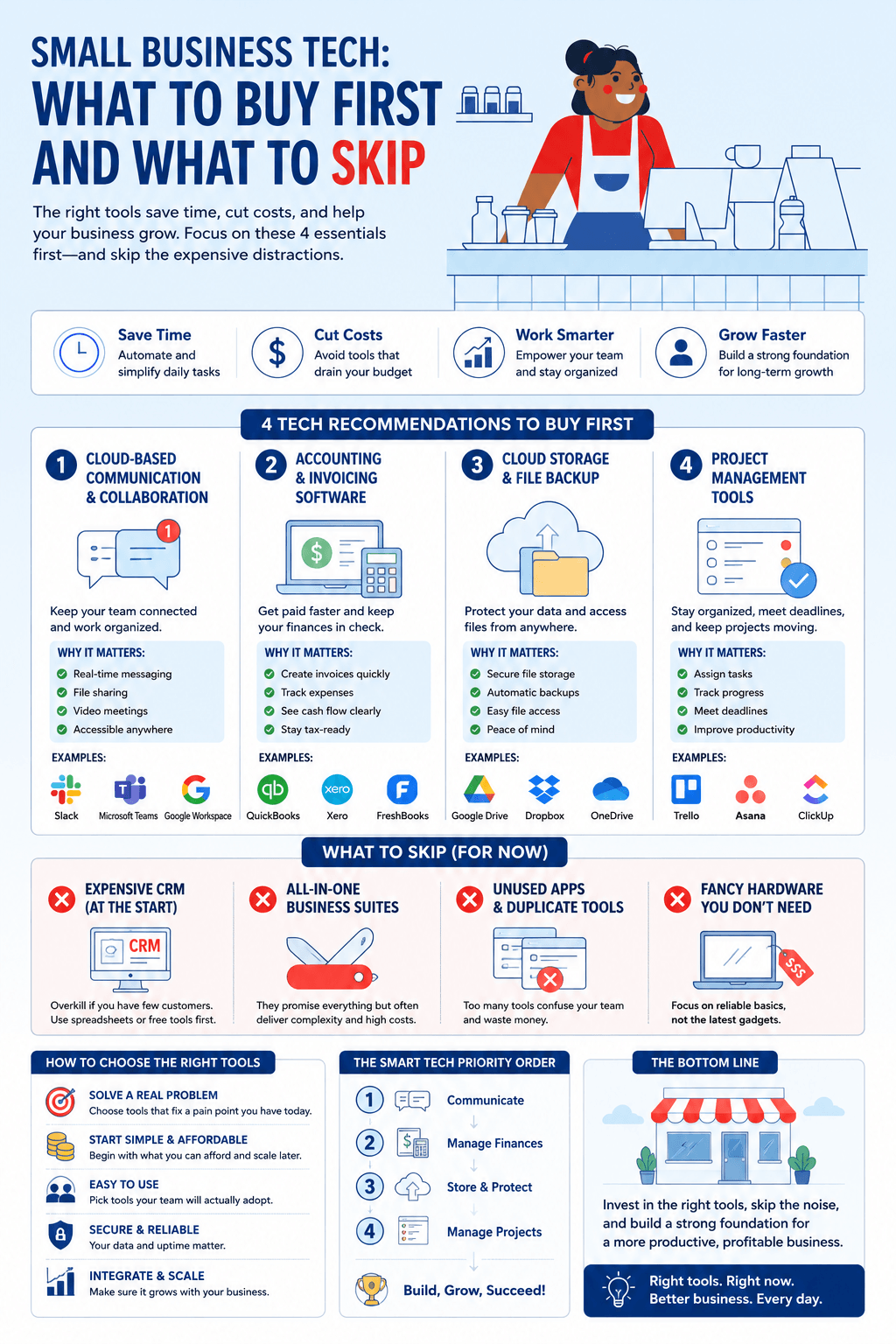
Know 4 tech recommendations small businesses need; Regardless of the business industry, entrepreneurs like you must stand above the competition to gain a higher market share. As your customers’ preferences continue to change, you have to keep up with the demands of your ideal audience to encourage customer loyalty. However, if you don’t automate your business processes, you might suffer from slow company expansion and inefficient employee performance.
With modern technological development taking the globe by storm, clients expect the best product features and customer service from their favorite brands. Companies must enable faster communication with their prospects, clients, and online audience if they want to keep up with their competitors. In addition, you can provide your workforce with the latest technologies so they can enhance their day-to-day results.
So, this post will teach you the four most effective information technology recommendations for your startup company, plus the one nobody puts on these lists. Before any of it, the foundation is a site that stays up and stays fast, which is covered in this guide to how small businesses keep their websites running smoothly.
The Technology Small Businesses Actually Need.
1 – Cybersecurity Software
Small businesses are not overlooked by attackers. They are targeted specifically, and the size gap runs the wrong way: Verizon’s Data Breach Investigations Report has consistently found small and mid-sized businesses experiencing roughly four times as many confirmed breaches as large organizations. Ransomware featured in 88% of SMB breaches against 39% at larger companies, and employees at firms under 100 staff face around 350% more social engineering attempts than their enterprise counterparts.
The reason is arithmetic rather than malice. Smaller organizations hold data worth stealing and run fewer controls to stop it, which makes them a better return on an attacker’s time.
Where to start, and it is cheaper than most owners expect. CISA, the US government’s cybersecurity agency, publishes free guidance and tools for small businesses built around four controls that stop the majority of attacks:
- Multi-factor authentication everywhere it is available. Microsoft’s security research puts MFA’s effectiveness against automated attacks above 99%. This is the single highest-return security action available to a small business and it usually costs nothing.
- Patching on a schedule. Unpatched software is how most opportunistic attacks succeed. Turn on automatic updates and check quarterly that they ran.
- A password manager, with unique credentials per service. Reused passwords turn one breach anywhere into a breach everywhere.
- Phishing awareness training. CISA reports that over 90% of successful attacks begin with a phishing email, which makes the people in your business the control that matters most.
Paid tooling has its place above that baseline, particularly endpoint detection and managed monitoring for businesses handling client data or payments. But the four items above address the majority of realistic threats and none of them requires a vendor relationship. Buying software before doing them is buying a second lock for a door you left open.
2 – Financial Management Tools
So, as a small business owner, financial management is one essential skill you must master. This activity can provide valuable experience with credit, budget organization, and accurate accounting reports for your investors and stakeholders. Nonetheless, you’ll face challenges in managing this component regarding making payroll, meeting your financial obligations, and controlling debt.
Since tracking your small company’s finances is crucial for business success, purchasing accounting software is vital. For businesses without an in-house finance person, the alternative to buying more software is buying time, which is covered in this guide to working with a bookkeeping virtual assistant.
Another efficient financial management tool you can use for your startup organization is a cash flow-specific tracking tool. This technology enables practical cash flow analysis, which allows you to evaluate and manage cash balance ups and downs. Alternatively, you may implement a financial dashboard to assess a snapshot of your company’s financial health, so you can see whether you are going off course and take the necessary steps to correct it.
3 – Customer Relationship Management Software
Small businesses need to effectively manage their relationship with their customers so they can always leave positive impressions on them.
That said, you have to invest in building an online presence and effective customer relationship management (CRM) so you can receive valuable information about the behavior of your clients. Then you can use those insights to improve how you operate, meet customer expectations more consistently, and earn repeat business.
With CRM software, you’ll receive a single location where you can monitor, manage; and organize every touchpoint of your customer connections. You’ll gain valuable insights into who receives, opens, and reads your email campaigns or visits your digital platforms. After that, you can establish and nurture meaningful relationships with your existing customers and attract new clients to your startup brand.
4 – Human Resource Management Tools
Effective human resource management (HRM) is essential for small businesses to prevent human errors in their processes. Without it, missed deadlines, compliance issues, and frequent absences accumulate into a management problem nobody has time to solve. An HRM system prevents most of that.
With an employee performance monitoring platform, this tool can automate and fast-track the assessment of an employee’s work output using performance indicators. The wider question of which processes are worth automating at all is covered in this look at how AI-powered agents help companies automate workflows and reduce costs.
5 – Deciding What Not To Buy
The four categories above are the standard list, and the standard list is where small business tech budgets go wrong. Every tool has a monthly cost, a learning curve, and a place for information to hide.
Three questions before adding anything:
Which existing tool would have to fail for this to be necessary? If you cannot name it, you are buying overlap. Most small businesses run two tools that do the same job because each was bought to solve a different symptom of the same problem.
What does this cost at three times your current headcount? A $12 per-seat tool is $432 a year for three people and $4,320 for thirty. Per-seat pricing is designed to feel small at signup and scale faster than revenue does.
Who owns it when the person who chose it leaves? Tools adopted by one enthusiastic employee become orphaned subscriptions the month they resign. Every tool needs a named owner and a renewal date someone actually sees.
The sequencing that works for most businesses under twenty people: start with the security baseline, because a breach ends the conversation about everything else. Then accounting, because it is the one system that has to be right and is painful to migrate later. Then whichever of CRM or HR is causing you more pain this quarter. Buying all four in a month produces four half-configured systems and a training problem nobody has time for.
Small Business Technology: Common Questions
Security controls, before any productivity software. Multi-factor authentication, automatic patching, a password manager, and basic phishing awareness cost close to nothing and address the majority of realistic attacks. After that, accounting software, because financial records are the hardest system to migrate later and the one that has to be accurate from the start.
Yes, disproportionately. Verizon’s breach research has consistently found small and mid-sized businesses experiencing around four times as many confirmed breaches as large organizations, with ransomware present in 88% of SMB breaches against 39% at larger firms. The common assumption that a business is too small to be worth attacking is precisely what makes it attractive.
Less than most vendors suggest, and the useful discipline is not a budget percentage but a rule: nothing gets added until you can name which existing tool fails at the task. Review subscriptions annually against actual usage rather than at renewal, when you have no leverage and no time.
Probably not yet. A spreadsheet with contact details, purchase history and next actions handles low volumes fine. CRM earns its cost when you cannot hold the state of your relationships in your head, when more than one person needs the same view, or when follow-ups are being missed. Buying one earlier means paying to maintain a system that is doing less than a spreadsheet.
Turning on multi-factor authentication everywhere it is offered. Microsoft’s research puts its effectiveness against automated attacks above 99%, and it is usually free with software you already pay for. Nothing else in security comes close on cost against risk reduced.
Manage it yourself until the time cost exceeds the service cost, which for most businesses arrives somewhere between ten and twenty-five employees. The earlier trigger is regulatory: if you handle payment card data, health information, or client records under contractual security obligations, external help usually pays for itself in avoided mistakes rather than in hours saved.
Tech Recommendations Small Businesses Need: Key Takeaway
As a small business owner, technology should remove work rather than add it. Start with the security baseline, which costs almost nothing and prevents the failure that ends every other conversation. Add the systems above one at a time, in the order your actual problems demand, and check annually that each one is still earning its place.
Infographic