
The problem with most e-commerce development tools lists is that they hand you a menu when what you need is an order of operations.
Four categories do the heavy lifting for almost every online store: inventory management, social media management, customer relationship management, and payment processing. That part is not controversial. What breaks stores is buying them in the wrong sequence, or buying four tools that each solve their own piece and none of which talk to each other.
A CRM is close to useless until clean order data flows into it. Inventory software that cannot see the marketplace where a third of your sales happen will keep selling stock you no longer have. A payment provider chosen for its headline rate can quietly cost more than the spread once you count failed transactions and chargebacks.
This guide covers what each of the four e-commerce development tools actually does, the operational signal that tells you it is time to buy one, and the integration questions that decide whether your stack compounds or fights itself. If you are still weighing whether off-the-shelf software is enough, our guide on when a WooCommerce store needs custom development covers the threshold where plugins stop being the answer.
Table of contents
- How to Sequence Your E-Commerce Development Tools
- 1. Inventory Management Software
- 2. Social Media Management Platforms
- 3. Customer Relationship Management (CRM)
- 4. Digital Payment Processing
- The Layer Most Tool Lists Skip: Integration and Data Flow
- Getting Found: Search Visibility and AI Shopping Assistants
- Which Tool to Buy First
- Frequently Asked Questions About E-Commerce Development Tools
How to Sequence Your E-Commerce Development Tools
Every store reaches these four tools eventually. The order matters more than the brand names.
The trigger for buying software is rarely “we should probably have this.” It is a specific operational failure that has already happened at least twice. Buy ahead of that failure, and you pay a subscription to solve a problem you do not have. Buy after the third occurrence and you have already lost customers to it.
| Stage | Failure that triggers the purchase | Tool to add | Keep manual for now |
|---|---|---|---|
| Launch to ~50 orders/month | None yet | Platform plus payment provider only | Inventory, CRM, scheduling |
| 50 to 300 orders/month | You oversold an item, or a stock count ate an afternoon | Inventory management software | CRM, ERP |
| 200 to 500 orders/month | Repeat customers exist but you cannot identify them | CRM | ERP |
| Multi-channel, or 3+ people posting | Two people published the same thing, or a comment sat for days | Social media management platform | Full marketing suite |
| Multiple warehouses, B2B terms, 1,000+ SKUs | Finance, inventory and sales disagree about the same number | ERP with e-commerce integration | Standalone inventory software |
Notice the pattern: every row assumes the previous layer is already in place and feeding clean data forward. A CRM inherits its value from order history. An ERP inherits its value from accurate stock counts. Skip a layer and the next one runs on guesses.
This is also why integration capability should outrank feature count when you compare options. A tool with 60% of the features and a documented REST API will serve you better than a feature-complete product that only exports CSV. Our breakdown of how API integration connects payment gateways, shipping providers and inventory systems covers what to check in vendor documentation before you sign anything.
1. Inventory Management Software
Inventory management is the first tool most stores outgrow spreadsheets for, and the first one whose absence costs real money. The job is simple to state and hard to do by hand: know how many units of each SKU exist, where they sit, and which of them are already promised to an order that has not shipped.
With real-time visibility into stock movement, your team can confirm the warehouse actually holds the units an order needs before the confirmation email goes out. Accurate counts also cut the two expensive errors at either end of the range: capital tied up in overstock you cannot sell, and oversells you have to refund and apologise for.
On WooCommerce, ATUM and WP Inventory Manager handle single-location stores without leaving WordPress. Once you sell through a marketplace as well as your own site, Cin7, Linnworks or Zoho Inventory are the usual step up, because they treat the storefront as one channel among several rather than as the source of truth. If you manufacture or assemble what you sell, Katana adds the production and raw-material tracking those tools leave out.Once you sell through a marketplace as well as your own site, Katana, Cin7 or Linnworks are the usual step up, because they treat the storefront as one channel among several rather than as the source of truth.
Once stock changes faster than a person can track it, an enterprise resource planning (ERP) system becomes the next question. An e-commerce ERP integration syncs data in both directions between your storefront and your back-end inventory, so an order placed online updates the same record your finance team reads. That is the real distinction. Standalone inventory software tells you what you have. An ERP makes inventory, purchasing and accounting agree on it.
Most stores do not need the second one. If you ship from a single location with a catalogue under a few hundred SKUs, inventory software that syncs your online and offline channels delivers the omnichannel accuracy you are after at a fraction of the implementation cost.
2. Social Media Management Platforms
Creating accounts on every channel is not a social strategy. It is a maintenance obligation. The difference shows up the first time a customer question sits unanswered in an Instagram DM for three days while your team posts a new product to Facebook.
A social media management platform earns its place when it consolidates three things that otherwise live in separate apps: publishing across channels on a schedule, a single inbox for comments and messages, and reporting that ties posts to outcomes rather than to impressions. Buffer and Later cover publishing and scheduling well for small teams. Hootsuite, Sprout Social and Metricool add the unified inbox and deeper reporting that start to matter once more than one person is responsible for replies.
Scheduling is the feature most stores buy these tools for, and the one most likely to be oversold to you. Planning a week of posts ahead is useful because it stops publishing from competing with fulfilment for the same afternoon. It does not increase engagement by itself. What increases engagement is having the time you saved available to actually answer people.
3. Customer Relationship Management (CRM)
A CRM is where customer history stops living in individual people’s heads. It records what each customer browsed, bought, returned and complained about, then makes that history available to whoever handles the next conversation.
This matters less than vendors suggest at low order volume and more than you expect above it. Under a few hundred customers, you can hold the context yourself. Past that, the cost of not having it is a support reply that treats a fourth-time buyer like a stranger.
For stores already on WooCommerce or Shopify, the choice splits by what you intend to do with the data. Klaviyo and Omnisend are built around e-commerce behaviour and are really CRM plus email in one product, which suits stores whose main use case is segmentation and automated flows. HubSpot and Zoho CRM are stronger if you also handle B2B enquiries, wholesale accounts, or a sales conversation that happens away from the storefront.
Whichever you pick, its value is downstream of your order data being clean. A CRM fed by an inventory system reporting the wrong fulfilment status will segment your customers by a fiction.
4. Digital Payment Processing
Payment tooling is where a store stops being a catalogue and starts being a business, and it is also where an otherwise good build quietly loses money. A shopper who wants your product and cannot complete the payment does not email you about it. They leave, and in your analytics that loss looks identical to indifference.
A third-party payment provider handles authorisation, settlement and PCI DSS scope on your behalf, which keeps card data off your servers and removes most compliance work from your team. On WordPress, the decision usually comes down to which gateway your market already expects, and our roundup of the best payment plugins in WordPress covers the integration side.
Where Payment Stacks Actually Leak
Most stores evaluate a provider on transaction fees, which is the wrong first question. The larger number is the revenue that never reaches the processor at all.
Baymard Institute’s meta-analysis of 50 separate studies puts the average documented cart abandonment rate at 70.22%, and estimates that better checkout design alone could recover roughly $260 billion in orders across the US and EU. Their usability testing also found that most checkouts can remove between 20% and 60% of their default form fields without losing information the business genuinely needs. The full dataset is published in Baymard’s cart abandonment statistics.
Three fixes account for most of the recoverable loss, and none of them require changing providers:
- Show the full total early. Unexpected shipping, tax or handling charges at the final step are the most cited reason shoppers leave. Surface the complete cost on the cart page, not the confirmation page.
- Allow guest checkout. Forced account creation removes a meaningful share of first-time buyers. Offer the account after the order is placed.
- Support the payment methods your market actually uses. A globally recognised card processor with no local method is a local conversion problem, and the reverse is equally true for stores selling abroad.
Checkout sits on top of your site architecture, so a payment tool can only convert what the rest of the funnel delivers to it. How your digital architecture shapes e-commerce conversions covers the upstream work that decides how many shoppers reach the payment step in the first place.
Selling From Brazil: Two Payment Problems, Not One
We build from Brazil, and the payment question splits here in a way most guides do not account for. Domestic and international sales need different infrastructure, and trying to serve both with one provider is where stores lose money without noticing.
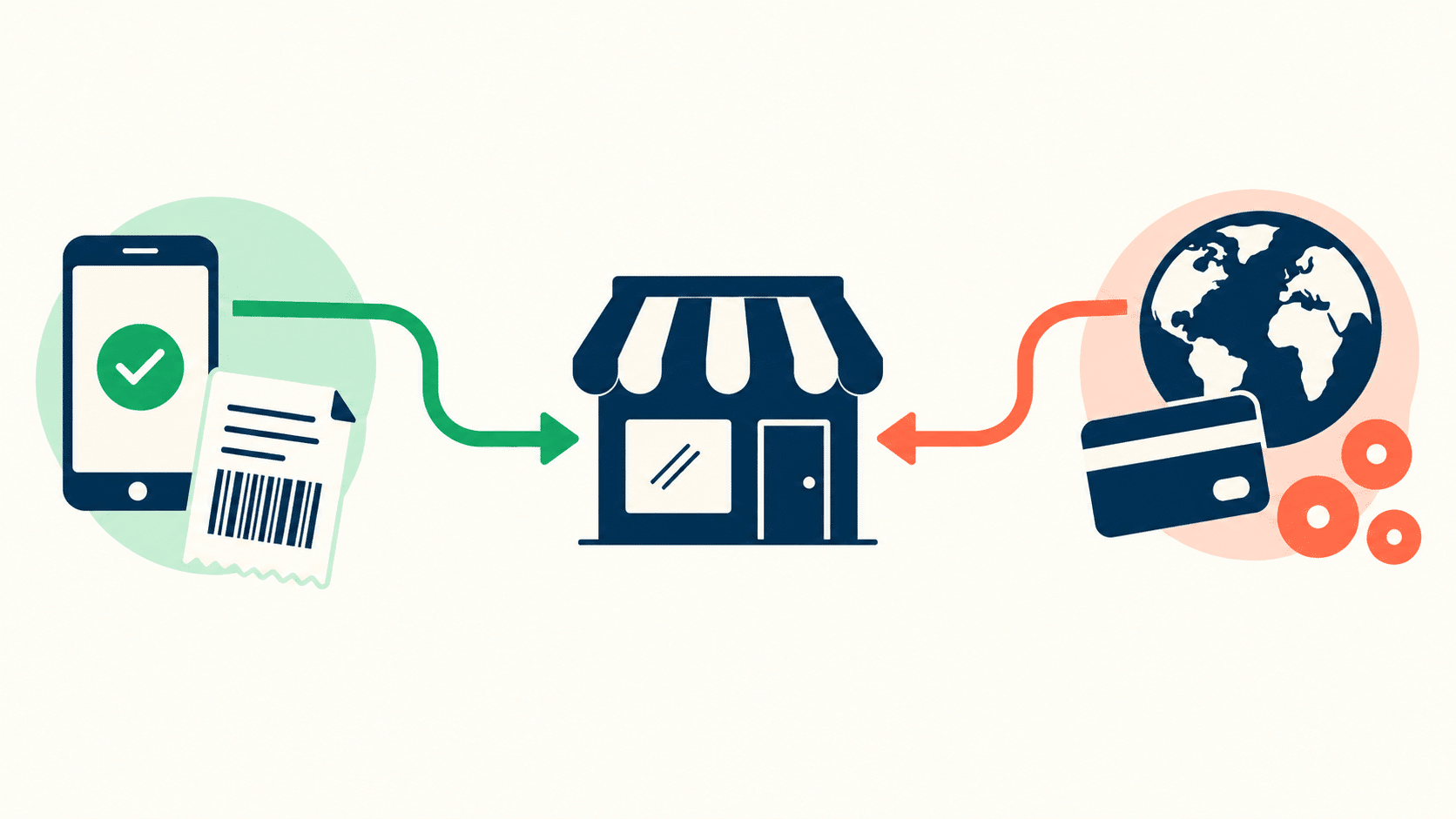
For Brazilian customers, Pix is now the default expectation. It settles in seconds, costs a fraction of card processing, and carries none of the chargeback exposure. Boleto Bancário still matters for part of the market, and instalments remain close to mandatory on higher ticket items, because a price that is affordable across twelve payments and unaffordable in one is a conversion problem rather than a pricing one.
For customers outside Brazil, the practical options narrow to Stripe and PayPal. Both support Brazilian businesses accepting payments from customers worldwide, both handle multi-currency presentment, and between them they cover the checkout patterns international buyers already recognise. Stripe gives you the better developer surface and cleaner subscription handling. PayPal gives you the buyer familiarity that still closes sales in markets where an unfamiliar checkout form does not.
The working setup for a Brazilian store selling in both directions is a Pix-enabled local gateway for domestic orders plus Stripe or PayPal for international, reconciled on your side rather than inside either system. The version that fails silently is running international sales through a domestic-only gateway: the checkout loads, the card is foreign, the authorization declines, and neither you nor the customer finds out why.
The Layer Most Tool Lists Skip: Integration and Data Flow
Four good tools do not make a stack. The connections between them do, and that is where most e-commerce development budgets quietly disappear.
Ask three questions of any tool before you buy it.
Does it have a documented API, or only an integrations page? An integrations page lists partnerships the vendor has already built. An API means you can build what they have not. Stores outgrow integration pages far faster than they outgrow platforms.
Does it push, or only pull? A tool that syncs on a schedule will oversell during a flash sale. A tool with webhook support updates within seconds of the event. For inventory specifically, the gap between five-minute polling and real-time webhooks is the gap between a clean cancellation rate and an ugly one.
Which system owns the customer record? When a CRM, an email platform and an e-commerce platform each hold a partial profile, you get three versions of the truth and no way to reconcile them. Decide early which system is authoritative and make the others read from it.
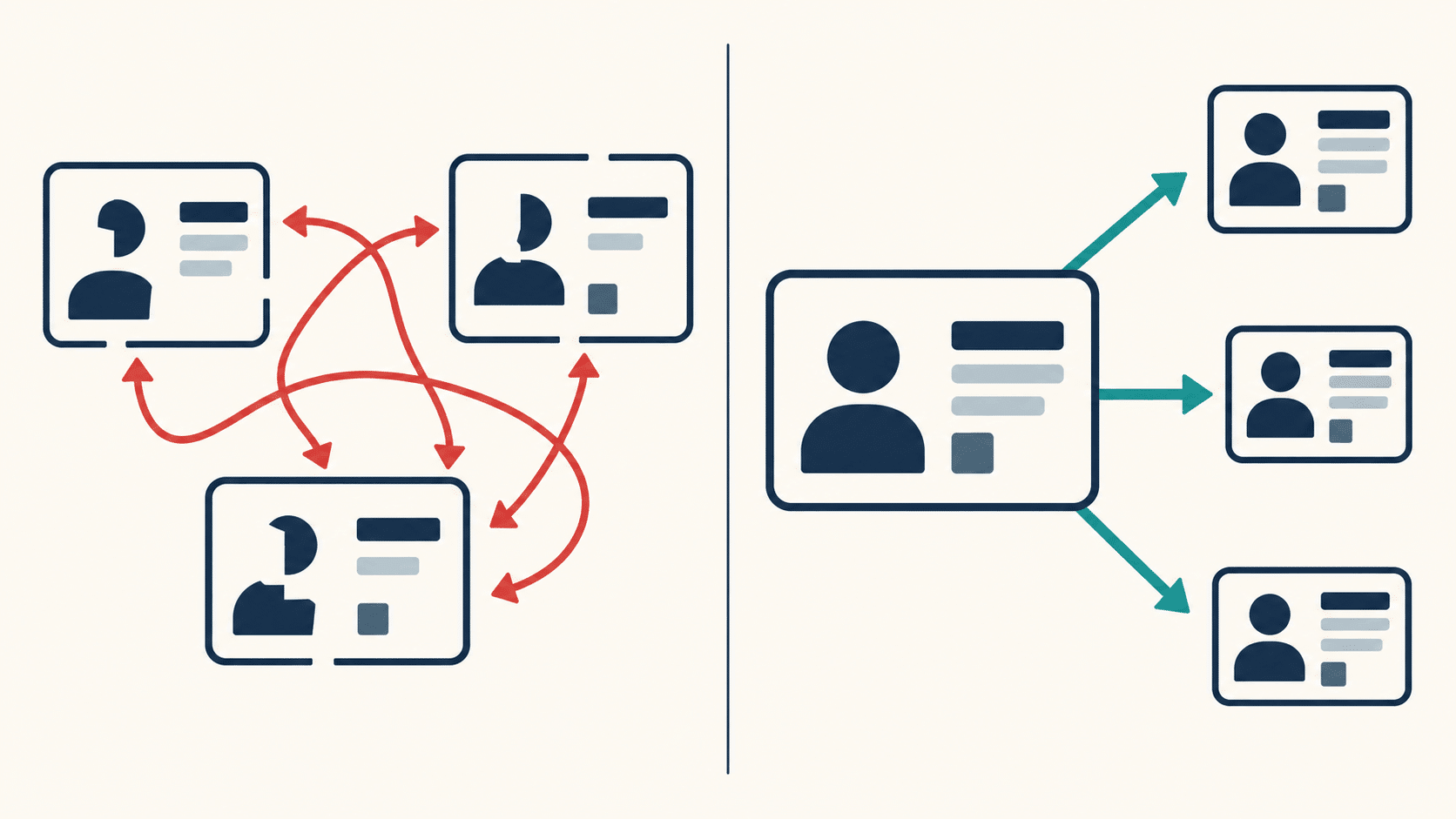
For most stores under roughly 1,000 orders per month, middleware such as Zapier or Make covers the gaps well enough. Past that volume the per-task pricing usually stops making sense, and a purpose-built integration or a small custom service becomes cheaper than the automation bill.
Getting Found: Search Visibility and AI Shopping Assistants
The four tools in this guide run the store. None of them bring anyone to it.
Product discovery has split into two channels that need different preparation. Traditional search still rewards crawlable category structure, fast pages and clean internal linking, which is an architecture question more than a tooling one. How UX design and site architecture shape e-commerce SEO covers the structural decisions that determine whether your catalog can rank at all.
The newer channel is AI assistants answering shopping questions directly. These systems do not browse a store the way a person does. They extract structured facts, and they extract them from whatever is machine-readable: Schema.org Product markup, clean specification tables, explicit price and availability fields, and sentences that answer a question completely without depending on the surrounding page for context.
That has three practical consequences for your tooling choices:
- Your platform or plugin should output valid Product and Offer schema without manual work per SKU
- Specification data belongs in structured fields, not buried inside a description paragraph
- Price and stock values in your markup must match what the page displays, because mismatches get the whole page discounted as a source
Serving both audiences well is a layout problem as much as a data one, and why AI assistants need a third layout covers how to do it without maintaining two versions of your site.
Which Tool to Buy First
If you are under 50 orders per month, buy nothing beyond your platform and payment provider. Every hour spent configuring software at that stage is an hour not spent on product and demand.
If stock accuracy is your recurring failure, inventory management comes first and everything else waits. If you have repeat customers you cannot name, start with the CRM. If you are posting across three channels from two people’s phones, the social management platform pays for itself in avoided collisions alone.
Whatever you buy, check the API documentation before the pricing page. The tool you can connect is worth more than the tool with more features.
Frequently Asked Questions About E-Commerce Development Tools
At minimum, an e-commerce platform and a payment provider. Beyond roughly 50 orders per month, most stores add inventory management software, then a CRM, then a social media management platform, in that order. Each one becomes worthwhile when a specific manual process starts failing, not before.
For a Brazilian business selling to customers abroad, Stripe and PayPal are the two practical options. Both support Brazilian merchants receiving payments worldwide and both handle multi-currency checkout. Pix and Boleto Bancário cannot do this, since both are domestic systems. Most stores selling in both directions run a local gateway for Brazilian customers and Stripe or PayPal for everyone else.
An e-commerce tech stack is the connected set of software a store runs on: the platform itself plus the tools handling inventory, payments, customer data, marketing and analytics. The word “stack” matters because these systems depend on each other. A weak layer degrades everything sitting above it.
Most stores do not. An ERP earns its cost when finance, inventory and sales start disagreeing about the same number, typically at multiple warehouses, B2B payment terms, or catalogues past about 1,000 SKUs. Below that, standalone inventory software connected to your accounting tool covers the same ground for far less.
Two signals: you have oversold an item to a customer, or a stock count now takes longer than the time it saves. Either one means manual tracking has stopped being a cost saving and started being a liability.
There is no published benchmark here, so treat any figure as a planning heuristic. What matters more than the total is overlap. Most stores at a few hundred orders a month can cover inventory, email, CRM, social scheduling and analytics without the bill becoming a real line item. The common failure is not overspending on one tool, it is paying three vendors for the same capability because each product expanded into the others’ territory.
Not until you have repeat customers you cannot identify by memory. Below that point, your e-commerce platform’s built-in customer list does the same job. The moment you want to segment by purchase history or trigger flows off behaviour, a dedicated CRM starts paying back.
The gateway captures and encrypts card details at checkout and passes them along. The processor moves the money between the customer’s bank and yours. Many modern providers bundle both, which is why the terms get used interchangeably, but they are separate functions and can be separate vendors.
Pick one system as the authoritative source for customer records, usually the e-commerce platform or the CRM, and configure every other tool to read from it rather than write its own version. Match on a single stable identifier such as email, and use webhooks rather than scheduled syncs so updates propagate before a duplicate can be created.