An accessible WordPress theme is a theme whose templates, menus, forms and color styles work for people who use a keyboard instead of a mouse, a screen reader instead of their eyes, or 200% zoom instead of the default text size. Because the theme controls the header, navigation, footer, buttons and typography on every page, it decides whether most of your site starts out usable or broken for those visitors.
That matters more than most site owners realize. The 2026 WebAIM Million report scanned the home pages of the top one million websites and found detectable WCAG failures on 95.9% of them, with an average of 56.1 errors per page. The 252,302 WordPress home pages in that sample averaged 52.8 errors each. Low contrast text alone appeared on 83.9% of home pages, and that problem usually lives in the theme’s color settings, not in your content.
Below you’ll find the seven key advantages of accessible WordPress themes, what the WordPress accessibility-ready tag actually guarantees (and what it doesn’t), the parts of your site no theme can fix for you, and a 10-minute test you can run on any theme before you install it.
Key takeaways
- An accessible theme fixes the problems that repeat on every page: menus, skip links, color contrast, form labels and focus styles.
- The WordPress accessibility-ready tag is a reviewed minimum standard, not proof that your site meets WCAG 2.2 AA.
- Accessibility is not a direct Google ranking factor, but accessible markup supports SEO, conversions and legal compliance at the same time.
- No theme makes a site ADA compliant by itself, because your content and plugins matter just as much.
- You can screen any theme in about 10 minutes with a keyboard, browser zoom, a contrast checker and a free scanner.
Table of contents
- What Makes a WordPress Theme Accessible?
- 7 Key Advantages of Accessible WordPress Themes
- 1. More People Can Use Your Website
- 2. SEO Benefits That Come From the Same Code
- 3. Lower Legal and Compliance Risk
- 4. You Fix Problems Once, at the Template Level
- 5. A Better Experience on Phones, Tablets and Zoomed Screens
- 6. More Trust and More Completed Forms
- 7. Customization That Does Not Break Accessibility
- What an Accessible Theme Cannot Fix for You
- How to Test a WordPress Theme for Accessibility in 10 Minutes
- Accessible Theme Questions: ADA, Rankings, Overlays and the Accessibility-Ready Tag
- The Bottom Line on Accessible WordPress Themes
What Makes a WordPress Theme Accessible?
A theme is accessible when the HTML, CSS and JavaScript it outputs follow the Web Content Accessibility Guidelines (WCAG), the W3C standard that most accessibility laws point to. WCAG rests on four principles: content has to be perceivable, operable, understandable and robust. Our guide to accessible web design for people with disabilities explains how disabled visitors actually use websites and why those principles matter. For WordPress accessibility at the theme level, there is also a more specific checklist.
To earn the accessibility-ready tag in the WordPress.org theme directory, a theme has to pass a manual review against the accessibility-ready theme requirements maintained by the WordPress Themes and Accessibility teams. The requirements page was last updated in May 2026 and lists 18 requirements. Grouped together, they ask for:
- A working skip to content link, so keyboard and screen reader users can jump past the menu
- Full keyboard navigation support, including dropdown menus and the mobile menu toggle
- Meaningful landmark regions (header, navigation, main content, footer) and a logical heading structure
- Buttons, toggles and other controls with accessible names, roles and states
- Labelled form fields in search, comment and other theme forms
- Sufficient color contrast for text and interface controls, plus underlined links inside body text and no ambiguous link text
- Alternative text support for images and graphics, and accessible audio, video and animation
- Support for reflow, browser zoom and text spacing changes
- No unexpected changes of context, no links that open new tabs without warning, and content on hover or focus that people can actually reach and dismiss
- Screen reader text support, a published accessibility statement, and no recommending or requiring inaccessible plugins
Here is the detail most articles skip: accessibility-ready is a minimum bar set by WordPress reviewers. It is not a certificate of WCAG 2.2 AA conformance, and it says nothing about the content, plugins or page builder you add later. Treat the tag as a strong shortlist filter, not a finish line.
If you want a baseline to compare other themes against, look at Twenty Twenty-Five, one of the default block themes bundled with WordPress. It carries the accessibility-ready tag and runs on more than a million sites, so it makes a useful reference point when a premium theme’s demo feels harder to navigate with a keyboard.
Accessibility-Ready vs. Accessible vs. WCAG Conformant
Theme marketing uses these labels loosely. They mean very different things:
| Label | Who decides | What it tells you | What it does not tell you |
|---|---|---|---|
| Accessibility-ready tag | WordPress.org theme reviewers | The theme’s templates passed a manual check against the WordPress requirements | That your finished site, plugins or content are WCAG compliant |
| “Accessible” or “ADA compliant” on a sales page | The theme seller | Whatever the seller chooses to claim; there is no official ADA certification for themes | Anything you can verify, unless it links to an audit summary or accessibility statement |
| WCAG 2.2 AA conformance | An audit of your actual pages | Each audited page meets the success criteria at that level | That it stays true after the next plugin update or content change |
7 Key Advantages of Accessible WordPress Themes
1. More People Can Use Your Website
The World Health Organization estimates that about 1.3 billion people, roughly 1 in 6 worldwide, live with a significant disability. Add everyone with a temporary or situational limitation, like a broken wrist, a phone screen in direct sunlight or a laptop with a dead trackpad, and the group that benefits from keyboard support and strong contrast is far bigger than a niche.
Age plays a part too. Vision, hearing and fine motor control change over time, so a growing share of your visitors will depend on larger text, stronger contrast and predictable navigation. We cover that audience in detail in our article on designing accessible web experiences for seniors. An accessible theme gives all of these visitors the same starting point: a menu they can open, text they can read and forms they can complete.
2. SEO Benefits That Come From the Same Code
Let’s be precise here, because many articles get this wrong. In 2022, Google’s John Mueller said accessibility is not a direct ranking factor, mainly because Google has no reliable way to quantify it across websites. A perfect Lighthouse accessibility score will not lift your rankings by itself.
The indirect benefits are real, though, because accessible markup and crawlable markup overlap heavily:
- Heading hierarchy: it lets screen reader users jump between sections, and it helps search engines and AI answer engines understand how your page is organized.
- Alt text: it describes images for blind visitors and gives image search and multimodal models context they cannot get from pixels alone.
- Descriptive link text: “compare WooCommerce mini cart plugins” explains the destination to people and crawlers in a way “click here” never will.
- Landmarks and semantic HTML: they make it easy to separate your main content from navigation, sidebars and footer noise.
- Readable contrast and usable mobile layouts: they keep visitors on the page instead of sending them back to the results.
Pair an accessible theme with the on-page basics from our guide to writing SEO-friendly blog posts and you get both benefits from one round of work.
3. Lower Legal and Compliance Risk
Accessibility law now reaches far beyond government websites:
- European Union: the European Accessibility Act has applied since June 28, 2025 to many private-sector digital services sold to EU consumers, including e-commerce, consumer banking and passenger transport websites and apps. Compliance is measured against the EN 301 549 standard, which incorporates WCAG 2.1 Level AA. Microenterprises that provide services are exempt. The older Web Accessibility Directive still covers public sector websites.
- United States, state and local government: the Department of Justice’s 2024 ADA Title II rule requires government websites and apps to meet WCAG 2.1 Level AA. An interim final rule published in April 2026 moved the compliance dates to April 26, 2027 for governments serving 50,000 people or more and April 26, 2028 for smaller ones. The technical requirements did not change.
- United States, private businesses: ADA Title III has no written web standard, but demand letters, lawsuits and settlements routinely use WCAG as the yardstick.
If you are shopping for an ADA compliant WordPress theme, know this first: no theme makes a website compliant on its own, and anyone selling that promise is overselling. What an accessible theme does is remove the structural failures that tend to show up first in an audit, such as missing skip links, unlabeled search fields and menus that trap keyboard users. Our breakdown of the real cost of ignoring website accessibility shows what happens to businesses that wait for a complaint before fixing them.
This section is general information, not legal advice. Check the rules that apply in each country where you sell or operate.
4. You Fix Problems Once, at the Template Level
This advantage gets far less attention than it deserves. Your theme renders the header, navigation, footer, buttons, search form, comment form, archive cards and pagination on every single page. If the theme’s link color fails contrast, it fails on hundreds of pages at once. If the theme gets it right, hundreds of pages pass at once.
Look at WebAIM’s six most common errors: low contrast text, missing alternative text, missing form labels, empty links, empty buttons and missing document language. Together they account for 96% of all detected errors. Most of them can come straight from theme code rather than from anything an editor types: the color palette, unlabeled search fields, icon-only social links, hamburger menu buttons with no accessible name, and a header template that never declares the page language.
Before you change a theme’s brand colors, run every text and background pair through the free Visualmodo contrast checker. WCAG AA asks for at least 4.5:1 for normal body text, 3:1 for large text, and 3:1 for meaningful interface elements such as icons, input borders and focus indicators.
5. A Better Experience on Phones, Tablets and Zoomed Screens
Responsive and accessible are not the same thing, but they overlap a lot. WCAG’s reflow rule expects content to work at a width equivalent to 320 CSS pixels without sideways scrolling, which is roughly what a desktop visitor sees at 400% zoom. A theme built for reflow and text resizing serves low-vision users on a desktop and everyone reading on a small phone with the same code.
WCAG 2.2 also added a minimum target size of 24 by 24 CSS pixels at Level AA, which is good news for anyone tapping a menu with a thumb. Accessible themes tend to use generous tap targets, comfortable line lengths and menus that do not depend on hover, which simply does not exist on a touchscreen. If mobile is where most of your traffic lands, our guide to mobile-first WordPress design covers the layout side in depth.
6. More Trust and More Completed Forms
Every lead form, checkout and newsletter signup on your site depends on fields that people can identify and fill in. WebAIM found that one in three form inputs on popular home pages had no proper label in 2026, and shopping sites averaged 71 errors per home page, 26.6% worse than the overall average. When a screen reader announces “edit text, blank” instead of “Email address”, that visitor leaves, and your analytics will never record it as an accessibility problem.
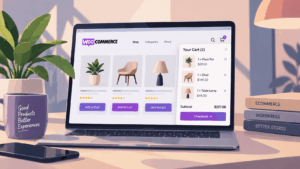
Online stores have the most to lose here. If you run WooCommerce, test the product gallery, variation selectors, quantity fields, coupon field and checkout with a keyboard, because many of those templates come from your theme or its WooCommerce overrides. E-commerce is also one of the services the European Accessibility Act covers by name.
An accessible theme ships labelled search and comment forms, clear focus styles that show where you are on the page, and buttons that say what they do. Those details read as care and competence to every visitor, not only disabled ones. That is where the brand and reputation benefit really comes from: people trust and recommend sites that work for them.
7. Customization That Does Not Break Accessibility
A well-built accessible theme lets you change colors, fonts, spacing and layouts while keeping the accessible structure underneath. Block themes make this easier, because global styles let you set color and typography choices once and apply them across the whole site instead of fixing them template by template.
Two habits keep it that way. First, check contrast every time you change a palette color. Second, build menus with the keyboard in mind: dropdowns should open with Enter or Space, not only on hover, and every item should be reachable with Tab. Our tutorial on how to optimize your website navigation menu covers structure and labeling.
What an Accessible Theme Cannot Fix for You
A theme is the foundation, not the whole building. These parts of your site sit outside its control:
- Your content: alt text, heading order inside posts, link text, video captions and accessible PDFs are editorial work.
- Plugins: sliders, popups, cookie banners, booking widgets and form builders inject their own markup. In WebAIM’s 2026 data, home pages using popular carousel libraries such as Slick, Swiper and OWL Carousel averaged 26% to 32% more errors than the average page. That does not prove the libraries caused the errors, but it is a pattern worth respecting before you add one more slider.
- Page builders: a builder can override the theme’s semantic structure with nested containers and headings chosen for their size instead of their meaning.
- Custom CSS: one small tweak like
outline: nonecan erase the focus indicator the theme worked hard to provide.
What about accessibility overlay widgets? They add a toolbar on top of the page, but they do not repair the theme’s underlying code, and many disabled users and accessibility specialists report that overlays interfere with the assistive technology they already use. Fix the source first. If you want a preferences widget, treat it as an extra, never as the fix.
How to Test a WordPress Theme for Accessibility in 10 Minutes
Run this check on the theme demo first, then again on a staging copy with your own content and plugins. If you are still deciding which type of theme to use at all, start with our guide on what WordPress themes are and how to choose one, then come back here for the accessibility pass.
- Check the label. On WordPress.org, filter the theme directory by the accessibility-ready feature. For premium themes, look for a published accessibility statement or audit summary. A sales page that only says “ADA compliant” is a yellow flag.
- Put the mouse away. Press Tab from the top of the page. A “Skip to content” link should appear first. Keep tabbing: every link, button and menu item should get a clearly visible focus outline, in a logical order.
- Open the menu with the keyboard. Submenus and the mobile menu toggle should open with Enter or Space, ideally close with Escape, and never trap you inside.
- Zoom to 200%, then 400%. Text should grow, nothing should overlap or get cut off, and you should not need to scroll sideways to read a paragraph.
- Test color contrast. Check body text, link color, button text, placeholder text and footer text against their backgrounds. Light gray on white is the usual offender.
- Look at the forms. If a field has a visible label, clicking that label should put the cursor in the field. If the field shows only placeholder text, check your scan results for a hidden label, because placeholder text on its own is not a label.
- Run an automated scan. Use a free checker like WAVE or the Lighthouse panel in Chrome DevTools to catch missing alt text, empty buttons, missing language and skipped heading levels. Automated tools only catch part of WCAG, so a clean scan is a floor, not a pass.
- Spend two minutes with a screen reader. Turn on VoiceOver on a Mac or iPhone, or NVDA on Windows (it’s free), and move through the page by headings. If the outline makes sense when you hear it, the theme’s structure is sound.
A theme that passes all eight steps on its demo is a strong candidate. A theme that fails steps 2 or 3 is usually not worth patching, because keyboard support problems tend to run deep in the menu and header code.
Accessible Theme Questions: ADA, Rankings, Overlays and the Accessibility-Ready Tag
No theme can make a website ADA compliant on its own, and there is no official ADA certification for themes. The ADA applies to the whole website, including your content and plugins. WCAG 2.1 Level AA is the standard in the Department of Justice’s Title II rule and the usual benchmark in lawsuits and settlements, so the useful questions are whether the theme’s templates meet WCAG and then whether your finished pages do.
Accessibility-ready is a tag in the WordPress.org theme directory for themes that pass a manual review against the WordPress accessibility requirements, such as a skip link, keyboard navigation, labelled forms, color contrast and a logical heading structure. It is a minimum standard for the theme’s templates, not a guarantee that your site conforms to WCAG 2.2 AA.
A safe baseline is Twenty Twenty-Five, one of the default block themes bundled with WordPress. It carries the accessibility-ready tag and has more than a million active installations. You can also filter the WordPress.org theme directory by the accessibility-ready feature. Whatever you choose, run a keyboard, zoom and contrast check with your own content before launch.
Not directly. Google has said it does not use accessibility as a direct ranking signal. Many accessibility practices still support SEO, including a clear heading structure, descriptive alt text, meaningful link text, semantic HTML and mobile-friendly layouts.
No. Overlays add a toolbar on top of the page, but they do not fix the theme’s underlying HTML, such as missing form labels, broken heading order or menus that trap keyboard users. Checker plugins that scan your pages inside WordPress are more useful, because they point you to the code and content that need fixing.
Not always. Test your current theme with a keyboard, browser zoom and a contrast checker first. Contrast and focus style issues can often be fixed through global styles or custom CSS in a child theme. If the theme fails basic keyboard navigation, has no skip link and ships unlabeled forms, switching to an accessibility-ready theme is usually cheaper than patching it.
Aim for WCAG 2.2 Level AA. It is the current W3C version and builds on WCAG 2.1, which is the version most laws reference today, including the ADA Title II rule and the EN 301 549 standard behind the European Accessibility Act. Meeting 2.2 AA generally satisfies 2.1 AA as well.
The Bottom Line on Accessible WordPress Themes
Choosing one of the accessible WordPress themes available today will not make your site perfect, but it removes the problems that repeat on every page: missing skip links, unreadable colors, unlabeled forms and menus that only work with a mouse. That is why the theme is one of the highest leverage accessibility decisions you can make, and why the same choice supports SEO, conversions and legal risk reduction at once.
Start with the accessibility-ready tag or a published accessibility statement, run the 10-minute test on a staging site, and keep the theme accessible as you add content and plugins. Once your site is live, publish your own accessibility statement that explains what you tested and how visitors can report a barrier. The theme gives you the head start. Your publishing habits decide whether you keep it.
Sources and review note: figures in this article come from the World Health Organization, WebAIM’s February 2026 Million report, the WordPress.org accessibility-ready theme requirements (updated May 2026), the U.S. Department of Justice’s April 2026 interim final rule on ADA Title II, and the European Accessibility Act (Directive 2019/882). Last reviewed October 2026.