
You can measure your own website down to the second. Checking someone else’s site is a completely different problem, and every tool that promises to solve it is guessing.
That is not an insult to the tools. It is how the category works. No third-party website traffic checker has access to a competitor’s server logs or analytics property. Each one builds an estimate from proxy signals instead: browser panel data, clickstream feeds licensed from extensions and internet providers, DNS resolver queries, or a keyword index multiplied by a click-through model. The output looks like a hard number. It is really a model prediction with an error bar that nobody prints on the dashboard.
The practical consequence shows up fast. Two respected tools can report the same website at 40,000 and 110,000 monthly visits, and neither one is lying. They measured different things, with different panels, using different definitions of a visit.
This guide covers the traffic checker tools worth your time, how each one actually sources its data, how far off they tend to be when tested against real analytics, and the cross-check routine that keeps you from acting on a bad number. If you take one thing from this page, take this: never make a budget decision on a single traffic estimate.
Table of contents
- How website traffic checkers actually get their data
- How accurate are website traffic checkers, really?
- The 4-step method for checking a competitor’s traffic
- The website traffic checker tools worth using
- Tools we removed from this list, and why
- What traffic checkers still cannot see: AI assistants
- Common questions about checking website traffic
- Reading traffic data without fooling yourself
How website traffic checkers actually get their data
Understanding the plumbing is what separates someone who reads a dashboard from someone who can interpret one. There are four sources in play, and every tool on this page uses one or a blend.
1. Clickstream and panel data. The tool licenses anonymized browsing records from browser extensions, mobile apps, internet service providers, and opt-in measurement panels. It sees what a sample of real people visited, then extrapolates that sample to the whole internet. Similarweb and Semrush Traffic Analytics work this way. The method captures all traffic channels, including direct and social, but accuracy collapses when a site is too small to appear meaningfully in the panel.
2. Search index modeling. The tool crawls a large keyword database, records which positions a domain holds, and multiplies each position by an estimated click-through rate. Ahrefs Site Explorer is the clearest example. This gives you organic search traffic only. It is blind to direct visits, newsletter clicks, and social referrals, which is why an Ahrefs number is often far below a Similarweb number for the same site. They are not contradicting each other. They are answering different questions.
3. Network and DNS-level data. Cloudflare Radar ranks domain popularity using anonymized queries to the 1.1.1.1 public resolver. It will not tell you how many visits a site gets, but it gives you an independent popularity signal that no SEO vendor controls, which makes it useful as a sanity check when two paid tools disagree.
4. First-party measurement. A tag on the page counts real sessions. Google Analytics 4, Google Search Console, and privacy-first alternatives like Plausible or Fathom sit here. This is the only category that produces ground truth, and it only ever works for sites you own. If you are running WordPress, our guide to free Google Analytics plugins for WordPress covers the setup options before you start comparing yourself to anyone.
| Data source | What it sees | What it misses | Example tools |
|---|---|---|---|
| Clickstream / panel | All channels | Small sites, private browsing | Similarweb, Semrush Traffic Analytics |
| Search index model | Organic search only | Direct, social, email, referral | Ahrefs, SE Ranking, Serpstat |
| DNS / network | Relative popularity | Actual visit counts | Cloudflare Radar |
| First-party tag | Real sessions | Any site you do not own | GA4, Search Console, Plausible |
A quick rule that saves a lot of confusion: if a tool is free and gives you a number for any domain you type, it is almost certainly modeling, not measuring.
How accurate are website traffic checkers, really?
This is the question the tool vendors have the least incentive to answer, so the useful data comes from third parties.
The most rigorous public test remains the SparkToro traffic estimate study, which collected real Google Analytics data from over 1,000 volunteer site owners and compared it against four estimate providers across 641 websites and nearly 7,700 site-months of data. Measured as correlation with actual GA numbers, where 1.0 would be perfect, Semrush came in at 0.790, Datos at 0.720, Similarweb at 0.659, and Ahrefs at 0.504. That last figure needs context: Ahrefs only ever tries to estimate organic search traffic, so comparing it against total traffic is not a like-for-like test.
A separate test run by Screaming Frog across 25 sites found the direction of error varies by tool. Similarweb tended to overestimate. Ahrefs and Semrush tended to underestimate, by roughly 36% and 42% respectively.
Put those together and you get the working rule we apply internally:
Treat any third-party traffic estimate as accurate to within a factor of two, and treat the trend line as far more reliable than the absolute number.
Where the estimates get least reliable:
- Sites under roughly 5,000 monthly visits. Too small to register in a panel. The number is close to noise
- Sites with heavy direct or app traffic. Panels under-sample logged-in and in-app behavior
- Non-English and smaller regional markets. Panel coverage in Brazil, Southeast Asia, and most of Africa is thinner than in the US and UK, so error margins widen
- Sites behind a login. Almost nothing gets measured past the paywall
Where they are genuinely useful:
- Relative comparison. Competitor A versus Competitor B, measured with the same tool, in the same month
- Direction over time. Is this site growing or shrinking over 12 months
- Channel mix. Even a rough split between search, direct, social, and referral tells you where a competitor invests
- Keyword and page discovery. Which URLs earn the traffic, which is the part you can actually act on
The 4-step method for checking a competitor’s traffic
One tool gives you a number. This sequence gives you something you can defend in a meeting.
Step 1: Establish your own baseline first
Before you look at anyone else, pull your real numbers from Google Search Console and GA4 for the same 12-month window. Then run your own domain through Similarweb, Semrush, and Ahrefs. Write down the gap between what each tool says about you and what your analytics actually reports.
That gap is your correction factor. If Similarweb reports your site 35% high, assume it is reporting your competitor roughly 35% high too. This single step takes 20 minutes and converts every estimate you gather afterwards from a guess into a calibrated guess. Almost nobody does it.
Step 2: Pull the same metric from three tools in the same window
Use a fixed period, usually the last full calendar month or the trailing 12 months, and be strict about which metric you are comparing. Ahrefs organic traffic is not the same thing as Similarweb total visits. Comparing them and calling it a discrepancy is a measurement error, not a tool error.
If all three tools land within about 30% of each other, the estimate is usable. If one is wildly out of line with the other two, drop it for that domain rather than averaging it in.
Step 3: Move from volume to pages and keywords
Total traffic is a vanity metric for competitive research. The actionable layer is which specific URLs earn that traffic and which queries feed them. Both Ahrefs and Semrush expose a competitor’s top pages by estimated organic traffic, which is effectively a ranked list of what is working for them.
Export those lists for three to five competitors, find the queries where two or more of them rank and you do not, and you have a content gap list built from evidence rather than brainstorming. Our walkthrough on how to do keyword research for SEO covers how to filter that export down to the terms actually worth writing for.
Step 4: Check whether the gap is content or infrastructure
Sometimes a competitor outranks you because they wrote a better page. Sometimes they outrank you because your page takes six seconds to render, your internal links are a mess, or your template blocks crawling. Run both URLs through PageSpeed Insights and compare Core Web Vitals field data before you assume the problem is editorial. Our beginner’s guide to technical SEO covers the checks that most often explain a ranking gap that content alone does not.
One habit worth building: record your estimates in a spreadsheet with the date, the tool, and the metric name. Six months later, the change in your own recorded numbers is more reliable than any single snapshot either tool can show you.
The website traffic checker tools worth using
Nine tools. The first six estimate other people’s traffic. The seventh gives you an independent popularity check that no SEO vendor controls. The last two measure your own site, which is the only place real numbers actually live.
| Tool | Data method | Free tier | Best for | Accuracy note |
|---|---|---|---|---|
| Semrush Traffic Analytics | Clickstream + panel | Limited free searches | Channel mix and trend direction | Highest correlation with GA in the SparkToro test |
| Similarweb | Clickstream + panel | Free tier with capped data | Total traffic and audience geography | Strongest for sites in the 5K to 100K monthly range |
| Ahrefs Site Explorer | Search index model | Free Website Traffic Checker | Organic traffic and top pages | Organic search only, tends to under-report |
| SE Ranking | Search index model | 14-day trial | Budget competitor research | Smaller index than Ahrefs or Semrush |
| Serpstat | Search index model | Limited free queries | Keyword overlap between domains | Coverage varies sharply by region |
| Ubersuggest | Search index model | Limited daily free searches | Fast one-off checks | Least precise of the paid group |
| Cloudflare Radar | DNS resolver data | Fully free | Independent popularity sanity check | Gives rank, not visit counts |
| Google Search Console | First-party | Free | Your own real clicks and impressions | Ground truth, own sites only |
| Google Analytics 4 | First-party tag | Free | Your own sessions and conversions | Ground truth, own sites only |
Semrush Traffic Analytics
Semrush built its traffic estimates on licensed clickstream data, which means it sees visits from every channel rather than search alone. In the SparkToro comparison it produced the highest correlation with real Google Analytics numbers of any provider tested, which makes it the closest thing to a default for competitor work.
The feature you want is Traffic Analytics, not the main domain overview. It gives you a channel split, top referring domains, audience overlap between two competitors, and a rough journey showing which sites people visited before and after. The audience overlap report is the one most people never open and the one that most often changes a content plan, because it shows you which competitors you are actually losing the same reader to.
Traffic Analytics sits behind an add-on on top of the base subscription. Budget for it before you assume the standard plan covers this.
Ahrefs Site Explorer
Ahrefs is the one people misread most often, because its headline traffic figure is an estimate of organic search visits only. It is not trying to count direct, social, or email traffic, and it never has. When an Ahrefs number comes in far below a Similarweb number for the same domain, that is the tools working correctly, not disagreeing.
Where it earns its place is the Top Pages report. Sort a competitor’s URLs by estimated organic traffic and you have a ranked list of exactly what is working for them, with the keyword feeding each one. Export that for four or five rivals and the content gaps stop being a guess.
Ahrefs also runs a free Website Traffic Checker that returns a limited organic estimate for any domain with no subscription. It is the fastest way to get a second opinion when you already have one number and want to know whether it is plausible.
Similarweb
Similarweb does the same job with a different panel, and independent testing has found it tends to overestimate where Semrush and Ahrefs tend to underestimate. Running both and noting that they bracket the truth from opposite directions is more useful than trusting either alone.
Its strongest reports are geography and traffic source. Knowing that a competitor pulls 60% of its visits from direct traffic tells you they have brand recall you do not, and no amount of keyword work will close that gap on its own. Knowing that a rival’s audience is 40% Brazilian when yours is 5% tells you there is a market you are under-serving. That is the kind of finding that turns a traffic check into an audience strategy, which is where the work on turning casual visitors into loyal readers actually starts.
The free tier caps how much of each report you see. It is enough for a directional read on a handful of domains, not enough for a portfolio.
SE Ranking
SE Ranking does most of what Semrush and Ahrefs do for competitor research at a noticeably lower price, which makes it the practical choice for freelancers and small teams who need the reports but cannot justify two enterprise subscriptions.
Its competitor research module shows organic and paid visibility side by side, which is a genuine advantage if you want to see where a rival is buying traffic rather than earning it. Rank tracking by country, region, and city is included rather than being an upsell.
The trade-off is index size. For head terms in major English markets the data holds up. For long-tail and non-English queries it returns thinner results than the two larger tools, so verify anything surprising against a second source before you act on it.
Serpstat
Serpstat is worth knowing for one specific job: finding out which domains compete with yours on keywords rather than on products. Its competitor discovery is built on keyword overlap, so it surfaces sites you may not think of as rivals but are taking the same search traffic.
The domain comparison view lets you put three sites side by side and see which queries all three rank for, which only one ranks for, and where the gaps sit. That is the raw material for a content gap list.
Backlink analysis and full site audits sit behind higher plans. Regional coverage varies more than the larger tools, so check that it has real depth in your market before you commit to a subscription.
Ubersuggest
Ubersuggest is the budget entry point. It runs on a search index model like Ahrefs and SE Ranking, and it is the least precise of the group, but it costs a fraction of the alternatives and returns an answer in seconds.
Use it for quick one-off checks rather than as the tool you build a strategy on. If you want to know roughly whether a competitor is in the hundreds, thousands, or hundreds of thousands of monthly organic visits, it will tell you that reliably enough. If you need a number you will defend in a client meeting, cross-check it.
There is a limited free daily allowance without a subscription, which is often enough for casual use.
Cloudflare Radar
Cloudflare Radar is the odd one out and the reason it belongs here is independence. It ranks domain popularity from anonymized queries to the 1.1.1.1 public DNS resolver, which means it is not built on an SEO panel, not sold as a marketing tool, and has no commercial incentive to flatter anyone’s numbers.
It will not give you a visit count. It gives you a popularity rank and, for larger domains, a trend over time. That sounds limited until two paid tools disagree by a factor of three about the same site and you need a tiebreaker that neither vendor controls.
It is completely free with no account required, and it is the closest functional replacement for the old Alexa ranking that a lot of people still miss.
Google Search Console
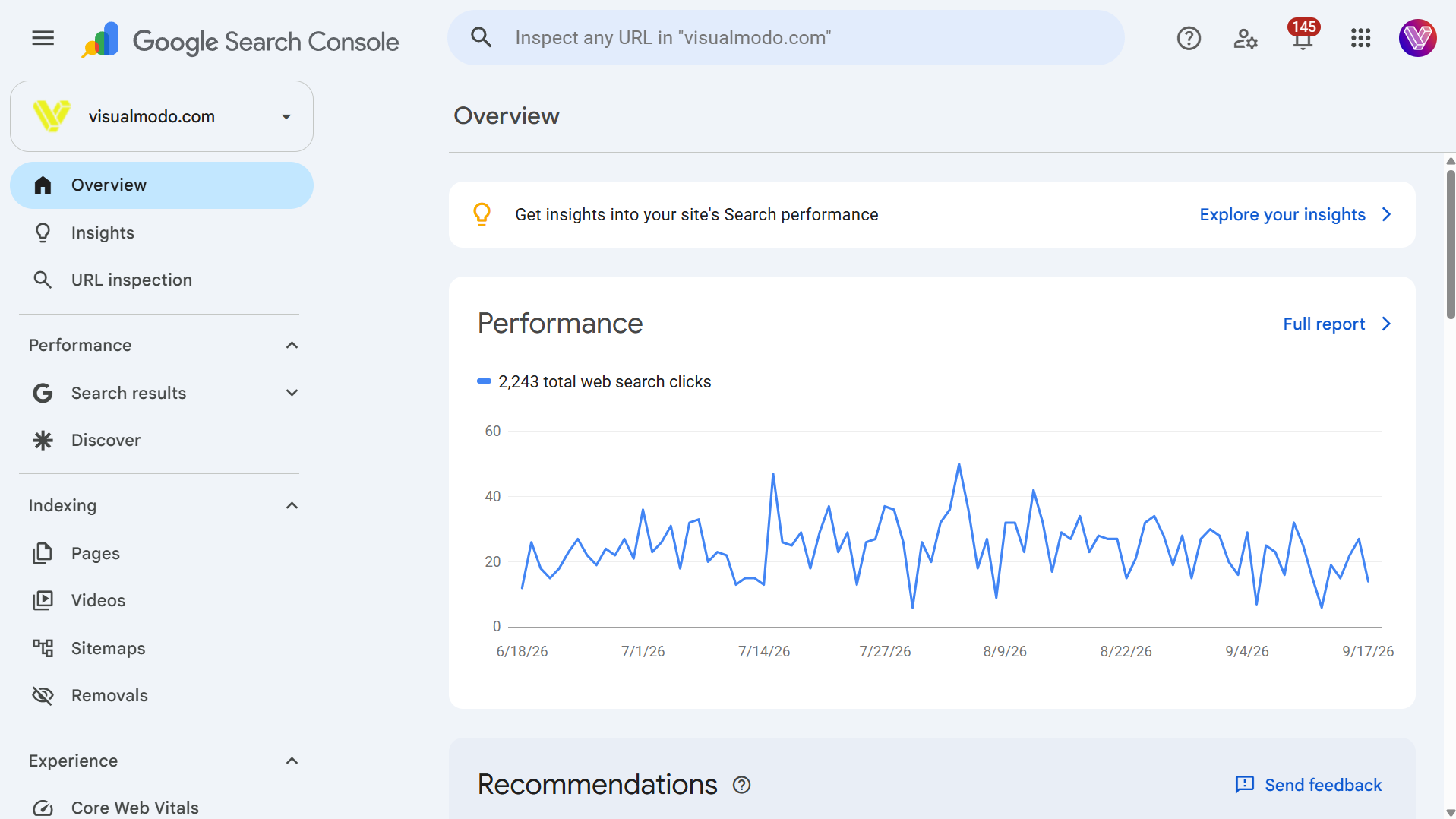
For your own site, this is not an estimate. It is Google reporting the clicks and impressions it actually served, which makes it the only true baseline you will ever have.
Use the Performance report to see every query that put you in front of someone, your average position on each, and your click-through rate. The queries where you rank well but almost nobody clicks are usually a title tag problem, and they are the cheapest wins on any site.
It is free, it requires domain verification, and it should be the first thing you open before you look at a single competitor. You cannot calibrate an estimate without a real number to calibrate it against.
Google Analytics 4
Search Console tells you how people found you. GA4 tells you what they did next, which channels brought them, and which of them converted.
For competitive work its role is calibration. Pull your real GA4 sessions for a given month, then check what Semrush, Similarweb, and Ahrefs claim about you for the same month. The size and direction of each gap is your correction factor, and you apply it to everything those tools tell you about anyone else.
GA4 is free. If you are new to its reporting, our explainer on how Google Analytics counts pageviews covers the metric definitions that trip people up most often when they compare their own numbers against a third-party estimate.
Tools we removed from this list, and why
This article first ran in 2022 and listed fifteen tools. Five of them survived the 2026 review. Ten came out and four better options went in. Naming what we removed, and why, is more useful to you than quietly deleting it and hoping nobody noticed.
- Alexa. Amazon retired it in 2022. Any tool still quoting an “Alexa rank” is quoting a number that stopped being calculated years ago. Cloudflare Radar Domain Rankings is the closest free replacement, built on anonymized DNS resolver data rather than a toolbar panel.
- Rank2Traffic. Built on the Alexa ranking system. When the underlying data source ended, so did the reason to use it.
- SiteWorthTraffic, Traffic Estimate, and VisitorsDetective. Ad-revenue and “what is this website worth” estimators. They multiply a guessed pageview count by a guessed ad rate and publish no methodology at all. Two stacked guesses do not produce a usable figure.
- Quantcast Measure. Still a real product, but it only reports on sites that have installed the Quantcast tag. Your competitors almost certainly have not. For competitive research it is a dead end by design.
- KWFinder and QuickSprout’s free analyzer. KWFinder is a good keyword tool inside the Mangools suite, but it is not a traffic checker and listing it as one confuses the category. Neil Patel’s free analyzer has been folded into Ubersuggest, which appears above under its current name.
- Raven Tools. A capable SEO reporting suite, but traffic estimation was never its strength, and it no longer belongs on a list about measuring other people’s sites.
If you find a “free traffic checker” that returns a confident number for any domain with no signup, assume it is running a formula over a public ranking signal rather than measuring anything. Earlier versions of this article also carried three entries under names that were simply wrong. Those are gone. Every tool above now appears under the name its makers actually use.
What traffic checkers still cannot see: AI assistants
Every tool on this page was designed for a web where people found you through a search results page. A growing share of discovery now happens inside ChatGPT, Perplexity, Gemini, and Copilot, where your content can be read, summarized, and cited without generating a click that any panel or keyword model would register.
This creates a blind spot that no traffic estimator currently solves. A competitor can be heavily cited inside AI answers and show flat numbers in Similarweb. Two things you can do about it:
Track AI referrals in your own GA4. Some assistants do pass a referrer when a user clicks through. Build a segment filtering session source for chatgpt.com, perplexity.ai, gemini.google.com, and copilot.microsoft.com. The volume is usually small. The conversion quality is frequently the best on the report, because someone who clicks through from an AI answer has already been pre-qualified by the summary.
Measure citation share, not click share. A newer category of tools tracks how often a brand or URL appears inside AI-generated answers across a set of prompts. That is the metric that matters when the click never happens. We compared the leading options in our review of the best AI visibility platforms for brand tracking.
The honest position: traffic checkers still answer a useful question, but it is no longer the whole question. Plan on reading both.
Common questions about checking website traffic
Most third-party estimates land 30% to 60% away from the site’s real analytics numbers, and on smaller or non-English sites they can be off by a factor of two. The direction of the error varies by tool. Treat the trend as reliable and the absolute number as approximate.
They measure different things. Ahrefs estimates organic search traffic from its keyword index. Similarweb estimates total visits across every channel using clickstream panels. The Similarweb figure will almost always be larger, and that is expected rather than a contradiction.
No. Exact numbers exist only inside that site’s own analytics. Everything available externally is a model output. The realistic goal is a defensible range and a reliable direction of travel.
For your own site, Google Search Console and GA4, which report real data rather than estimates. For competitors, the free tiers of Ahrefs Website Traffic Checker and Similarweb, cross-checked against Cloudflare Radar for an independent popularity signal.
Roughly 5,000 monthly visits. Below that, most panels have too few observations and the output is closer to noise than measurement.
Not meaningfully. Most were built for search-driven discovery. Track AI referrals in your own GA4 by session source, and use a dedicated AI visibility tool to measure citation share.
Reading traffic data without fooling yourself
The skill worth building here is not picking the right tool. It is knowing what any given number is and is not capable of telling you.
A traffic estimate is a model output shaped by a panel, a keyword index, or a resolver log. It is good at relative comparison, good at trend direction, and weak at absolute volume, especially for smaller sites and outside the largest English-speaking markets. Calibrate against your own analytics first, pull the same metric from at least three sources, and move as fast as you can from total traffic to the specific pages and queries that produce it, because that is the only layer you can act on.
Then check the part the tools still miss. If a meaningful share of your audience now meets your brand inside an AI answer rather than a search result, no traffic checker on this page will tell you about it, and the site that notices first has the advantage.