Privacy compliance on WordPress is one of those jobs nobody puts on the roadmap until something breaks. A client asks for a cookie banner. A partner wants consent logs. Your analytics vendor emails about Google Consent Mode v2. Then you realize your site has half a dozen plugins doing overlapping things, and none of them talk to each other. In this complete review, we’ll explore the WPLP compliance platform WordPress plugin, the all-in-one privacy solution.
That’s the promise behind the WPLP Compliance Platform: one WordPress focused stack that covers legal pages plus cookie consent, with the “plumbing” built in. You can download it here.
In this review, I’ll walk through what WPLP is, what it does well, what it does not, who it’s for, how setup feels in real life, and whether it’s worth paying for. I’ll also share a simple checklist to help you decide quickly without overthinking it.
Quick note: I’m not a lawyer. Think of this as a product review and implementation guide, not legal advice.
What is WPLP Compliance Platform?
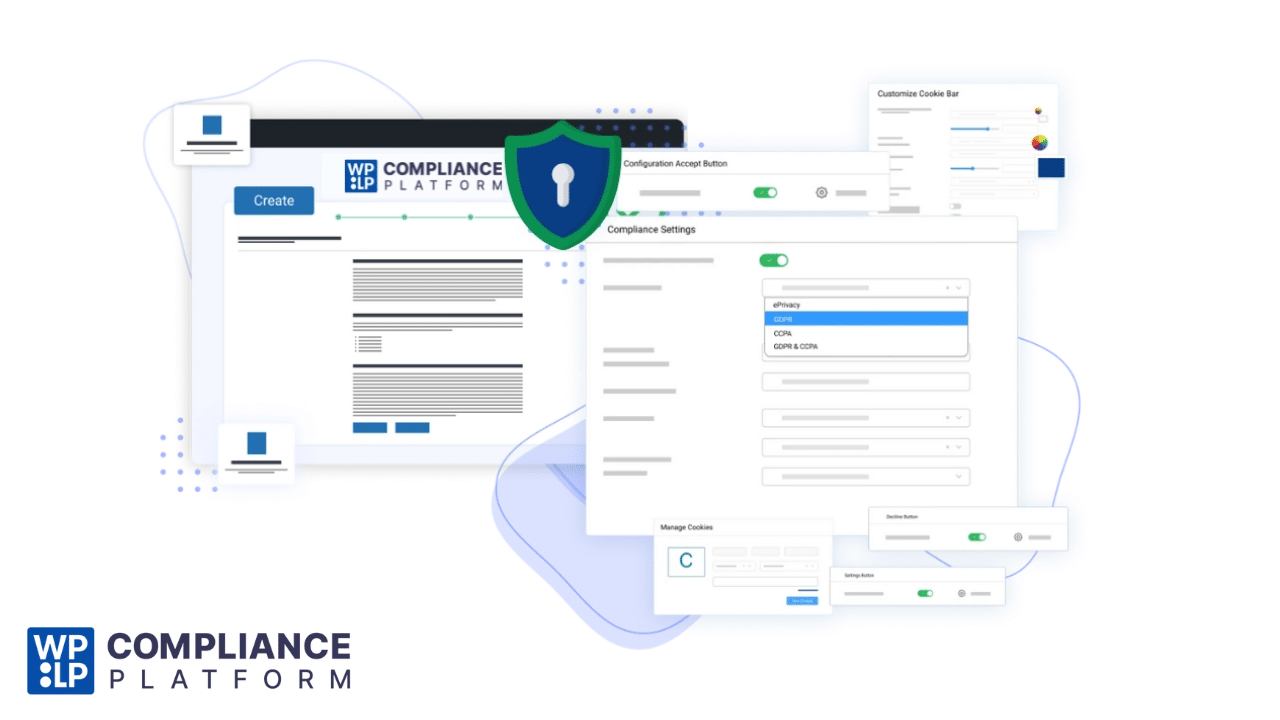
WPLP Compliance Platform is a WordPress compliance solution built around two core pieces that work together.
WP Legal Pages, for generating attorney crafted legal pages and disclosures using guided questionnaires.
WP Cookie Consent, for cookie banners, scanning, consent logging, and consent controls.
The pitch is simple: instead of stitching together a page generator, a cookie banner, a scanner, and a consent log plugin, you run a unified setup from your WordPress admin and keep everything aligned.
If you have ever updated your cookie banner but forgot to update the cookie policy page, you already get why that “aligned” part matters. You can upgrade to PRO here.
What you get, features that matter in real workflows
Most privacy plugins look similar on the surface. The details that matter show up when you try to ship compliance changes across a real site, especially eCommerce, membership sites, or client portfolios.
Here’s what stands out with WPLP Cookie Consent
Legal page generation that feels like onboarding
Instead of dumping templates and hoping you edit them correctly, WPLP uses questionnaires and guided fields, then generates the policy pages you need. That’s a better fit for non lawyers and busy site owners.
Cookie scanning and policy matching
The scanner helps identify cookies and scripts so your cookie policy is not just generic text. In practice, this reduces the “my banner says one thing, my policy says another” problem.
Consent logs you can actually use
The platform focuses on keeping consent records and giving you a way to view and export them. That matters if a partner, client, or regulator asks what a user agreed to.
Google Consent Mode v2 support and IAB TCF 2.2 options
If you run ads, analytics, or operate in regions with stricter consent requirements, these are not “nice to have.” They are often the difference between a clean setup and a messy scramble later.
Geo targeting and branding control
For agencies and multi region sites, geotargeted banners help you show different messaging based on location. Removing branding is also a practical requirement for many client projects.
Data Subject Access Request and revoke consent tools
These features matter when you want a cleaner privacy workflow instead of a patchwork of forms and manual steps.
Plans and pricing, what’s included and what it costs
WPLP Cookie Consent uses a freemium model, then tiers based on sites and usage. In 2026, that’s the right approach for a compliance tool because it lets you test on a real site before committing.
A quick way to think about the plans:
Lite is for trying it on a single site and getting baseline pages and consent basics.
Professional is for solo site owners or small businesses managing a few sites.
Business is for teams managing multiple sites with higher scan and pageview limits.
Agency is for client portfolios and scaled operations.
The platform’s pricing page also lists feature differences like scan limits, pages per scan, pageview limits for banner interactions, plus advanced items such as export and import, geotargeting, IAB TCF support, and removing branding.
Feature comparison table: WPLP Compliance Platform Review
| Feature | Lite | Professional | Business | Agency |
|---|---|---|---|---|
| Legal page generator | Yes | Yes | Yes | Yes |
| Premium legal templates | Limited | Yes | Yes | Yes |
| Cookie banner and consent controls | Yes | Yes | Yes | Yes |
| Cookie scanner | Limited | Yes, monthly limits | Unlimited | Unlimited |
| Pages per scan | Limited | Up to 10,000 | Up to 20,000 | Up to 20,000 |
| Consent log | View only or limited | View and export | View and export | View and export |
| DSAR and revoke consent tools | Limited | Included | Included | Included |
| Google Consent Mode v2 | Limited | Included | Included | Included |
| Geo targeting | Limited | Included | Included | Included |
| IAB TCF 2.2 support | Limited | Included | Included | Included |
| Remove branding | No | Yes | Yes | Yes |
| Sites allowed | 1 | Up to 3 | Up to 10 | Higher tiers |
If your main goal is “get compliant pages and a decent cookie banner live this week,” the free version can be enough to start. If your goal is “client ready consent logs, region specific banners, and fewer moving parts,” the paid tiers become a lot more attractive.
Setup experience, what it’s like when you actually install it
WPLP is not hard, but it is a little different from a typical single plugin install because it’s a platform, not a standalone widget.
Here’s the smoothest setup path.
- Install the WP Legal Pages plugin
- Create your WPLP account from the onboarding prompts
- Connect or install WP Cookie Consent when prompted
- Run the guided wizard to generate the key pages
- Configure banner design, behavior, and regions
- Run a cookie scan and review categories
- Publish your cookie policy and link it from the banner
- Verify consent logs, then test on mobile and in incognito
The “two plugin” structure is not a flaw, it’s just a reality of bundling legal pages and cookie consent under one umbrella. Once it’s set, you mostly live inside one dashboard.
What I like, and what I’d change
The best parts: WPLP Compliance Platform Review
It replaces multiple plugins without feeling bloated
Instead of stacking a policy generator, a banner plugin, a scanner, and some random consent log add on, WPLP aims to cover the whole job.
The wizard based legal pages are a big win
Most people do not want to write legal pages from scratch. The guided approach is the difference between “I’ll do it later” and “done today.”
Future facing consent features
Consent Mode v2 and IAB TCF support are signals that the product team understands where compliance requirements are heading, especially for ad supported sites.
Agency friendly controls
Geotargeting, export options, and branding controls are practical features that help when you manage multiple sites.
Top-rated plugin with 10,000+ sites using, public reviews present on WordPress.org and TrustPilot.
WPLP Compliance Platform Review: The tradeoffs
Documentation can feel light when you hit edge cases
If you run into a weird conflict with caching, security, or a browser extension, you may need support, not just docs.
Setup can feel slightly confusing the first time
Mainly because you are connecting a platform account and pairing components, not just toggling a single plugin.
Like every compliance tool, it’s not a magic shield
You still need to configure it correctly, pick the right templates, and make sure your real data practices match what your policies say.
Who WPLP is best for
WPLP makes the most sense for these groups.
Small businesses that want a clean, all in one compliance setup
Publishers and affiliate sites that care about consent logs and ad tech requirements
WooCommerce stores that need returns policies, disclosures, and consent management
Agencies and freelancers managing multiple client sites
Site owners operating across multiple regions, including EU and Brazil
If you are running a personal blog with no forms, no tracking, and no ads, WPLP may be more than you need. In that case, a simple privacy policy page and minimal cookie notice might cover your basics.
How WPLP compares to other WordPress compliance plugins
There are solid alternatives in this category, and the “best” choice depends on your workflow.
Some plugins are cookie consent first, with legal pages as an extra.
WPLP feels more balanced, legal pages plus consent, under one roof.
Some tools are great for a single site, but get painful at scale.
WPLP’s pricing tiers and agency angle make it more appealing when you manage multiple properties.
If you are shopping around, it’s smart to compare WPLP alongside other cookie consent focused solutions, especially if you have strict script blocking requirements or need very specific region based rules.
A practical checklist before you buy
If you want a quick decision framework, answer these.
Do you need more than one legal page template, beyond a basic privacy policy?
Do you run ads or analytics that benefit from Consent Mode v2?
Do you need consent logs you can export for clients or partners?
Do you manage multiple sites and want one consistent setup?
Do you want a tool that reduces plugin sprawl?
If you said yes to two or more, WPLP is worth serious consideration.
Final verdict
WPLP Compliance Platform is a strong “do it once, do it right” option for WordPress site owners who want legal pages and cookie consent working together, not duct taped together.
It’s especially compelling if you manage multiple sites or care about ad tech compliance features like Consent Mode v2 and IAB frameworks. The main downside is that the first time setup may feel a bit less obvious than a single plugin cookie banner, but the payoff is a cleaner long term compliance stack.
If your current setup involves three to five plugins and a lot of manual updates, WPLP can genuinely simplify your compliance workflow.