Digital onboarding has become the primary entry point for customer relationships across financial services, healthcare, HR platforms, and beyond. Yet as businesses move their onboarding processes entirely online, a fundamental challenge emerges: how do you verify that a person is who they claim to be when there is no physical interaction, no trained agent to inspect a document, and no opportunity to cross-reference a face against an ID in real time? In this article, we’ll explore ID card scanning software for remote verification and digital onboarding.
The global digital identity verification market has been expanding rapidly, driven by the accelerating shift to remote-first business models and tightening regulatory requirements around KYC and AML compliance. Businesses that cannot verify customer identities remotely. So, accurately and at scale — face a compounding problem: rising fraud exposure on one side, and abandoned onboarding flows on the other. Here’s when purpose-built verification technology enters the game.
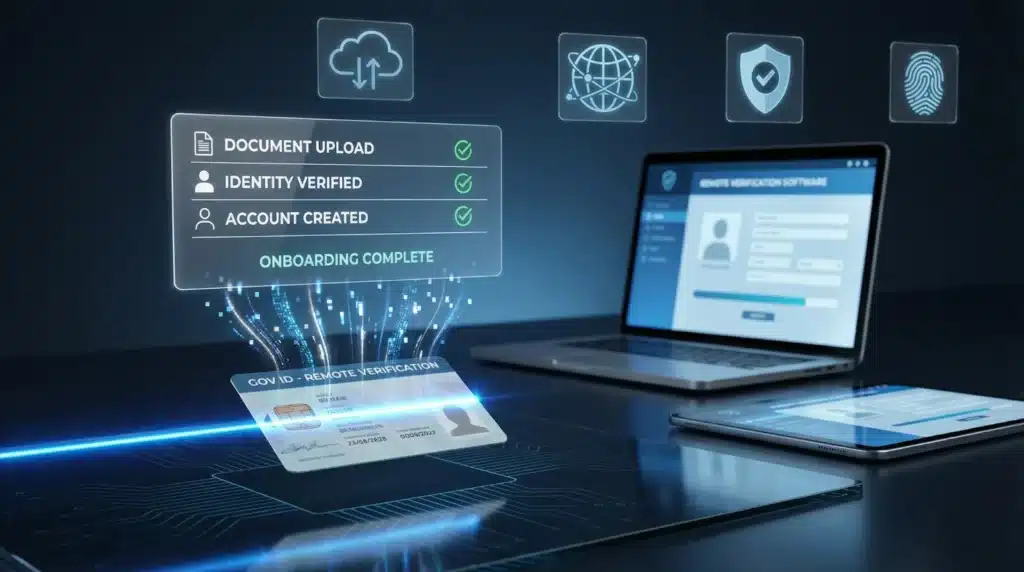
ID card scanning software is designed to solve exactly this problem. It enables businesses to capture, read, and validate government-issued identity documents through a camera or uploaded image. So, without requiring physical presence, specialist staff, or proprietary hardware. Given this capability, understanding how these tools work, where they deliver the most value, and what separates a reliable solution from an inadequate one is essential for any organization building a remote verification workflow.
What Is ID Card Scanning Software?
ID card scanning software is a technology solution that automates the extraction and validation of data from government-issued identity documents. So, including national ID cards, passports, driver’s licenses, and residence permits. It is built on a combination of optical character recognition (OCR), machine-readable zone (MRZ) parsing, and machine learning-based fraud detection, working together to process a document image and return structured, verified data in seconds.
In other words, the software does what a trained document verification agent would do manually. Reading fields, checking security features, and flagging inconsistencies. But faster, at scale, and without geographic limitations. ID card scanning software is typically delivered as an SDK for mobile integration or as an API that connects with web-based onboarding platforms, making it adaptable to a wide range of technical environments.
What is also important here is the distinction between basic OCR tools and compliance-grade scanning solutions. A basic OCR implementation may extract text from a document image, but it will not detect tampering, validate MRZ checksums, cross-reference sanctions databases, or generate the audit logs that regulators require. For remote verification and digital onboarding, a compliance-grade solution is what businesses genuinely need.
When Does It Make Sense to Use ID Card Scanning Software?
Remote identity verification is not a niche requirement. So, it is increasingly the standard across a broad range of industries. The most highly demanded options are found in contexts where customer onboarding happens entirely online and where regulatory frameworks require documented identity confirmation. These include: ID card scanning software for remote verification and digital onboarding.
- Fintech and digital banking: Account opening, payment platform registration, and loan applications that require KYC compliance before activation.
- Cryptocurrency exchanges: Regulatory mandates require identity verification prior to enabling trading, withdrawals, or high-volume transactions.
- Insurance platforms: Policyholder verification during online application and claims processing.
- Healthcare and telehealth: Patient identity confirmation for prescription access, telehealth consultations, and medical record management.
- HR and employment platforms: Remote candidate verification before contract signing or background check initiation.
- Online gaming and gambling: Age and identity verification required under gaming license conditions before account activation.
- Shared mobility and rental services: Driver’s license verification for car rental, scooter, or vehicle-sharing platform onboarding.
Apart from this, businesses expanding into international markets will find that software-based scanning significantly reduces the complexity of verifying foreign identity documents. Without needing to build internal expertise for every country’s document formats and security features.
Key Features of Reliable driver’s licenses, passports Scanning Software
Selecting a solution that genuinely supports remote verification requires a clear understanding of what compliance-grade tooling should deliver. You should look for the following capabilities when evaluating options:
- Broad document library coverage: The solution should support identity documents from a wide range of countries and jurisdictions. So, with regular updates as new document versions are issued.
- OCR and MRZ extraction: Accurate, real-time reading of all printed and machine-readable fields is fundamental to reliable data capture.
- Tampering and fraud detection: Features are equipped with algorithms that identify inconsistencies in fonts. Holograms, UV patterns, microprint, and document structure.
- Biometric matching and liveness detection: Confirms that the person submitting the document is physically present at the time of verification. Reducing spoofing and substitution fraud.
- Sanctions and watchlist screening: Extracted identity data should be automatically cross-referenced against PEP lists, sanctions databases, and adverse media sources.
- Compliance audit trail: Every verification event should generate a timestamped. Structured log that can be produced for regulatory review on demand.
- API and SDK integration: The solution should connect seamlessly with existing onboarding platforms, CRM systems, and compliance management tools.
Pay attention to whether the vendor maintains an active document library update schedule. Document formats change, new security features are introduced, and fraud techniques evolve. A solution that is not actively maintained may create compliance gaps over time.
How to Implement driver’s licenses, passports Card Scanning Software for Digital Onboarding
Implementing remote verification effectively requires more than selecting a capable tool. We recommend approaching the process in clearly defined stages to avoid common integration pitfalls:
- Map your regulatory requirements before evaluating vendors. Different jurisdictions impose different KYC and AML obligations. So, you need to know which frameworks apply to your business before assessing whether a solution’s compliance features are sufficient.
- Define verification touchpoints across the customer journey. You should attentively analyze whether identity verification is required only at initial onboarding. Or also at subsequent stages such as account upgrades, high-value transactions, or periodic re-verification.
- Prioritize mobile-first implementation. The majority of digital onboarding now occurs on mobile devices. Ensure that the solution’s SDK performs reliably on both iOS and Android under real-world conditions.
- Always provide a manual escalation path. If a document cannot be scanned automatically — due to damage, unusual formatting, or image quality issues. A human review fallback should be available to avoid abandonment.
- Test with a representative document set. Typical integrations underperform in production when testing has been limited to a narrow range of document types. Validate coverage against the actual mix of documents your users are likely to present.
- Monitor post-launch accuracy metrics. Track successful verification rates, document rejection rates, and manual review volumes to identify whether the solution is performing as expected in live conditions.
It will be helpful to run a structured pilot with a defined user cohort before full deployment. This allows your team to identify gaps in document coverage. UX friction points, and compliance log formatting before they affect your entire onboarding flow.
Conclusion
Remote verification and digital onboarding demand a level of accuracy, speed, and compliance documentation that manual processes cannot reliably deliver at scale. ID card scanning software enables businesses to meet these demands by automating document capture, data extraction, fraud detection, and audit logging within a single, integrated workflow. Finally, without requiring physical presence or specialist staff.
The majority of regulated businesses operating digital channels are already adopting automated identity verification as the standard approach. If your current onboarding flow still relies on manual document review or lacks a structured compliance audit trail, you should evaluate whether that gap represents an acceptable risk. The right solution could significantly reduce fraud exposure and compliance liability while delivering the frictionless onboarding experience that modern customers expect.