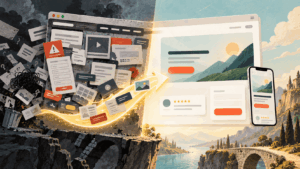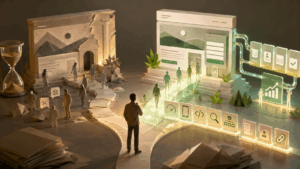
A great website does not happen because someone opened a design tool and started moving boxes around a screen. It happens because the team follows a clear process, asks better questions, makes smart decisions early, and keeps the user at the center from the first meeting to the final launch. In this article, we’ll explore the top seven essential stages of a professional web design workflow.
That is what a professional web design workflow is really about. It is not just a checklist for designers. It is a working system that helps business owners, agencies, developers, copywriters, marketers, and clients move in the same direction. When the workflow is strong, projects feel calmer. Feedback is easier to manage. Deadlines become more realistic. The final website looks better, performs better, and supports the business’s goals with RankWeb.
Whether you are designing a small business website, a portfolio, an online store, a SaaS website, or a content-rich WordPress site, the stages below will help you build with more confidence and fewer expensive surprises.
Why a Professional Web Design Workflow Matters
Many website projects fail long before development begins. The issue is rarely talent. It is usually a lack of structure.
A client says they want a modern website, but no one defines what that means for their audience. A designer creates beautiful layouts, but the copy is not ready. A developer builds the pages, but SEO basics were not planned. A launch date arrives, but mobile testing was rushed. These problems are common, and they are exactly what a professional workflow prevents.
A good workflow turns a vague idea into a practical path. It gives every stage a purpose. It also makes decisions easier because the team can connect every choice back to the audience, the brand, and the business objective.
| Stage | Purpose | Main Deliverable | What to Focus On |
|---|---|---|---|
| 1. Discovery | Understand the business, audience, goals, and project scope | Project brief | Goals, target users, competitors, pain points, timeline, budget, and success metrics |
| 2. Strategy and Content Planning | Build the website structure around user needs and business objectives | Sitemap and content plan | Page hierarchy, search intent, keyword opportunities, core messages, and calls to action |
| 3. UX Planning | Map the user journey before visual design begins | Wireframes | Navigation, layout structure, conversion paths, mobile usability, and content flow |
| 4. Visual Design | Turn the strategy into a polished brand experience | High fidelity page designs | Typography, colors, spacing, imagery, buttons, consistency, and visual hierarchy |
| 5. Development | Convert approved designs into a fast and functional website | Working website | Responsive layouts, CMS setup, performance, technical SEO, accessibility, and integrations |
| 6. Testing and Quality Assurance | Find and fix issues before launch | QA checklist | Forms, links, mobile views, browser compatibility, page speed, content accuracy, and tracking |
| 7. Launch and Growth | Publish the site and improve it over time | Live website and optimization plan | Redirects, analytics, Search Console, performance monitoring, content updates, and conversion improvements |
Professional Web Design Workflow Stages 1: Discovery and Project Briefing
Discovery is where a professional web design workflow begins. This stage is not about colors, fonts, animations, or page layouts. It is about understanding what the website needs to achieve and why it exists in the first place.
A strong discovery process explores the business model, audience segments, competitors, brand position, website goals, and current pain points. For example, a service business may need more qualified leads. An ecommerce store may need better product discovery. A personal brand may need stronger trust signals and a clearer message.
The most useful questions are simple but powerful. Who is the website for? What do visitors need to do? What makes the brand different? Moreover, is it not working on the current site? What should success look like three months after launch?
The output of discovery should be a clear project brief. This document does not need to be long, but it should be specific. It should define the target audience, business goals, core pages, technical needs, content responsibilities, timeline, and approval process.
When discovery is done properly, everyone starts from the same map. That alone can save hours of revisions later.
Stage 2: Strategy, Sitemap, and Content Planning
Once the team understands the project, the next stage is strategy. This is where the website begins to take shape as a business tool rather than just a collection of pages.
A sitemap should organize pages in a way that feels natural to users and useful for search engines. The homepage, service pages, product pages, blog categories, case studies, about page, contact page, and landing pages all need a reason to exist. Every important page should support a user question, a buying decision, or a trust-building moment.
Content planning is just as important. Many web design projects slow down because copy is treated as something that can be added later. In reality, content is the structure behind the design. Headlines, calls to action, page sections, FAQs, testimonials, product descriptions, and internal links all influence the layout.
This stage is also where SEO thinking should naturally enter the workflow. A professional team will consider search intent, keyword opportunities, page hierarchy, metadata, internal linking, image optimization, and useful content before finalizing the design.
The best websites are not designed first and optimized later. They are planned from the start to be helpful, findable, and persuasive.
Professional Web Design Workflow Stages 3: UX Planning and Wireframing
User experience planning is when the team decides how visitors will navigate the website. Before colors and polished visuals appear, wireframes help define layout, hierarchy, navigation, and conversion paths.
Wireframes are intentionally simple. They focus attention on what matters most: what users see first, what information they need next, where buttons appear, how sections connect, and whether the page feels easy to understand.
This stage is especially important for websites with multiple audiences. A software company may need to speak to founders, marketing managers, developers, and investors. A university website may need clear paths for students, parents, alumni, and staff. A good UX plan provides each audience with a clear route without making the website feel crowded.
UX planning also reduces emotional feedback. Instead of debating whether a page looks pretty, the team can discuss whether the structure works. Does the homepage clearly explain the offer? Is the contact path obvious? Are service pages clear enough for someone comparing providers? Does the blog support topical authority?
Good wireframes make visual design easier because the hard thinking has already happened.
Stage 4: Visual Design and Brand Experience
Visual design brings the strategy to life. This is the stage most people think of when they hear web design, but in a professional workflow, it comes after discovery, strategy, and UX planning for a reason.
The goal is not only to make the website attractive. The goal is to create a brand experience that feels credible, intentional, and easy to use. Typography, color, spacing, imagery, icon style, buttons, forms, and motion should all work together.
A professional design should guide attention. It should make important messages stand out. It should make calls to action feel natural. So, should support readability on mobile. It should create enough visual personality to be memorable without making the interface harder to use.
This is also the right time to create reusable design components. Buttons, cards, forms, testimonial blocks, pricing tables, FAQ sections, banners, and content blocks should follow a consistent system. That consistency helps the website feel polished and makes future updates easier.
Great visual design is not decoration. It is communication with taste, structure, and purpose.
Stage 5: Development and CMS Implementation
Development turns approved designs into a working website. This stage includes front-end development, back-end setup, CMS configuration, responsive behavior, integrations, performance foundations, and technical SEO basics.
For many businesses, WordPress is still a practical choice because it gives teams control over pages, posts, media, menus, and ongoing content updates. Other projects may use Shopify, Webflow, headless CMS platforms, custom frameworks, or landing page builders. The best choice depends on the business goals, budget, content needs, and internal team skills.
A professional development process should protect the design while making the site easy to manage. Editors should not need a developer for every small change. At the same time, the CMS should not be so flexible that the brand system breaks after a few updates.
Performance also matters here. Clean code, optimized images, careful plugin use, caching, accessibility checks, structured headings, and mobile responsiveness all contribute to a better user experience.
Development is where the website becomes real. The best developers do more than reproduce a layout. They build something stable, scalable, and practical for the people who will manage it.
Professional Web Design Workflow Stages 6: Quality Assurance, Testing, and Refinement
Testing is the stage that separates professional work from rushed work. A website may look complete, but it is not ready until it has been tested across devices, browsers, screen sizes, forms, links, menus, and key user journeys.
Quality assurance should include mobile testing, desktop testing, browser testing, form submission checks, page speed review, accessibility basics, image compression, broken link checks, metadata review, 404 page setup, redirect planning, analytics installation, and final content proofreading.
Testing should also include questions about real user behavior. Can someone understand the homepage in a few seconds? Can they find pricing, services, contact information, or product details without effort? Does the mobile menu feel smooth? Are buttons easy to tap? Are forms asking only for the information truly needed?
This is the stage where small fixes make a big difference. A confusing button label, a slow image, a missing thank you page, or a poorly formatted mobile section can quietly reduce trust.
A polished website feels effortless because someone took the time to remove friction.
Stage 7: Launch, Measurement, and Continuous Growth
Launch day is exciting, but it should not be treated as the end of the workflow. It is the beginning of real-world learning.
A professional launch includes backups, final approvals, DNS updates, SSL checks, redirects, analytics checks, search console setup, form tests, indexation review, and post-launch monitoring. The first days after launch are important because small issues can appear once real users, real browsers, and real traffic interact with the site.
After launch, the website should move into a growth cycle. Review analytics. Watch which pages attract traffic. Check which calls to action get clicks. Improve pages with weak engagement. Add useful content based on real customer questions. Update internal links. Test landing pages. Strengthen service pages. Refresh outdated visuals when needed.
This is where organic traffic grows. Not from launching a beautiful website once, but from treating the website as a living asset.
The most successful websites are improved over time. They become clearer, faster, more useful, and more aligned with what visitors actually need.
A Simple Professional Web Design Workflow Checklist
- Define the business goal, target audience, scope, timeline, and success metrics.
- Create a sitemap, content plan, page goals, and search-focused structure.
- Build wireframes that clarify user journeys before visual design begins.
- Design a consistent visual system with strong hierarchy and brand personality.
- Develop a responsive, fast, secure, and easy-to-edit website.
- Test content, links, forms, mobile layouts, accessibility, speed, and tracking.
- Launch carefully, measure performance, and keep improving the site after release.
Common Mistakes That Slow Down Web Design Projects
The most common mistake is starting with visuals before strategy. This often leads to attractive pages that do not answer the right questions. The second mistake is waiting too long to write copy. Design depends on content, and placeholder text can hide major structural problems.
Another mistake is ignoring the mobile until the end. Since many users will first experience the website on a phone, mobile thinking should influence every stage of the workflow.
Poor feedback also creates delays. Feedback like “make it pop” or “it feels off” is hard to act on. Better feedback connects to goals: “The headline does not explain the service clearly enough,” or “The call to action is not visible on mobile.”
Finally, many teams forget the post-launch phase. A website is not a poster. It is a working growth channel. The real value comes from measuring, learning, and improving.
FAQ
A web design workflow is the structured process for planning, designing, building, testing, launching, and improving a website. It helps teams move from idea to finished website with clear stages, responsibilities, and deliverables.
The main stages are discovery, strategy, UX planning, visual design, development, testing, and launch with ongoing optimization. Each stage supports the next, which helps reduce confusion and improve the final result.
Discovery helps the team understand the business, audience, goals, competitors, content needs, and technical requirements. Without discovery, the project relies too much on assumptions.
Yes. SEO should be considered during strategy, content planning, site structure, development, and launch. Search visibility works best when it is built into the website from the beginning.
UX design focuses on how users navigate the website and complete key actions. Visual design focuses on the look and feel, including typography, colors, images, spacing, and brand style.
The timeline depends on the website’s size and complexity. A small business website may take a few weeks, while a custom site with many pages, integrations, and approval stages can take several months.
After launch, the team should monitor analytics, check technical performance, fix any issues, improve content, review conversions, and continue optimizing the website based on real user behavior.