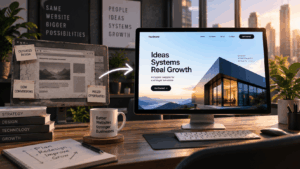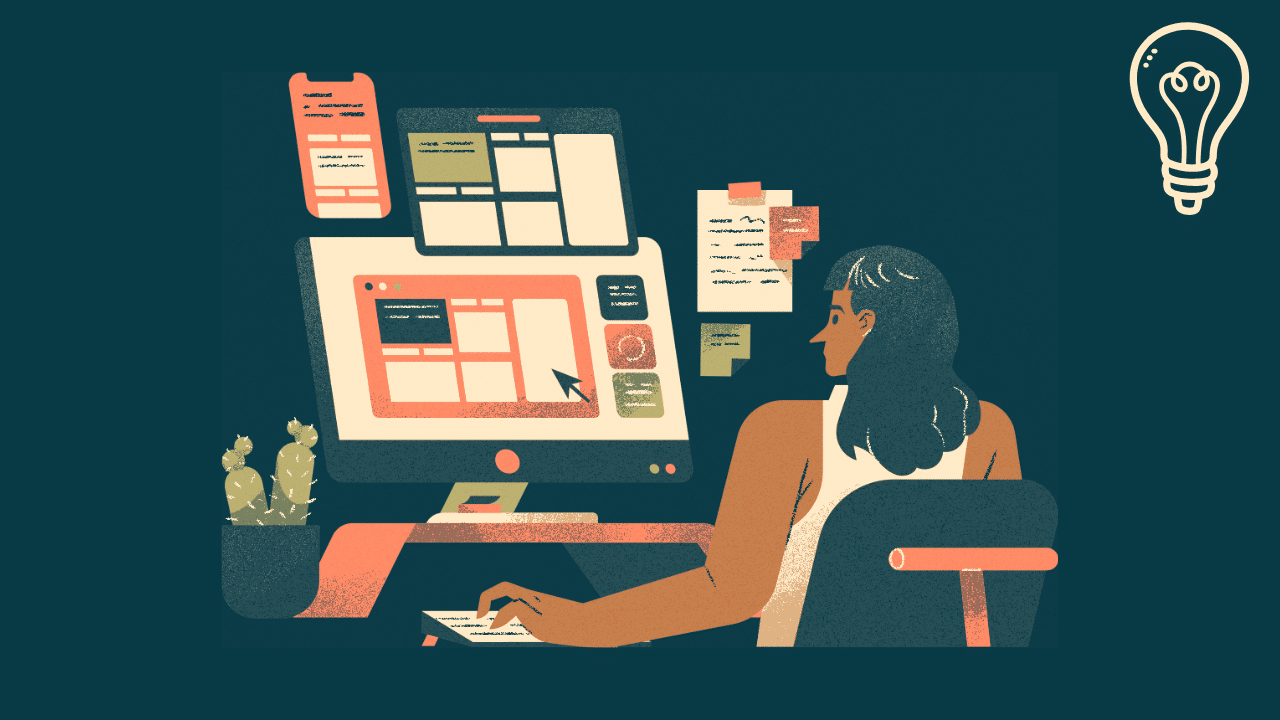
Startups begin with ideas, but success depends on how those ideas translate into real user value. Many early products fail not because of weak concepts, but due to poor usability and unclear positioning. Working with a startup UI/UX design agency helps teams turn ideas into structured product experiences that users can adopt. In this article, we’ll explore the top techniques for UI and UX design for startups, from idea to product market fit.
UI/UX design plays a central role in validating assumptions, guiding user behavior, and building a foundation for growth. It connects product vision with real-world usage.
Why Most Startups Get UI/UX Design Wrong from the Start
Startup failure is well-documented. CB Insights research across hundreds of post-mortem analyses consistently identifies “no market need” as the leading cause of startup failure. Design is not usually listed separately, but it is deeply embedded in that finding. Most products that fail to find a market did not lack a good idea. They failed because the product experience did not communicate the idea clearly enough for users to understand and adopt it.
The most common UX mistakes at the early stage fall into four patterns.
- Building before validating. Many founding teams hire developers and start building before a single user has tested a prototype. The result is a polished product that solves a problem users do not actually have, or solves a real problem in a way that does not match how users think about it. Weeks of development time can be avoided by testing a paper prototype or a Figma mockup with five real people.
- Copying competitor UI without understanding users. Analyzing competitors is useful for benchmarking. It is dangerous as a design strategy. Competitor products were built for their users in their context. Copying their navigation structure or visual patterns imports their assumptions along with their aesthetics. Building from user research instead of competitor screenshots produces products that actually fit your specific users.
- Treating design as decoration. Many early-stage teams think of UI design as the step where you “make it look nice” before launch. This framing is expensive. Design decisions made during information architecture and user flow mapping determine whether users can complete tasks at all. Visual polish applied on top of a confusing flow produces a beautiful product that nobody can use.
- Hiring developers before designers. Code is expensive to change. A design iteration in Figma takes hours. An equivalent code change takes days. Startups that establish core user flows and validate them in prototypes before writing production code consistently ship faster and waste less budget.
From Idea to First Product Version
At the early stage, startups need to move quickly while making the right decisions. UI/UX design helps define how the product should work before development begins. This includes mapping user flows, identifying core features, and simplifying interactions.
Clear design direction reduces uncertainty and prevents teams from building unnecessary functionality.
The Three-Stage Early Design Process
Moving from idea to first product version requires three sequential stages of design work, each building on the one before it.
- Stage 1: Discovery and user research. Before any interface is sketched, design must answer the question of who the user is, what job they are trying to do, and where current solutions fall short. This involves user interviews (typically five to eight interviews reveal the majority of meaningful patterns), analysis of existing behavior, and definition of the core user persona. The Jobs-to-be-Done framework, developed by Clayton Christensen, is particularly useful here. Instead of describing users by demographics, it describes them by the specific outcomes they are trying to achieve. “I need to track my freelance invoices so I know who owes me money and when” is a job to be done. Designing for that job produces far more targeted solutions than designing for “a freelancer aged 28 to 40.”
- Stage 2: Information architecture and user flows. Once the target user and their core jobs are understood, the design work maps the product’s content and interaction structure. Which pages or screens exist? In what sequence does the user encounter them? What actions are available at each step? Tools like Miro or FigJam work well for this stage because they let teams move fast, rearrange flows visually, and collaborate in real time without the constraints of a production design file.
- Stage 3: Wireframing and rapid prototyping. Low-fidelity wireframes represent the product’s structure without visual styling. High-fidelity prototypes add visual detail and interactive behavior. The goal is to build something testable as quickly as possible. Figma is the industry-standard tool for both stages. A Figma prototype can simulate real product behavior, including navigation, state changes, and interactive components, without a single line of code. Users can interact with it in a way that closely mirrors the eventual product, generating reliable feedback before development begins.
A useful starting point for wireframes is Whimsical, which is faster and more constrained than Figma, making it easier to avoid getting attached to visual details during early ideation.
Supporting MVP Validation Through UX
Product-market fit starts with validation. UI/UX design ensures that early versions of the product are usable enough to generate reliable feedback. If users struggle with the interface, it becomes difficult to evaluate the idea itself.
- Simple and clear user flows for core actions
- Minimal interfaces that focus on key value
- Guided interactions that reduce confusion
These elements help users reach meaningful outcomes quickly, improving the quality of validation.
Making MVP Validation Reliable
Jakob Nielsen’s research at the Nielsen Norman Group established that testing with five users reveals approximately 85 percent of a product’s usability problems. This finding has significant practical implications for startups: you do not need a large sample size or a formal research lab to generate useful feedback. Five real users completing core tasks in your prototype will surface the majority of the friction points blocking adoption.
The metrics that matter during MVP validation are:
- Task completion rate. Can users complete the primary action the product is designed for? If fewer than 70 percent of test users can complete a core task without assistance, the design has a usability problem, not a concept problem.
- Time on task. How long does it take a first-time user to complete the core action? Long completion times for simple tasks indicate friction in the flow, even when users eventually succeed.
- Activation rate. Of users who sign up, what percentage completes the key onboarding action that moves them from registered to active? A low activation rate is almost always a design and onboarding problem, not a marketing problem.
For unmoderated remote testing, Maze and Useberry both connect directly to Figma and allow you to send prototype tests to users who complete them on their own, with heatmaps and completion data returned automatically. Both have free tiers that are sufficient for early MVP validation.
Design Sprints: Five Days from Problem to Tested Prototype
The design sprint is one of the most effective tools available to startups that need to validate complex product decisions quickly. Developed by Jake Knapp at Google Ventures and documented in the book Sprint, the framework compresses what typically takes months of iteration into a structured five-day process.
Day one maps the problem and identifies the specific part of the experience to focus on. Day two sketches competing solutions. Day three makes decisions about which solution to pursue. Day four builds a realistic prototype in Figma or a comparable tool. Day five tests that prototype with five real users from the target audience.
The output is not a finished product. It is validated evidence about whether a specific approach to a specific problem actually works for real users, gathered in one week.
Startups benefit from sprints in specific situations: when a critical product decision has been discussed in circles without resolution, when the team is about to invest significant development resources in a feature of uncertain value, or when the core user flow needs to be redesigned after negative feedback from an earlier version.
The sprint framework is documented fully and freely at thesprintbook. Many of its exercises, including the How Might We exercise, the Crazy Eights sketching method, and the user interview script, can be applied independently without running a full five-day sprint.
Improving User Engagement and Retention: UI/UX Design for Startups
Once the product is launched, user engagement becomes critical. UX design influences whether users return and continue using the product. Clear navigation and efficient workflows make the experience more reliable.
Retention is often driven by how easy it is for users to complete tasks repeatedly. Design decisions that reduce friction directly impact long-term engagement.
Designing for Each Stage of Startup Growth
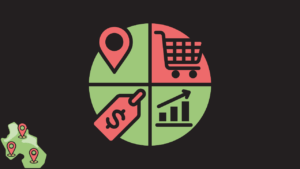
The most effective startup UX design is not generic. It is targeted to the specific growth challenge the product faces at its current stage. The AARRR framework (Acquisition, Activation, Retention, Referral, Revenue) gives teams a structure for identifying which design decisions matter most right now.
- Designing for acquisition. The first user experience with a product is often the marketing website or app store listing, not the product itself. Onboarding begins the moment a prospective user lands on the site. Clear value proposition copy, a visible and compelling call to action, and a frictionless sign-up flow determine whether visitors convert to trials. A complicated sign-up form with twelve fields is a design decision that harms acquisition as surely as poor ad targeting.
- Designing for activation. Activation occurs when a new user reaches their first moment of genuine value in the product, often called the “aha moment.” The design challenge is engineering the shortest possible path from sign-up to that moment. Slack’s internal data showed that teams which exchanged 2,000 messages stayed as customers at a dramatically higher rate. Their onboarding design was explicitly built to get new teams to that threshold as quickly as possible. Identifying your own product’s aha moment and designing a direct path to it is one of the highest-leverage UX investments available to a startup.
- Designing for retention. Retention is driven by how easily users can complete recurring tasks. Progressive profiling, where the product gradually requests more information or reveals more features as the user demonstrates engagement, keeps the initial experience simple while building depth over time. Habit loops, where the product creates a trigger, routine, and reward cycle, reduce the cognitive effort required to return.
- Designing for referral. Social proof embedded in the product experience, shareable outputs, and the mechanics that make it easy to invite colleagues or friends are design decisions, not just marketing decisions. The viral coefficient of many successful products is primarily a design outcome.
Aligning Design With Product Strategy
UI/UX design is most effective when it aligns with business goals. Startups need to prioritize features that support growth, whether through acquisition, activation, or retention.
Design helps translate these goals into practical product decisions, ensuring that every interaction supports the overall strategy.
Preparing for Product-Market Fit
Product-market fit occurs when users consistently find value in a product. UI/UX design supports this by making value clear and accessible. Feedback from users helps refine both functionality and positioning.
As the product evolves, design adapts to changing needs, ensuring that the experience remains relevant and effective.
How Specific Design Decisions Drove Product-Market Fit: Three Cases
The most persuasive evidence for the business impact of UX design is not theoretical. It is in the documented decisions made by specific founding teams.
- Airbnb and the photography problem. In 2009, Airbnb was generating around $200 per week in revenue and struggling to grow. Brian Chesky and Joe Gebbia noticed that the listings with the lowest booking rates shared a common characteristic: the photos were taken on phones and looked dim, cluttered, or uninviting. Rather than building a feature, they rented professional cameras, traveled to New York, and personally photographed the city’s Airbnb listings. Weekly revenue doubled almost immediately. The insight was that trust, communicated visually through the quality of photography, was the primary barrier to booking. This was a UX research decision disguised as a business operation, and it produced one of the most famous early pivots in startup history.
- Slack and the onboarding sequence. When Slack launched internally at Tiny Speck in 2013, the product was built around the insight that team communication needed to feel immediate and conversational, not formal and email-like. The onboarding design made it possible to start a real conversation within minutes of signing up, with no training required. The 2,000-message threshold identified through user data became the activation metric that guided future onboarding design decisions. The product reached product-market fit within months of its internal beta, driven primarily by an onboarding experience that removed all friction from the first meaningful interaction.
- Notion and progressive complexity. Notion could have launched as a comprehensive knowledge management platform showing users every feature on day one. Instead, the early design presented a clean, minimal note-taking interface. Additional features, databases, templates, and collaboration tools were discoverable but not pushed. This progressive disclosure model allowed users to find value immediately with a simple use case and deepen their usage over time. The result was a product that served both individual users and enterprise teams from the same codebase, with design as the primary mechanism for segmenting experience complexity.
UX Mistakes That Slow the Path to Product-Market Fit
Understanding what to do is half the picture. The patterns that consistently delay product-market fit are equally worth knowing.
- Over-engineering the first version. The temptation to build a comprehensive feature set before launch is understandable but costly. Every feature added to a first version that has not been validated with real users adds complexity, delays launch, and makes it harder to identify which elements of the product are actually driving user value. The lean UX principle of building the smallest version that can generate learning applies directly here.
- Skipping user research in favor of founder assumptions. Founders are often expert users of their own product category. That expertise is also a liability. It makes it difficult to see the product as a new user does. The research literature on expert blindness consistently shows that deep familiarity with a domain causes people to skip steps they perform automatically, making them poor judges of what a beginner will find confusing. Talking to five people who are not you, before any design decision is finalized, is not optional. It is the discipline that separates fast learning from expensive mistakes.
- Building for every user type simultaneously. Early products that try to serve multiple user types with a single interface almost always serve none of them well. The design compromises required to accommodate conflicting use patterns produce an experience that is mediocre for everyone. The advice to define a narrow core user and design specifically for that person first is not about excluding other users. It is about building something that is excellent for at least one person before expanding.
- Ignoring mobile from day one. Mobile now accounts for more than 60 percent of global web traffic. A web application or marketing site that functions well only on desktop is excluding the majority of potential users at their point of first contact. Mobile-first design is not an afterthought: it is the default starting point for any product targeting a broad consumer audience.
- Not testing with real users before launch. Launching to learn is a valid strategy. Launching without any pre-launch user testing is unnecessary risk. Five usability test sessions with target users, conducted before a single line of production code is written, consistently reveal problems that would otherwise surface as churn after launch.
Frequently Asked Questions: UI/UX Design for Startups
UI design (user interface) covers the visual and interactive elements users see and touch: buttons, typography, color systems, layout, and component design. UX design (user experience) covers the broader journey: how users discover the product, how they learn to use it, how they complete key tasks, and how they feel about the overall experience. For startups, UX design matters because the first version of any product is a research instrument as much as a product. If the design is confusing, the feedback from early users reflects the interface, not the idea, making it impossible to validate the core concept accurately.
The best time to bring in UX design expertise is before any production development begins. Discovery, user research, user flows, and prototype validation done before developers start building consistently saves more time than the cost of the design work. Startups that bring in a designer after the first version is built spend most of their design budget on redesigns rather than original design. If hiring a full-time designer is not feasible at the earliest stage, engaging a freelance UX designer for a discovery and wireframing engagement produces most of the benefit at a fraction of the cost.
Product-market fit occurs when users consistently find value in a product and use it repeatedly without being pushed to do so. UX design accelerates this process in two ways. First, a usable product generates reliable feedback because users can actually interact with the core features without being blocked by confusion. Second, design that clearly communicates the product’s value proposition reduces the time from first contact to the “aha moment,” the point at which the user understands what the product does for them specifically. Research by Sean Ellis, who coined the product-market fit measurement methodology, suggests that 40 percent or more of users saying they would be “very disappointed” without the product is a reliable indicator of fit. Getting to that threshold requires design that makes the product’s value clear and accessible.
In early-stage startup contexts, UX design typically takes priority because the fundamental question is whether the product works for users, not whether it looks polished. A product with strong UX and mediocre UI will still generate useful behavioral data. A product with beautiful UI and confusing UX will produce churn and unclear feedback. Most experienced startup designers work across both disciplines, but if resources require prioritization, UX research, user flows, and usability testing should come before visual refinement.
A focused discovery and wireframing engagement for an early-stage product typically takes two to four weeks. This covers user research, information architecture, user flow mapping, and low to mid-fidelity wireframes ready for developer handoff or user testing. A full design sprint from problem definition to tested prototype takes five working days, which is why the framework is particularly appealing to resource-constrained startups. High-fidelity UI design and a component system typically add another two to six weeks, depending on the product’s scope. The timeline compresses significantly when design and development run in parallel rather than sequentially.
The most widely used tool for UI design and interactive prototyping is Figma, which is free for individuals and small teams. Miro and FigJam are commonly used for discovery workshops, user journey mapping, and information architecture work. For user testing, Maze and Useberry both connect directly to Figma prototypes and return quantitative completion data from unmoderated test sessions. For behavioral analytics on live products, Hotjar provides heatmaps and session recordings that reveal how real users interact with the actual product, not a prototype.
Design Is How Startups Earn the Right to Scale
The path from idea to product-market fit is not primarily a technology problem. It is a design and understanding problem. Startups that invest in understanding their users, testing their assumptions with prototypes before building production code, and iterating based on real behavioral feedback consistently reach product-market fit faster and with less wasted budget than those that build first and learn later.
UI/UX design is not the layer you add before launch to make the product look presentable. It is the process by which the product earns its right to exist in the market. Clear flows, tested prototypes, and data-informed design decisions are the mechanisms through which an idea becomes something people want to use and return to. If your product is a mobile app, the store listing is the first screen most people will ever see. Our guide on turning your product UI into store-ready app screenshots shows how to carry the same design thinking into the App Store and Google Play.
If the product you are designing will live on the web, the decisions that happen at the infrastructure level matter as much as the decisions made in Figma. The guide to how UX design and site architecture shape e-commerce SEO covers the technical and structural side of delivering great user experiences at scale. For products being rebuilt or redesigned after an initial launch, the SaaS website redesign guide addresses how to improve without losing the audience you have already built.