Imagine searching for a dentist, plumber, or restaurant on your phone. You tap the first result. The page takes five seconds to load, the layout breaks on mobile, and you cannot find a phone number or address without scrolling. You leave. You tap the second result. It loads in under two seconds, clearly shows the hours, services, and a contact button, and has genuine customer reviews visible above the fold. That business gets your call.
This is the decision local consumers make dozens of times a day, and they make it in seconds.
According to BrightLocal’s 2026 Local Consumer Review Survey, 81 percent of consumers check local business websites before visiting in person. That same research found that 45 percent of local consumers now use AI tools to find business recommendations, up from just 6 percent the year before. This means your website needs to satisfy both human visitors and the AI systems that increasingly surface and evaluate local businesses for potential customers.
For better or worse, your website is likely the first introduction your potential customers will have with your business. And in a landscape where local search, AI recommendations, and online reviews are deeply intertwined, website experience is no longer just a design preference. It is a measurable business variable that affects your traffic, your conversions, and your ability to compete locally.
Website Experience Trust Signal for Local Businesses
Trust signals also play a role. Reviews, testimonials, professional images, easy-to-find contact information and helpful educational blog posts are all examples of trust signals that let your potential customers know you’re legitimate. Often times buyers want to feel assured that what they’re buying is what they’re getting. This is especially true when it comes to choosing service providers or even doctors.
Having a quality website can also affect your search rankings. Google wants their users to have the best experience, so they reward websites that load quickly, are mobile friendly, have quality content and a strong technical foundation.
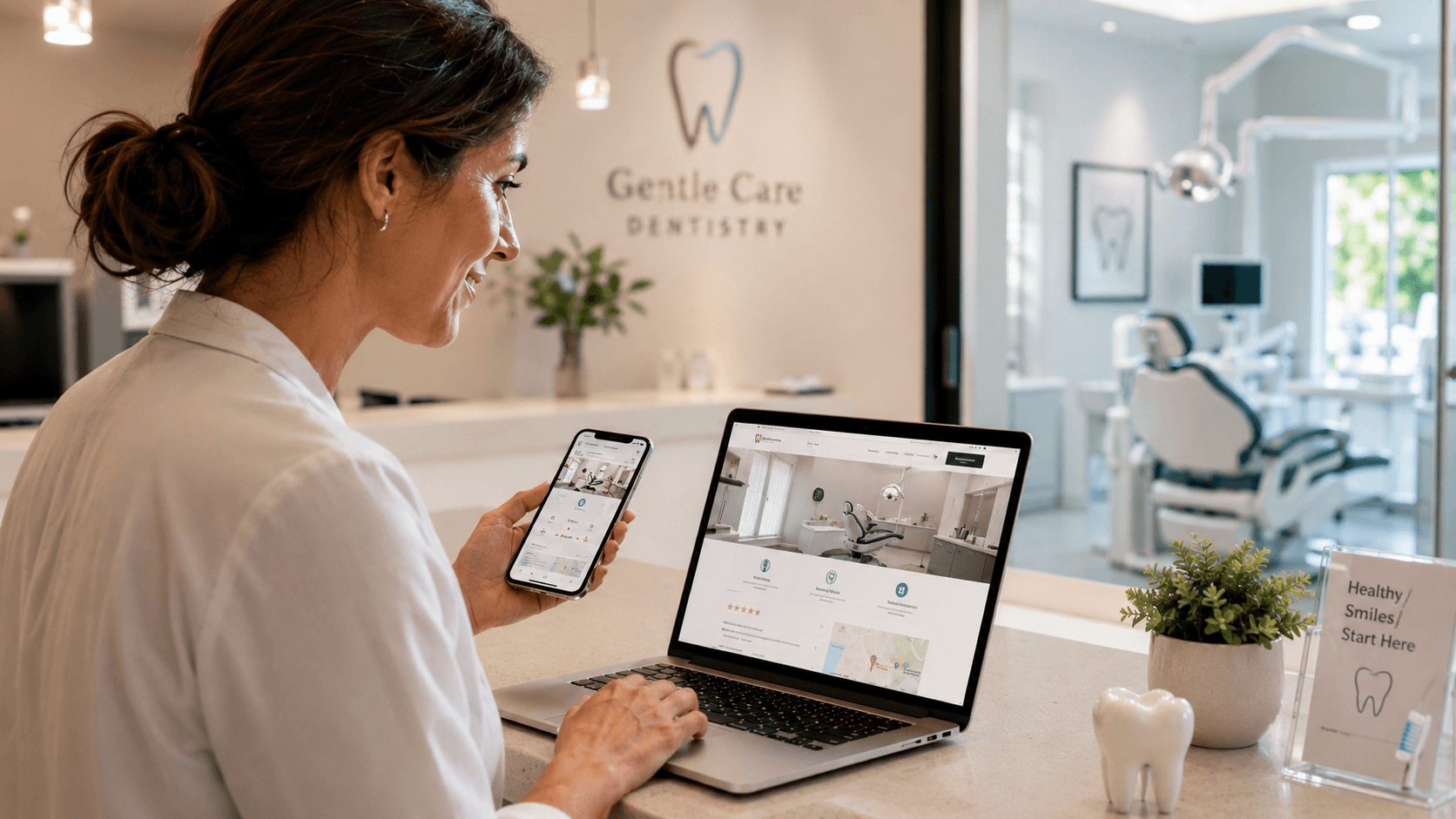
Your website also plays into your local reputation. When searching for a Dental Clinic Danforth, your potential patients are checking you out online. Will they choose you? Maybe they look at your website, read your Google reviews, compare your services, and see how easy it is to contact you. A clean and contemporary website will help ensure they make a good first impression with you and your business.
The specific trust signals that convert local searchers into customers
Trust signals are not decoration. Each one serves a specific psychological and commercial function in the decision-making process of a local consumer who has never worked with you before.
Visible reviews and ratings
BrightLocal’s research consistently finds that the majority of consumers read online reviews before visiting a local business for the first time. But the placement of reviews matters as much as their presence. Reviews embedded directly on your website, displayed above the fold on your homepage or service pages, create immediate social proof before the visitor has made any effort to look for third-party verification. A Google Reviews widget, a Trustpilot badge, or a curated testimonial section positioned near your primary call to action can meaningfully affect conversion rates.
Professional, original photography
Stock photography is recognizable and diminishes trust. Original photos of your actual location, team, and work signal authenticity. For service businesses like clinics, law firms, tradespeople, and restaurants, photos of the real environment and real people reduce uncertainty significantly. A potential patient choosing a healthcare provider is not just comparing services. They are trying to picture whether they will feel comfortable there. A genuine photo of the reception area and staff does work that no copywritten description can.
Contact information in the header
Phone numbers, addresses, and contact forms that require a visitor to scroll to the bottom of the page, or navigate to a separate contact page, create friction at the exact moment when a ready-to-buy customer is trying to reach you. Phone numbers and a click-to-call button should be visible in the site header on mobile, where most local searches originate. Address and hours should appear prominently on the homepage without needing to scroll. For trades such as plumbing and HVAC, that first screen should also show the service area, licence details and a service call fee, as our Edmonton trades web design guide explains.
Consistent business information
Your website’s name, address, and phone number should match exactly what appears in your Google Business Profile, your directory listings, and your social profiles. Inconsistencies in this information confuse both users and search engines, and they are a frequently cited local ranking factor. Even small discrepancies, like “St.” versus “Street” or an old phone number still appearing somewhere, can erode local search visibility.
The relationship between UI/UX design and search engine performance is well-established, and for local businesses, that relationship is most visible in how clearly and quickly a visitor can find the information they came for.
How website experience directly affects your local search rankings
Google’s search algorithm for local results evaluates three primary factors: relevance (how well your business matches the search), distance (how close you are to the searcher), and prominence (how well-known and trusted your business is). Website experience feeds into all three, but most directly into prominence.
A website with strong user engagement signals tells Google that visitors are finding what they came for. High dwell time, low bounce rates, and multiple page visits all contribute positively. A website where visitors land and immediately leave sends the opposite signal. In a local search pack where several businesses are similar in relevance and distance, engagement quality can become the deciding factor in ranking position.
Page speed and Core Web Vitals are part of Google’s Page Experience signal, which is incorporated directly into search ranking. For local businesses competing for visibility in Google’s Local Pack (the map and three business listings that appear above organic results), having a technically sound website reinforces the trust and authority signals that support those placements.
There is also the increasingly important factor of AI-generated search results. BrightLocal found that 45 percent of local consumers now use AI tools to find local business recommendations. When AI systems evaluate and summarize local businesses, they draw on structured information from websites, Google Business Profiles, review platforms, and directory listings. A well-structured website with clear, accurate, and consistently formatted information across these sources is more likely to be cited and recommended.
For businesses investing in integrating mobile web design with local SEO strategies, the return on that investment shows up both in search rankings and in conversion rates from users who find the experience credible and easy to navigate.
What website experience actually measures in 2026
Most business owners hear “website experience” and think about aesthetics. Clean design, modern fonts, professional photography. Those things matter. But Google measures website experience in ways that go considerably deeper, and local businesses are directly affected by these measurements in their search rankings.
Core Web Vitals
Google uses a set of performance metrics called Core Web Vitals to evaluate how a real user experiences your page. The three primary metrics are Largest Contentful Paint (how fast your main content loads), Interaction to Next Paint (how quickly the page responds when a user taps or clicks), and Cumulative Layout Shift (whether elements move around unexpectedly while the page loads). Scores on these metrics directly influence your position in search results.
For a local business, failing these metrics is especially costly because local search results are highly competitive and the technical bar is not always high. A local competitor with a slightly better-optimized WordPress site can outrank you not because their business is better, but because their page loads faster and shifts less on mobile. Understanding how to improve your PageSpeed Insights scores on WordPress is a practical starting point for any local business owner using WordPress.
Mobile loading speed
According to research published by Google, a one-second delay in mobile load time can reduce conversions by up to 20 percent. For a business that books appointments, processes orders, or relies on phone inquiries, this is not an abstract metric. It is lost revenue on every slow page load.
The widely cited benchmark for acceptable page load time is under three seconds. Most users abandon a page that takes longer than that. Testing your site on a real mobile device on a standard network connection, not just on your office broadband, will tell you more than any dashboard report.
Mobile responsiveness
Google operates on a mobile-first indexing model, which means it evaluates and ranks your website based primarily on how it appears and performs on a mobile device. A site that looks polished on a desktop but breaks on a phone is ranked based on the broken version. For local businesses whose customers are overwhelmingly searching on mobile, mastering mobile-first design is not optional.
A practical website experience checklist for local businesses
If your website needs work, knowing where to start is half the challenge. This checklist covers the improvements that have the highest measurable impact for most local businesses.
- Speed and performance Run your site through Google PageSpeed Insights (pagespeed.web.dev) on mobile. A score below 50 is urgent. A score between 50 and 75 is improvable. Focus first on image compression, caching, and removing unused plugins or scripts. Speeding up your WordPress site without a developer is achievable with the right approach to caching, image formats, and script management.
- Mobile experience Test your site on an actual mobile phone, not just a browser window. Can you tap the phone number and call directly? Do buttons have enough space around them to tap without accidentally hitting something else? Does the navigation work without pinching or zooming? These friction points are common and fixable.
- Contact accessibility Confirm that your phone number, address, and a contact form or booking link appear on every page, visible without scrolling on mobile. If a visitor lands on any page of your site and cannot immediately see how to reach you, you are losing contacts.
- Review visibility Add a testimonials section to your homepage and key service pages. If you use Google Reviews, embed them with a widget rather than just linking to your Google profile. Keeping reviews on the page reduces the chance a visitor leaves to check them and does not come back.
- Local schema markup Schema markup is structured data in your site’s code that helps search engines and AI systems correctly interpret your business name, address, phone number, hours, and service area. Most SEO plugins for WordPress include a Local Business schema option. Enabling it is a one-time setup that improves how your business appears in both traditional and AI-powered search results.
- Content that answers real questions Local searchers often have specific questions before contacting a business: what does this service cost, how long does it take, what happens in the first appointment, is parking available. Adding a page or section that answers these questions reduces the friction between discovery and contact, and it gives search engines more content to match against relevant local queries. The principles of UX design that improve site architecture and SEO apply equally to service businesses and retailers.
Final Words
The competition is harder than ever these days, in-store and online. If you want to attract new customers and keep your business moving forward think of your website as part of your overall marketing strategy. A strong website creates a better user experience which can lead to better lead generation and help build trust in your brand.
Local business website experience FAQ
Yes, directly. Google’s Page Experience signal incorporates Core Web Vitals scores into its ranking algorithm, which applies to local search results as well as organic results. A slow website can reduce your ranking in both the Local Pack (the map-based results near the top of local searches) and the organic listings below it. Page speed also affects bounce rates, which are a user behavior signal Google monitors. A business with a faster, smoother website tends to hold visitors longer and convert more of them, which reinforces its authority in local search over time.
The general benchmark is under three seconds on mobile. Research consistently shows that most users abandon a page that takes longer than that. For local searches in particular, where a customer has an immediate need and multiple options visible in the same search result, a slow loading time is often enough to send them to the next result before your content even appears. Using Google PageSpeed Insights or GTMetrix on your homepage and your most important service page will show you where you currently stand.
Visible, genuine reviews are consistently the most influential trust signal for local businesses. BrightLocal research shows that the majority of consumers read reviews before visiting or contacting a local business for the first time. Reviews displayed directly on your website, ideally near your main call to action, create social proof at exactly the moment when a visitor is deciding whether to contact you. Professional original photography of your actual location and team is the second most impactful trust signal for service businesses where personal comfort matters.
Significantly. The majority of local searches happen on mobile devices, and Google’s data shows that a one-second delay in mobile load time can reduce conversions by up to 20 percent. For local businesses whose websites exist primarily to generate phone calls, booking form submissions, or in-person visits, mobile conversion rate is the metric that matters most. A site that works well on desktop but loads slowly or displays awkwardly on a phone is effectively losing a large share of its potential leads.
Schema markup is code added to your website that helps search engines and AI systems correctly understand and display your business information. For local businesses, the most important type is Local Business schema, which specifies your name, address, phone number, business hours, service area, and price range in a standardized format. This helps your information appear correctly in Google search features, Google Maps, voice search results, and AI-generated recommendations. Most WordPress SEO plugins, including Yoast and Rank Math, include Local Business schema in their settings and do not require any coding to enable.
At minimum, any change to your hours, services, pricing, or team should be reflected on your website within 24 hours of the change happening. Beyond operational updates, adding fresh content regularly, whether blog posts answering common client questions, new project photos, or recent testimonials, signals to search engines that the site is active and maintained. A website that was built three years ago and has not been updated since carries both a trust deficit with visitors and a freshness deficit in search rankings.