The benefits of text to-speech-technology in expanding e-learning narratives; Audio is one of the most popular mediums today when it comes to consuming information in the online learning industry. However, hiring speakers or recording your voice-over audio is not a viable option; as both are expensive and require a lot of time and effort.
Audio has become one of the most powerful ways people consume learning content online. Yet recording professional voiceovers by hand remains slow, expensive, and nearly impossible to scale — especially when course content changes frequently. That is where text-to-speech technology comes in.
To understand why this matters, consider how fast the online learning industry is actually growing:
- The global e-learning market reached $369.7 billion in 2025 and is on track to nearly double within a decade, according to IMARC Group — making it one of the fastest-expanding sectors in digital services. IMARC
- The e-learning services market is projected to reach $842.64 billion by 2030, growing at a compound annual growth rate of 19%, driven by rising demand for remote learning and workforce upskilling, per Grand View Research. Grand View Research
- E-learning boosts knowledge retention rates to between 25% and 60%, compared to just 8% to 10% with traditional face-to-face training, according to research cited by Forbes a gap that makes the case for digital-first course design. Omnicore Agency
- 42% of companies that adopted e-learning reported measurable income growth, while nine out of ten businesses now offer some form of e-learning to their employees, according to Exploding Topics.
- Learners studying online complete the same material in 40% to 60% less time than in a traditional classroom setting, according to the Association for Talent Development (ATD), 2024 a critical advantage in corporate training environments. Entrepreneurs HQ
- The global text-to-speech market was valued at $4.66 billion in 2025 and is projected to reach $7.6 billion by 2029, growing at a CAGR of 13.7%, according to MarketsandMarkets reflecting fast-rising demand across education, accessibility, and content production. MarketsandMarkets
- The AI in education market is estimated at $6.90 billion in 2025 and is expected to surpass $41 billion by 2030, at a CAGR of nearly 43%, according to Mordor Intelligence with text-to-speech narration playing a central role in that expansion. Mordor Intelligence
With numbers like these, it is clear that eLearning is no longer a trend it is the default. The challenge for course creators is no longer whether to produce audio narration, but how to do it at scale without sacrificing quality or budget. Text-to-speech technology is the answer most teams are turning to.
What is text-to-speech in elearning?
Text-to-speech is a technology that converts written text into spoken audio.
In elearning, it is often used to create narration for:
- Online courses.
- Training videos.
- Product tutorials.
- Employee onboarding.
- Compliance training.
- Software walkthroughs.
- Language learning.
- Microlearning lessons.
- Presentation slides.
- Internal knowledge bases.
Instead of recording every line manually, the course team writes a script, chooses a voice, adjusts pacing and pronunciation, exports the audio, and adds it to the lesson.
The best results still come from human review. Text-to-speech can create the audio, but people should check whether the narration sounds clear, accurate, natural, and useful for learners.
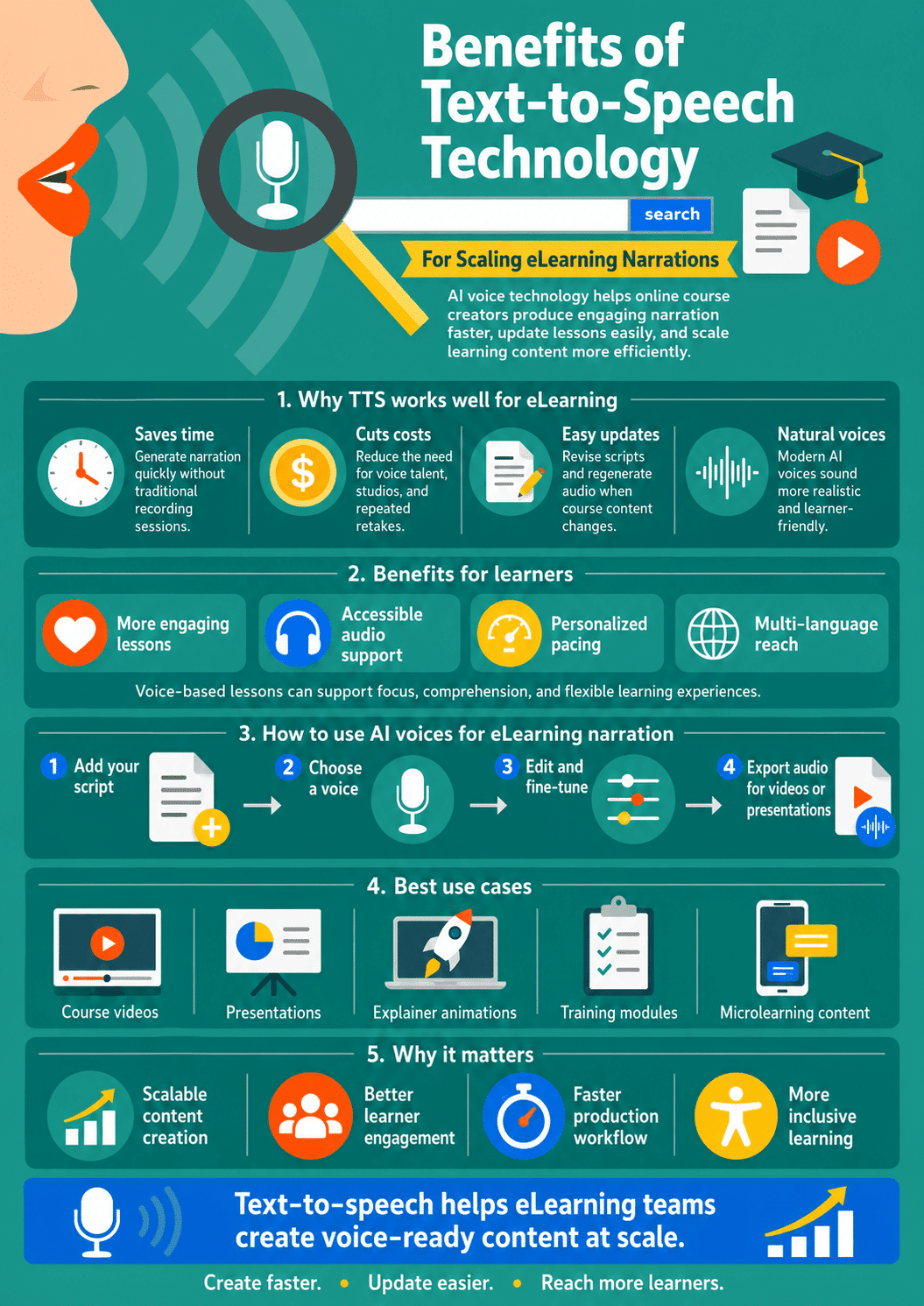
Benefits Of Text To-Speech-Technology For Scaling eLearning Narrations
Leveraging text-to-voice technology and adding voiceover audio to your e-learning narrations offers an excellent way to engage your learners.
Realistic text-to-speech is an excellent technology that allows you to automatically generate human-sounding voiceover audio from written text, thus saving a great deal of time and making it super simple to update learning courses in case of any changes in the course material.
This blog aims to explore more about voice AI in e-learning and how you can text-to-voice software to scale your learning narrations.
Why narration matters in online learning
Good narration gives structure to a course. It can help learners understand what matters, follow the flow of a lesson, and stay connected to the material. This is especially useful when the screen includes slides, diagrams, software demos, charts, or step-by-step instructions.
Narration can also reduce the feeling of isolation that some learners experience in self-paced courses. A voice gives the lesson a guide. It can make the experience feel less like reading a document and more like being walked through an idea.
But narration only works when it is done carefully. A rushed voice, unclear script, robotic pacing, or poor audio mix can make a course harder to follow. That is why text-to-speech should be treated as part of instructional design, not just as an audio shortcut.
Text To-Speech-Technology For Scaling eLearning Narrations
Customized Learning
Online learning often makes it difficult to work in a group due to the constraints, and complications related to presenting content to each individual and matching their pace of learning and mastering the course material.
Voice AI can be instrumental here as and can adapt this technology to suit individual learners’ pace and learning methodology.
Besides, text-to-speech technology voice also helps track an individual’s learning progress; scales e-learning narrations, and offers a more customized learning experience. This helps identify specific learning problems and allows you to make the necessary changes to your learning program.
Improving Presentations: Benefits of Text To-Speech-Technology
Regardless of the type of presentations, you want to make for your eLearning course; AI voiceover is an excellent tool here. It allows you to make every presentation, including animations, modern video clips, and more.
Voice AI technology has multiple advantages over traditional presenters. It saves time and allows you to create more intuitive presentations or video clips that you can further enhance with charts, tables, pictures, explanations, or dialogues.
So, all you need to do is convert the given text into a voice of your choice using reliable voice AI software and scale your eLearning narrations.
A good narrated slide should not read every bullet word for word. It should explain the point, give context, and help the learner understand why the slide matters.
For example, instead of reading:
“Step 1, open the dashboard. Step 2, select reports. Step 3, export CSV.”
A better narration would say:
“Start by opening the dashboard. From there, go to Reports and choose the CSV export option. This gives you a file your team can use in spreadsheets or reporting tools.”
That sounds more like teaching and less like a robot reading instructions.
How To Leverage AI Voices For eLearning Narration
With rapid advancements in Artificial Intelligence technology and natural language processing; AI-enabled voiceovers for scaling eLearning narrations have become very realistic. So, the result of this is high-quality voiceovers from just a text/script or even from a pre-recorded low-quality voiceover.
Reliable and high-quality AI voiceover platforms can be useful to not only help content creators make a voiceover without any effort but also to enhance the quality of course content creation significantly.
To be able to add voice narration to your eLearning videos and presentation, all you need to do is:
- Add the script to software/studio that offers AI voiceovers
- Select from a wide range of voices available
- Go with editing and fine-tuning the details required
- With this step, and will do your audio file, you will have the option to either add them to your videos separately; or use the same software to get the final output videos.
A better workflow for creating AI voiceovers
The current workflow is too simple. Replace it with a stronger process.
Step 1: Write the script for listening
A script for audio is not the same as a paragraph in an article. Keep sentences short. Use natural language. Read the script out loud before generating audio. If you run out of breath while reading it, the sentence is probably too long.
Step 2: Choose the right voice
Pick a voice that matches the course. A compliance course may need a calm and clear voice. A beginner tutorial may need something warm and encouraging. A technical product walkthrough may need a voice that sounds steady and precise. Do not choose a voice only because it sounds impressive in a demo. Test it with your real script.
Step 3: Check pronunciation
Names, acronyms, product terms, medical words, software labels, and technical phrases can sound wrong if they are not adjusted. Create a pronunciation list before generating long audio files.
Step 4: Adjust pacing: Benefits of text to-speech-technology
Learners need time to think. If the narration is too fast, the course feels stressful. If it is too slow, learners lose focus. Use pauses before key ideas, after instructions, and between sections.
Step 5: Match audio to the visuals
The narration should support what appears on screen. Do not let the voice talk about one thing while the slide shows another. This is especially important for software demos and step-by-step training.
Step 6: Add captions and transcripts
Captions and transcripts help learners review content, search for information, and access the lesson in different ways. They are not optional extras. They are part of a better learning experience.
Step 7: Review before publishing
Listen to the whole lesson before publishing. Check for wrong words, strange pauses, awkward tone, clipped audio, background music problems, and timing issues. Never publish generated narration without a human quality check.
To Conclude
If you want to build upon your audio content strategy for online courses, text-to-speech technology offers an excellent opportunity to scale your learning narrations into the audio medium.
Realistic text-to-speech is an exciting solution for quickly creating and adding human voiceovers to your text. Such a platform offers a huge selection of natural-sounding AI voices in multiple languages to make professional voices over for all your videos and presentations.
Text To Speech Technology FAQ
Text to speech in elearning is the use of software to turn written course scripts into spoken narration for lessons, videos, presentations, tutorials, and training modules.
Sometimes, but not always. Text to speech works well for scalable training, updates, tutorials, and multilingual content. Human narration may still be better for emotional storytelling, sensitive topics, brand videos, and high touch courses.
Yes, when the script is clear, the voice is reviewed, and the audio supports the lesson. Poorly written scripts or unreviewed AI voices can make a course harder to follow.
It helps teams create, update, and localize narration faster. Instead of rerecording a human voiceover for every change, teams can edit the script and generate new audio.
It can support accessibility by giving learners an audio option, but it is not enough by itself. Courses should also include captions, transcripts, clear controls, readable text, and accessible design.
Check pronunciation, pacing, tone, volume, timing with visuals, captions, transcripts, and licensing. A real person should listen to the full lesson before it goes live.
Write shorter sentences, use natural language, add pauses, adjust pacing, fix pronunciation, and choose a voice that fits the audience.