Choosing a content management system (CMS) is really a decision about how your business will run its website for the next three to five years. The platform determines how quickly your team can publish, how easily you can add features, how much ongoing support you will pay for, and how painful it will be to leave if the fit turns out to be wrong.
A polished demo can make any CMS look like the obvious choice. The real test comes after launch, when your marketing team needs to update a service page, publish a case study, or connect an inquiry form to your CRM, and nobody from the agency is on the call.
So the best CMS for a business website is not the most popular one or the one with the longest feature list. It is the one your team can use without help, your developers can maintain without workarounds, and your budget can support as the site grows. Here is how to choose the right CMS for your business, step by step.
Quick answer: to choose the right CMS for your business website, work through these eight steps:
- Write a short requirements brief that separates must-haves from nice-to-haves.
- Decide which type of CMS fits: traditional, hosted, or headless.
- Shortlist two or three platforms and test them with real editing tasks.
- Check content structure, user roles, and approval workflows.
- Verify SEO controls, page speed, and integrations on a realistic page.
- Confirm who handles security updates, backups, and maintenance.
- Compare the total cost of ownership over three years and score each option with a weighted checklist.
- Confirm you own your accounts and can export your content if you leave.
Table of contents
- What Is a CMS and Why the Choice Matters for Your Business
- Define What Your Business Website Needs to Do
- Traditional, Hosted, or Headless: Compare the Main Types of CMS
- Which CMS Fits Which Type of Business?
- Test the Editing Experience With Real Tasks
- Plan Content Structure and Publishing Permissions
- Check SEO Controls, Performance, and AI Search Readiness
- Verify Integrations Before Committing
- Assess Security and Maintenance Responsibilities
- Compare the Full Cost of Ownership
- Confirm Ownership, Access, and Your Exit Plan
- Score Your Shortlist With a Weighted CMS Checklist
- Should You Build It Yourself or Hire a Developer?
- Choosing a Small Business CMS: Cost, Security, WordPress, Headless, and Switching
- Making the Final Call on Your Business CMS
What Is a CMS and Why the Choice Matters for Your Business
A content management system is software that lets your team create, edit, organize, and publish website content without touching code for routine changes. WordPress, Drupal, Joomla, Shopify, Wix, Squarespace, and Webflow are all CMS platforms, even though they work in very different ways.
Choosing a CMS for business use is not a design decision. It sets the daily cost of keeping your website accurate. When the fit is wrong, the symptoms are familiar: simple text edits that need a developer ticket, an integration that breaks after an update, or a migration that costs more than the original build. Getting the choice right up front saves you from paying for the same website twice.
Define What Your Business Website Needs to Do
Before comparing platforms, write a short requirements brief. Describe the website’s purpose, the content it will contain, and the people responsible for managing it.
For example, a local service company may need service pages, project galleries, and quote request forms. A manufacturer may need a searchable product catalog, technical documents, and content in several languages. These projects require different content structures even if their homepages look similar.
Your brief should answer several questions:
- What actions should visitors take, such as requesting a quote, booking a consultation, or downloading a document?
- Which types of content will your team publish regularly?
- Who will create, review, and approve that content?
- Which external systems must the website connect to?
- What changes are likely over the next two or three years?
Then sort every requirement into three groups. This becomes your CMS requirements checklist and the yardstick for every demo you watch:
- Must-have: the site cannot launch without it, such as a quote form that creates a record in your CRM.
- Should-have: important, but a temporary workaround is acceptable for the first few months.
- Nice-to-have: features your team might use someday, which should never decide the platform on their own.
A CRM connection needed at launch should carry more weight than an interactive feature your team might use someday. If you have not gathered this information yet, our website development preparation checklist walks through the content, customer tasks, and handover details to collect before you talk to any developer.
Traditional, Hosted, or Headless: Compare the Main Types of CMS
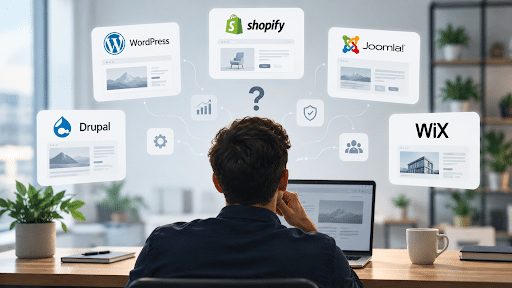
CMS options differ in how they manage content, deliver pages, and divide responsibility between your business and the technology provider. Market share tells part of the story. According to W3Techs usage data from October 2026, WordPress runs 39.7% of all websites and holds 58.5% of the CMS market, followed by Shopify at 7.9%, Wix at 6.2%, and Squarespace at 3.6%.
Popularity matters because it means a larger pool of developers, themes, plugins, and documentation. It does not mean a platform fits your business. Treat it as a tiebreaker, not a starting point.
Traditional CMS
A traditional CMS manages content and delivers the website through one integrated system. WordPress is the familiar example, with publishing tools, user roles, themes, and plugins that extend its functionality. Drupal and Joomla follow the same model. All three are open source CMS platforms, so the license is free and you can host the site wherever you like.
For a business publishing service pages, articles, and case studies, this approach is often worth evaluating first. Your team manages content through an administrative interface, while developers configure the design and additional functionality.
The main consideration is responsibility. Establish who will manage hosting, updates, backups, and compatibility between the themes and plugins used on the site.
Hosted Website Builder
A hosted platform such as Wix, Squarespace, or Webflow combines website management with hosting and a visual editor. Shopify follows the same model for online stores. This simplifies operations for a business that wants fewer infrastructure tasks, because the provider handles servers, security patches, and software updates.
However, convenience should be weighed against the platform’s limits. Before committing, check whether the proposed plan supports your content volume, integrations, editing permissions, and export needs. A platform may be easy to use today but restrictive when your business adds another language or a more complex catalog.
In the website builder vs CMS debate, the real question is whether you are comfortable renting your platform in exchange for less maintenance. If generating leads is the main job of your site, our guide on how to choose a website builder that generates inbound leads covers the conversion features worth checking.
Headless CMS
A headless CMS such as Contentful, Sanity, or Strapi manages content separately from the website interface that displays it. Developers build the presentation layer and connect it to the content through an API. WordPress can also run this way.
Consider this approach when there is a clear requirement for a custom interface or for sharing structured content across a website, an app, and other channels. Ask the development team to demonstrate how editors will preview pages, manage navigation, and publish changes, because those everyday tasks are where editors notice the difference first.
In the headless CMS vs traditional CMS decision, a straightforward company website rarely justifies the additional build and maintenance cost. Choose headless for a specific reason, not because it sounds more modern.
Enterprise Content Platforms
Large organizations with complex approval chains, several brands, or personalization requirements sometimes evaluate digital experience platforms such as Adobe Experience Manager, Sitecore, or Optimizely. These bring licensing costs and longer implementations that only make sense when governance needs are genuinely complex.
The CMS comparison table below is the practical answer to the WordPress vs Wix vs Shopify question: these are different types of tools built for different jobs.
| CMS type | Examples | Best fit | Watch out for | Who maintains it |
|---|---|---|---|---|
| Traditional (open source, self-hosted) | WordPress, Drupal, Joomla | Content-rich business sites, service companies, blogs, and teams that want full control | Plugin quality, update discipline, hosting and security are your responsibility | You, your developer, or your agency |
| Hosted website builder (SaaS) | Wix, Squarespace, Webflow, Shopify for stores | Small teams that want a fast launch and low maintenance | Plan limits, paid apps, partial content export, harder migrations | The provider runs the platform; you manage content |
| Headless CMS | Contentful, Sanity, Strapi, headless WordPress | Custom front ends and content reused across websites, apps, and other channels | Higher build cost, preview gaps for editors, ongoing developer dependency | Developers maintain the front end and integrations |
| Enterprise platform (DXP) | Adobe Experience Manager, Sitecore, Optimizely | Large organizations with multiple brands, regions, and approval layers | License fees, long implementations, specialist skills | An internal team plus the vendor or an implementation partner |
Which CMS Fits Which Type of Business?
Once you know the main types, the shortlist usually narrows quickly. The table below shows where most businesses should start testing, based on how the website will be used and who will maintain it.
| Your situation | Usually worth testing first | Why |
|---|---|---|
| Local service business with a small site and no technical staff | A hosted builder such as Wix or Squarespace, or WordPress on managed hosting | The builder handles updates for you; managed WordPress keeps full ownership with less maintenance work |
| B2B or professional services company that publishes content regularly | WordPress | Flexible content types, strong SEO control, and the largest pool of themes, plugins, and developers |
| Online store with a standard product catalog | Shopify or WooCommerce | Shopify keeps maintenance low; WooCommerce adds store features to WordPress with more control over data and design |
| Business publishing in several languages or regions | WordPress with a multilingual plugin, or Drupal | Drupal includes multilingual features in its core; WordPress handles translation through well-established plugins |
| Company sharing content across a website, an app, and other channels | A headless CMS | Content is stored once and delivered to every channel through an API |
| Large organization with many brands and strict approval chains | Drupal or an enterprise platform | Granular permissions, publishing workflows, and governance at scale |
Treat these as starting points for your shortlist, not verdicts. Two companies in the same industry can need different platforms if one has an in-house developer and the other has nobody to apply updates.
Test the Editing Experience With Real Tasks
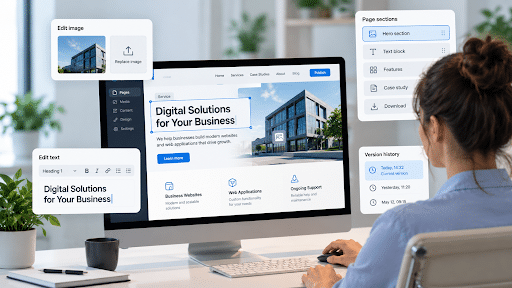
The people who maintain the website should take part in the selection process. A CMS that feels efficient to a developer may be difficult for an employee who updates it once a week.
Request a demonstration using content similar to yours. Better still, let a future editor complete a few tasks in a trial environment, and time each one:
- Update a service description and its main image.
- Create a case study using an existing page layout.
- Add a document for visitors to download.
- Change a page title and meta description.
- Preview changes before publishing.
- Restore an earlier version after an accidental edit.
Watch where the editor needs help. If routine changes require navigating several unrelated settings, the system may need better configuration or a different editing approach. Run the test with the person who will actually do the work, not the person who signs the contract.
Reusable page sections are particularly useful for business websites. They let employees build new pages while preserving consistent typography, spacing, and calls to action.
From our experience at Visualmodo: in more than 15 years of web design and technical support work, much of it on WordPress themes, we have found that the requests that slow businesses down are rarely about advanced features. They are about routine edits: changing a menu, replacing a header image, or fixing a form that sends leads to the wrong inbox. A CMS that makes those jobs obvious will save more time than any feature on a comparison chart.
Plan Content Structure and Publishing Permissions
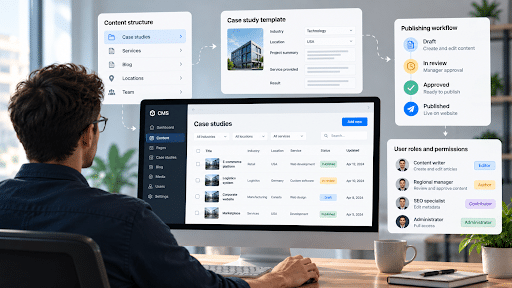
Think beyond the pages needed for launch. Your CMS should make repeated content easy to organize and maintain.
For example, case studies may consistently include an industry, location, project summary, service provided, and result. Defining those fields makes projects easier to filter and display across the website. Structured fields also pay off in search, because content stored as clear fields is easier to reuse and to mark up with schema.
Also consider who should be allowed to change what. A writer may need permission to prepare articles without access to website settings. A regional manager may need to review translated content before publication.
WordPress provides different user roles, while Drupal’s Content Moderation module supports configurable publishing workflows. The appropriate setup depends on your team’s responsibilities and approval process.
Document those responsibilities before development begins. Permissions are much easier to configure when the publishing process is clear.
Check SEO Controls, Performance, and AI Search Readiness
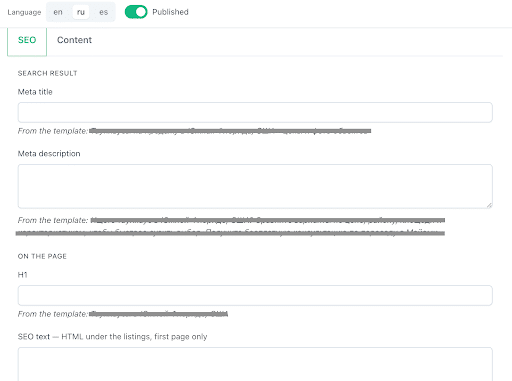
Avoid treating “SEO friendly” as a complete explanation of a platform’s capabilities. Ask what your team can actually control and which features require additional configuration or paid add-ons.
Useful checks include:
- Editing page titles and meta descriptions.
- Managing readable URLs, canonical tags, and redirects.
- Controlling which pages should be indexed.
- Adding image alternative text.
- Maintaining an XML sitemap automatically.
- Adding structured data (schema markup) without custom code.
- Handling language versions and hreflang when relevant.
Performance also deserves a practical test. Ask for a representative page containing realistic images, navigation, forms, and tracking scripts, then run it through Google PageSpeed Insights and check Core Web Vitals on mobile. An almost empty demo does not show how your finished website will behave.
Evaluate the proposed implementation as a whole. Hosting, templates, media, plugins, and third-party scripts can all affect the experience visitors receive.
Search is also changing. AI assistants and answer engines pull short, self-contained passages from pages instead of reading them top to bottom. A CMS that supports clean heading structure, reusable content blocks, and structured data makes it easier for your pages to be quoted accurately. We cover the layout side of this in our guide to designing website layouts for AI assistants.
Verify Integrations Before Committing
Business websites often need to exchange information with other systems. An inquiry form may need to create a CRM record, notify a sales representative, and preserve campaign information.
A plugin or integration listed on a platform’s website is only the starting point. Confirm that it supports your specific workflow.
For each essential connection, establish:
- Which information needs to be transferred.
- Whether the connection is native, plugin-based, or custom-built.
- Whether additional subscriptions are required.
- Who will maintain it.
- How failed submissions or synchronization errors will be detected.
Test the complete journey, from submitting a form to receiving usable information in the destination system. This can reveal missing fields or manual steps before they become operational problems.
Integrations are also the first thing to fail quietly when a site is rebuilt. If you are replacing an existing website, review the workflows that break after a website redesign so nothing stops working on launch day.
Assess Security and Maintenance Responsibilities
Every CMS needs maintenance. The difference is who does it and how quickly. On a hosted platform, the provider patches the software and servers. On a self-hosted open source CMS, your team or your developer applies core, theme, and plugin updates, which gives you more control and more responsibility.
Ask the same questions about every option on your shortlist:
- Who applies security updates, and how soon after they are released?
- How are backups made, where are they stored, and when was a restore last tested?
- Does the CMS support two-factor authentication and role-based access?
- How are third-party plugins, apps, or extensions reviewed before installation?
- What happens if the developer of a custom component stops supporting it?
In our support work, problems on WordPress sites usually start with an abandoned plugin or an update nobody applied, not with WordPress itself. Whatever platform you choose, make maintenance a named responsibility with a budget, not an assumption.
If your forms collect personal data, also confirm how the platform supports consent tools and data requests under privacy laws such as the GDPR in Europe or the LGPD in Brazil.
Compare the Full Cost of Ownership
The initial development quote does not represent the full cost of running a website. Compare shortlisted solutions over the same period, such as three years, and use the same assumptions for each.
Include:
- Website design and development.
- Content migration and redirects.
- Hosting or platform subscriptions.
- Paid themes, plugins, apps, and integrations.
- Maintenance, backups, and support.
- Staff training.
- Expected changes after launch.
Ask each provider to explain what is included and what would trigger additional charges. A lower launch price may be less attractive if routine content changes require paid developer support.
The costs most quotes leave out tend to recur: annual plugin or app renewals, higher hosting tiers as traffic grows, transaction fees on some ecommerce plans, and developer hours for updates and small changes. Add them to the three-year total cost of ownership before you compare proposals.
For open source software, a free license does not make implementation and maintenance free. For hosted platforms, check which capabilities are included in the proposed subscription rather than assuming they are available on every plan.
Confirm Ownership, Access, and Your Exit Plan
Before signing an agreement, clarify how your business will access and control the website.
Your company should know who manages the domain, the hosting or platform account, administrator access, and any purchased licenses. The contract should also explain ownership and usage rights for custom design and development work.
Ask how content, media, and relevant data can be exported if you later move to another system. Depending on the platform, an export may preserve content without reproducing the website’s design or functionality. WordPress, for example, includes a built-in export tool that produces an XML file of your posts and pages, while hosted builders vary widely in what they let you take with you.
If you are replacing an existing website, budget for CMS migration work as a separate line item: mapping every old URL to a new one, setting up 301 redirects, and checking that titles, descriptions, and structured data carry over. Skipping this step is one of the fastest ways to lose rankings you have already earned.
The goal is to understand the transition process while there is still time to make an informed choice.
Score Your Shortlist With a Weighted CMS Checklist
Once you have tested two or three options, turn your notes into numbers. A weighted scorecard is the simplest way to evaluate a CMS objectively, because it forces the team to agree on what matters before anyone starts defending a favorite.
Rate each platform from 1 to 5 on every criterion, multiply by the weight, and divide the total by 5 to get a score out of 100. Adjust the weights to match your brief. An online store might raise integrations, while a publisher might raise editing and content structure.
| Criterion | Suggested weight | What to check |
|---|---|---|
| Editing experience | 20 | Can your editors complete the real tasks without help? |
| Integrations | 15 | Do CRM, email, analytics, and payment connections work end to end? |
| SEO and performance | 15 | Control of metadata, redirects, and schema, plus Core Web Vitals on a realistic page |
| Total cost over three years | 15 | Build, subscriptions, renewals, maintenance, and training |
| Content structure and permissions | 10 | Custom fields, reusable sections, user roles, and approval steps |
| Security and maintenance | 10 | Update process, backups, access controls, and a named owner |
| Ownership and exit | 10 | Account ownership, content export, and contract terms |
| Scalability | 5 | New languages, more content, and more users without a rebuild |
| Total | 100 |
These CMS selection criteria will not make the decision for you, but they make disagreements visible. If two platforms finish within a few points of each other, choose the one your editors preferred during testing.
Example: Same Scores, Different Priorities, Different Winner
Here is how the scorecard works in practice. Imagine a 15-person accounting firm comparing WordPress with a hosted maintenance plan against a hosted website builder. After a week of testing, the team scores both options like this, using the suggested weights:
| Criterion | Weight | WordPress: score (points) | Hosted builder: score (points) |
|---|---|---|---|
| Editing experience | 20 | 4 (16) | 5 (20) |
| Integrations | 15 | 5 (15) | 3 (9) |
| SEO and performance | 15 | 4 (12) | 4 (12) |
| Total cost over three years | 15 | 3 (9) | 4 (12) |
| Content structure and permissions | 10 | 5 (10) | 3 (6) |
| Security and maintenance | 10 | 3 (6) | 5 (10) |
| Ownership and exit | 10 | 5 (10) | 2 (4) |
| Scalability | 5 | 5 (5) | 3 (3) |
| Total | 100 | 83 | 76 |
WordPress wins on integrations, content structure, and ownership. The builder wins on editing, cost, and maintenance. Now suppose the firm has no CRM to connect and nobody to own updates, so it raises editing to 25, cost to 20, and security and maintenance to 15, while lowering integrations and content structure to 5 each. With exactly the same scores, the builder now wins 81 to 78.
That is the point of weighting. The scores describe the platforms; the weights describe your business. Agree on the weights before testing, and the final number becomes much harder to argue with.
Should You Build It Yourself or Hire a Developer?
A hosted builder can be a reasonable do-it-yourself choice for a simple brochure site when someone on staff has time to own it. A self-hosted WordPress site with a well-supported theme can also work for small teams that are comfortable applying updates. Outside help becomes worth the cost when the project involves CRM or ERP integrations, custom content types, several languages, ecommerce beyond a basic catalog, or a migration that must protect existing rankings.
If you decide to work with a provider for business website development, share your requirements brief and scorecard before asking for a quote. When every proposal answers the same questions, you can compare them on substance instead of presentation. Ask each provider:
- Why does this CMS fit our brief better than the alternatives?
- What are its limitations for a business like ours?
- Who will own the domain, hosting, administrator accounts, and licenses?
- What is included in maintenance, and what triggers extra charges?
- How will our team be trained, and what documentation will we receive?
- What would it take to move to another platform in three years?
Watch for red flags as well: a provider that recommends the same platform to every client, cannot name a single limitation of its proposal, keeps administrator access in its own name, or builds on a proprietary system that only it can support.
Editorial note: Visualmodo builds WordPress themes, so we know that ecosystem best, and we have tried to describe every CMS type on its merits, including when WordPress is not the right fit. Visualmodo has no commercial relationship with the development provider linked in this section. It is included as an example of a services page that publishes its CMS options, process, and starting prices, which are useful details to compare across any shortlist.
Choosing a Small Business CMS: Cost, Security, WordPress, Headless, and Switching
There is no single best CMS for every small business. WordPress suits content-rich sites that need flexibility and full ownership. Hosted builders such as Wix or Squarespace suit very small teams that want minimal maintenance, and Shopify suits product-led stores. Choose by testing your own routine tasks, integrations, and three-year costs rather than by popularity.
Yes, for many businesses. WordPress is a strong choice for service companies, publishers, and businesses that want full control of their content and hosting, and it has the largest ecosystem of themes, plugins, and developers. The tradeoff is responsibility: someone must manage updates, backups, and plugin quality. If nobody on your side can own that work, budget for a maintenance plan or consider a hosted platform.
The software itself may be free, as with open source options like WordPress and Drupal, or included in a monthly subscription on hosted platforms. The real cost comes from design and development, hosting, paid themes, plugins or apps, maintenance, and staff training. Compare options over three years using the same assumptions, not just the launch quote.
A website builder is a hosted CMS that bundles software, hosting, and a visual editor in one subscription, so the provider handles maintenance. A self-hosted CMS such as WordPress gives you more control over code, hosting, and data, but your team or developer manages updates and security. The choice is mainly about control versus convenience.
A headless CMS makes sense when the same content must feed several channels, such as a website, a mobile app, and in-store screens, or when the design requires a fully custom front end. For a standard company website, the extra development and maintenance cost is rarely justified. Ask to see how editors will preview and publish before committing.
Yes, if the migration is planned. Map every existing URL to its new address, set up 301 redirects, carry over titles, meta descriptions, and structured data, and monitor Google Search Console after launch. Rankings usually suffer when redirects are skipped or content is rewritten during the move. Check how easily a platform exports content before you choose it.
Not inherently. Open source platforms such as WordPress and Drupal have dedicated security teams and receive regular patches. The risk usually comes from how a site is maintained: outdated plugins, weak passwords, and missed updates. Hosted platforms shift patching to the provider, which reduces your workload but also your control. Security depends more on maintenance discipline than on the platform type.
Making the Final Call on Your Business CMS
The right CMS for your business website is the one that supports everyday work while leaving room for growth. Start with a clear brief, narrow the field to the type of CMS that fits, and test your shortlist with real tasks instead of polished demos.
Before signing, ask for a working demonstration of your most important tasks and run the numbers on three years of ownership. The strongest choice is a CMS your employees can use confidently, your developers can maintain, and your business can afford to operate as its website grows.