You find a clip worth keeping. Maybe it’s a recipe you will actually cook, a tutorial you want on your laptop for a long flight, or a video you posted two years ago and no longer have the original of. You tap Save, open your camera roll, and there it is: a floating logo, a username drifting from corner to corner, and on some apps a branded end card stitched onto the last second. For casual watching, that’s a minor annoyance. For reusing your own work on another platform, it’s a real problem.
This guide walks through every practical way to download social media videos from TikTok, Instagram, Facebook, YouTube and X, with and without watermarks. You’ll see which built-in options each app offers, which tools are worth your time, what quality to expect, how to sidestep the malware traps that crowd this corner of the web, and where the legal lines sit before you repost anything.
Table of contents
- The Quick Answer: How to Download Social Media Videos Without Watermarks
- Why Saved Videos Carry Watermarks (and How Link Downloaders Avoid Them)
- Start With the Download Options Each Platform Already Offers
- Best Tools to Download Social Media Videos Without Watermarks
- How to Tell a Safe Video Downloader From a Risky One
- How to Get the Best Quality From Your Downloads
- Is It Legal to Download Social Media Videos Without Watermarks?
- Smart, Legitimate Ways to Use Watermark-Free Videos
- Troubleshooting Common Download Problems
- Which Method Should You Use?
- Watermarks, Private Videos, Quality and Copyright: Quick Answers
The Quick Answer: How to Download Social Media Videos Without Watermarks
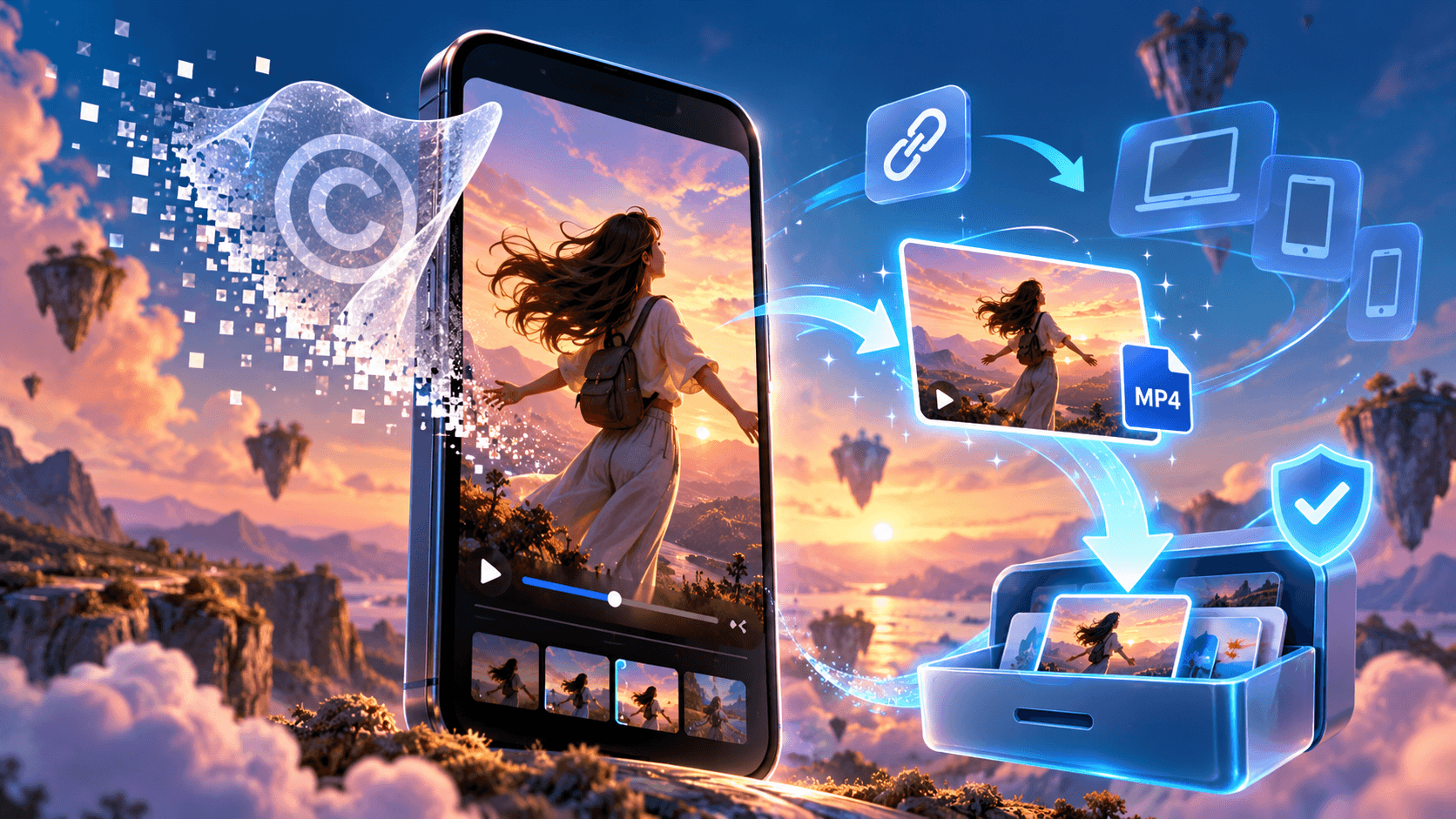
The most reliable method is link-based downloading. Instead of keeping the stamped copy an app creates when you tap Save, a downloader takes the video’s public link and fetches the clean file the platform streams to your screen. You paste a URL, choose a format, and get an MP4 (or an MP3 if you only want the sound).
Using one multi-platform tool also saves you from bookmarking a different site for every network. TubePull, for instance, handles TikTok, Instagram, Facebook, YouTube, X and several other services from a single input box, and it does so without the pop-unders and fake download buttons that make most free downloaders tiring to use. Whatever tool you pick, the process looks almost the same:
- In the app, tap Share and choose Copy link. On a computer, copy the URL from the address bar.
- Open the downloader in your browser and paste the link into the input field.
- Choose MP4 for video or MP3 for audio, then select the highest resolution on offer.
- Save the file and play it once to confirm the picture and sound came through intact.
On iPhone, files downloaded in Safari land in the Files app under Downloads, so open the clip there, tap Share and choose Save Video to move it into Photos. On Android, downloads usually appear in the Downloads folder, and your gallery app picks them up within seconds.
Why Saved Videos Carry Watermarks (and How Link Downloaders Avoid Them)
A watermark is not part of the original upload. When you save a TikTok through the app, TikTok generates a fresh export with its logo and the creator’s username layered on top, and it often adds a short closing frame with the handle. Instagram does something similar with downloaded Reels. The version playing inside the app is usually clean, because the overlay is applied at the moment of export, not when the creator posts.
That detail explains why link-based tools work. A TikTok downloader that promises a watermark-free file is not painting over anything. It requests the same source stream the app plays and hands it to you as a file. Watermark remover apps take the opposite route: they start with an already-stamped copy and then blur, crop or use AI fill to hide the logo. The results range from passable to obviously smudged, and every re-encode costs sharpness. If you have the link, you rarely need to remove the TikTok watermark after the fact.
Platforms stamp exports for a simple reason. A watermark turns every shared clip into free advertising and points viewers back to the creator. It also protects their own turf: Instagram has said it favors original content in recommendations, and a Reel wearing another app’s logo is an obvious sign of a recycled post. That is why creators who cross-post their own work care so much about clean files.
Start With the Download Options Each Platform Already Offers
Built-in options are the safest place to begin. They require no extra sites, they respect the creator’s settings, and for personal viewing a watermark rarely matters. Here’s what each major network gives you today.
TikTok
Tap Share on any video and look for Save video. The file goes to your camera roll with the TikTok logo and the creator’s username attached. If the option is missing, the creator has switched off downloads, a choice explained in TikTok’s guide to video download settings, which also shows creators how to control it on their own accounts. For your own posts, the cleanest copy is always the original file on your phone or in your editing app, so keep those rather than treating TikTok as storage.
Instagram lets anyone download Reels from public accounts. Tap the Share icon on a Reel and choose Download, and the clip lands in your camera roll with an Instagram watermark and the creator’s handle. Public accounts can disable the option, Reels from private accounts can’t be downloaded at all, and the feature is switched off by default for users under 18. Regular feed videos and other people’s Stories have no download button, so a link-based tool (often sold as an Instagram Reels downloader) is the usual route to a clean file or to download Instagram Reels without the logo.
Facebook lets you download videos you uploaded yourself from the menu on the video, and the Download your information tool in Accounts Center can bundle all of your media into one archive. For anyone else’s clip, the Save option only bookmarks it inside the app. A Facebook video downloader that accepts public links fills that gap, though videos from private groups and friends-only posts stay out of reach, as they should.
YouTube and YouTube Shorts
YouTube Premium offers offline downloads, but those files live inside the YouTube app and can’t be moved or edited. YouTube’s Terms of Service prohibit downloading content except where the service expressly allows it or YouTube and the rights holder give written permission, which makes it the strictest of the major platforms on this point. Creators can download their own uploads from YouTube Studio, the clean and rule-friendly way to recover a Short or a full video you’ve lost locally.
X (Formerly Twitter)
X doesn’t give most viewers a download button. Bookmarks keep a post handy inside the app, but if you need the file itself, a Twitter video downloader (most still use the old name) works with any public post. Videos from protected accounts won’t load, since the tool only sees what a logged-out visitor sees.
Best Tools to Download Social Media Videos Without Watermarks
Third-party options fall into five broad groups, and each suits a different kind of user. The table compares them at a glance, followed by a closer look at how each type behaves in everyday use.
| Method or tool | Platforms | Watermark-free? | Cost | Best for | Watch out for |
|---|---|---|---|---|---|
| Built-in Save or Download | TikTok, Instagram Reels, your own Facebook and YouTube uploads | No for TikTok and Reels; yes for your own uploads | Free | Quick personal saves | Creators can disable downloads |
| TubePull | TikTok, Instagram, Facebook, YouTube, X, Reddit, Vimeo and more | Yes | Free tier plus paid plan | One ad-free tool for every network | Daily limit on the free tier |
| SnapTik, SSSTik, MusicallyDown | TikTok only | Yes | Free, ad-supported | Occasional TikTok saves | Pop-ups and fake download buttons |
| 4K Video Downloader Plus | YouTube, TikTok, Instagram, Facebook and other major sites | Yes | Free version plus paid licenses | Batch downloads on a computer | Install only from the official site |
| yt-dlp | More than a thousand sites | Yes | Free, open source | Archiving and automation | Command line, needs regular updates |
| Screen recording | Anything you can play | Partly: no export watermark, but app interface may show | Free, built in | Last resort | Lower quality, captures notifications |
Multi-Platform Web Downloaders
For most people this is the sweet spot. You don’t install anything, the same page works on a phone and a laptop, and one bookmark covers every network. TubePull fits here: paste a link from TikTok, Instagram, Facebook, YouTube, X, Reddit or Vimeo, pick MP4 or MP3, and the file saves to your device. Its quality menu only lists resolutions the source actually has, so a 720p upload won’t be dressed up as 4K. The free tier limits how many files you can grab per day, so heavy users will eventually want the paid plan.
TikTok-Only Downloaders
SnapTik, SSSTik and MusicallyDown built their names on one job: helping people download TikTok videos without watermark stamps. They’re quick and free, and advertising pays the bills, which is where the friction starts. Expect pop-ups, redirects and big buttons that say Download but lead to an ad. Popular names also attract clone sites on near-identical domains, so check the address bar before you paste anything and save TikTok videos without the watermark only from the real site.
Desktop Apps
Programs such as 4K Video Downloader Plus suit people who save a lot of video at once: whole playlists, a creator’s back catalog, or a batch of clips for a project. They run on Windows and macOS (some on Linux too), handle download queues well and keep a tidy library. Get them only from the developer’s official site and read every install screen, because fake installers bundled with adware are common in this category.
Open-Source Command-Line Tools
yt-dlp is the tool many archivists and developers swear by. It’s free, open source and supports more than a thousand websites. You type yt-dlp followed by a video link, and it fetches the best available version, merging separate audio and video streams if FFmpeg is installed. There’s a learning curve, no graphical interface by default, and you’ll need to update it whenever a platform changes its code, but nothing beats it for backing up your own channel or automating repeat jobs.
Browser Extensions and Screen Recording
Extensions are the riskiest option on this list. Many ask for permission to read and change data on every website you visit, and a harmless extension can be sold to a new owner and updated with adware overnight. If you use one, pick a well-reviewed extension with a clearly identified developer and remove it when the job is done. Screen recording, built into both iOS and Android, is the true last resort. It works on anything you can play and skips the export watermark, but it also captures interface elements and notifications unless you switch on the app’s clear display mode, and the result is always a step down from the source file.
How to Tell a Safe Video Downloader From a Risky One
Free downloader sites earn money from ads, and the most aggressive ad networks gravitate toward them. The same warning signs show up again and again. Be wary of a page with several Download buttons, especially when the largest one sits outside the main tool. Close the tab if the site asks you to allow notifications, pushes you to install an app or an APK file, or claims you need a special codec. The file you receive should end in .mp4 or .mp3, never .exe, .apk, .dmg or .zip.
A legitimate online video downloader needs the link and nothing else. If a site asks you to sign in with your TikTok, Instagram or Facebook account to grab a public clip, walk away, because that is a classic account-hijacking setup. If you already typed a password into a site like that, follow the steps in our guide on how to keep your accounts secure before doing anything else, starting with a fresh password and two-factor authentication.
Mobile downloads deserve extra care, since phones make it easy to tap the wrong thing. Stick to official app stores if you install anything, keep your operating system updated, and run a security scan if your device starts acting strangely after a download. The FTC’s advice on how to detect and remove malware lists the symptoms worth watching, such as sudden pop-ups, a browser home page that changes on its own and toolbars you never installed, along with the cleanup steps to follow.
How to Get the Best Quality From Your Downloads
No tool can add detail the platform never stored. Most TikTok videos top out at 1080p, and Instagram Reels are delivered at 1080 by 1920 pixels in a vertical 9:16 frame. When a downloader offers 4K for a TikTok, it’s almost always an upscale: a bigger file with no extra sharpness. YouTube is the exception, since it keeps 4K and even 8K versions when the creator uploaded them.
For format, MP4 using H.264 video and AAC audio is the safest choice. It plays on every phone and computer and uploads cleanly to every social network. Some tools also offer WebM files or high-resolution streams encoded in VP9 or AV1, which look great but can trip up older editing apps, so convert them before you start cutting. One more habit worth adopting: rename each file with the creator’s handle and the date as soon as it lands, so crediting the source later takes seconds instead of a detective session.
If you only need the sound from a talk, a podcast clip or a voice note, choose MP3 or M4A. Keep in mind that trending songs on TikTok and Reels are licensed for use inside those apps, not for reuse elsewhere, so extracting a track doesn’t give you the right to publish it.
Is It Legal to Download Social Media Videos Without Watermarks?
The honest answer is that it depends on whose video it is, what you do with it and where you live. Saving your own content is fine on every platform. Saving a public clip to watch offline is low risk in most countries, although it can still break a platform’s terms, and YouTube’s are explicit on that point. Problems start when you republish someone else’s video, especially after stripping the watermark. Copyright belongs to the person who made the clip, no matter how easy it was to download.
In the United States, fair use allows limited use of copyrighted material for purposes such as commentary, criticism, news reporting and teaching. Courts weigh four factors, including how much of the work you used and whether your use harms the market for the original, and the U.S. Copyright Office Fair Use Index collects real court decisions so you can see how similar cases played out. Many other countries apply narrower fair dealing rules, so a reaction video that is acceptable in one market may not be in another.
Watermarks raise a second issue. U.S. copyright law treats knowingly removing a creator’s identifying information to conceal infringement as a separate violation, and other jurisdictions have similar rules. The practical takeaway is simple: if you share another creator’s work, credit them visibly, ask for permission (in writing if a brand is involved), and use the platform’s own share or embed tools whenever you can. Businesses that want to feature user-generated content should license it properly rather than downloading and reposting. This article is general information, not legal advice, so talk to a lawyer when real money or a client relationship is on the line.
Smart, Legitimate Ways to Use Watermark-Free Videos
Repurposing your own content is the most common and least complicated use. A clip that worked on TikTok can earn a second life as a Reel, a YouTube Short or a Facebook video, provided it arrives without a rival platform’s logo. Trim it to suit each network while you’re at it; our breakdown of the perfect length for an Instagram Reel explains why edits in the 7 to 15 second range often hold attention best. Rewrite captions and on-screen text for each audience too, since a hook that lands on one app can feel flat on another.
Archiving is the second big reason. Accounts get hacked, banned by mistake or abandoned, and platforms change their rules without asking. Keeping clean masters of everything you publish, stored in two places such as a cloud drive and an external disk, means a bad week on one app never wipes out years of work.
Clean files also belong on your own website. A short product demo or behind-the-scenes clip can lift a landing page, as long as it doesn’t slow the page down, and our guide to adding custom video to WordPress without hurting speed covers lighter embeds, captions and conversion tracking. When the video belongs to someone else, use the platform’s official embed code instead of a downloaded copy. Embeds keep the creator’s credit and view count intact and keep you on the right side of their rights.
Troubleshooting Common Download Problems
If a tool says the video can’t be found, check whether the account is private, the post is age-restricted or the clip is blocked in your region. Link-based downloaders only see what a logged-out visitor sees, so anything behind a login stays off-limits. Stories add a time limit, since they disappear after 24 hours unless the creator saves them to a highlight.
Link format causes a surprising number of failures. Use the share link rather than a copied search result, and delete everything after the question mark if a tool chokes on tracking parameters. Short links such as vm.tiktok.com work in most modern tools. Photo carousels and TikTok slideshows need a downloader that explicitly supports them, otherwise you’ll get the soundtrack and nothing else.
A file with no sound usually means the site delivered audio and video as separate streams. Choose an option labeled with audio, or let a tool like yt-dlp merge them. And when a tool that worked yesterday fails today, the platform probably changed something behind the scenes, so give the developers a day to catch up or switch to an alternative.
Which Method Should You Use?
Match the method to the job. For your own content, start with the original file, YouTube Studio or Facebook’s download option, and treat third-party tools as a backup. For a quick personal save where the logo doesn’t matter, the built-in TikTok and Instagram buttons are the simplest choice. For clean files from public links across several networks, a multi-platform web downloader is the most convenient path, while yt-dlp or a desktop app makes more sense for bulk archiving. And for anything someone else created that you plan to repost, get permission first and credit them every time.
Watermarks, Private Videos, Quality and Copyright: Quick Answers
Yes. Link-based tools fetch the clean stream TikTok plays in the app, so the file has no logo or username overlay. Copy the video’s share link, paste it into a downloader and choose MP4. Free tools are usually ad-supported or cap daily downloads.
Instagram stamps downloaded Reels with its logo and the creator’s handle so the clip keeps its attribution wherever it travels. The watermark is added at export, which is why link-based tools that fetch the original stream can deliver a clean copy.
Downloading your own videos is fine. Saving public clips for private offline viewing is low risk in most places but may break platform terms. Reposting another person’s video without permission can infringe copyright, and removing their watermark to hide the source can make things worse.
Not with link-based tools. They only access what a logged-out visitor can see, so private profiles, friends-only posts and private groups are out of reach. Avoid any site that asks for your login to get around this, since that is a common account-theft tactic.
Good ones don’t, because they save the source file as it is. Quality drops come from screen recording, from watermark remover apps that re-encode the clip and from tools that compress their output. Pick the highest resolution offered, keeping in mind most TikToks top out at 1080p.
Reputable ones are, as long as you only paste a link and download an MP4 or MP3. Close any site that asks for notification permissions, pushes an app or APK install, or delivers a file with an unexpected extension.
Paste the video link into a downloader that supports audio extraction and choose MP3 or M4A. Popular songs used on TikTok and Reels are licensed for those apps, so an extracted track isn’t cleared for reuse elsewhere.
It can. Instagram has said it prioritizes original content in recommendations, and a visible logo from another app signals a recycled post. If you cross-post your own TikToks, upload the clean original file instead.