Digital commerce is now a central part of modern retail, with the gaps between product discovery and purchase becoming increasingly short. However, this growing digital accessibility also goes both ways, lowering barriers for businesses and intensifying competition in the process.
For businesses to stand out and sustain long-term growth, they need an e-commerce platform that can truly grow with them. Better flexibility and scale mean fewer issues when a business expands product lines or changes processes in response to market demands. At the same time, a certain level of control remains essential to ensure that customer experience and operational direction remain aligned with the business’s long-term goals.
Fortunately, there are now many platforms available that cater to different needs and levels of technical expertise. Among them is WooCommerce, a WordPress-based platform that’s widely regarded for its active developer community and its vast array of ready-to-use plugins. If you’re thinking about using it for your online store, here are a few proven benefits to consider.
Table of contents
- WooCommerce at a Glance: The Short Version
- 1. Customize Your Store to Match Your Brand and Business Needs
- 2. Offer Customers Flexible and Convenient Payment Methods
- 3. Improve Your Visibility with Built-In SEO Advantages
- 4. Manage Your Website and Store Seamlessly in One Platform
- 5. Reduce Costs While Maintaining Full Ownership of Your Store
- What a WooCommerce Store Actually Costs to Run
- 6. Sell Any Product or Service Without Platform Limitations
- 7. Scale Your Online Store as Your Business Grows
- What Changed Under the Hood: The 2026 WooCommerce Architecture
- When WooCommerce Is the Wrong Choice
- Frequently Asked Questions About Choosing WooCommerce
- Making the Decision
WooCommerce at a Glance: The Short Version
If you only read one section, read this one.
What it is: a free, open-source ecommerce plugin that turns any WordPress site into a full online store. You host it yourself, you own the data, and you assemble the rest of the stack from a plugin marketplace.
How widely it is used: according to W3Techs usage statistics, WooCommerce runs 48.2% of all websites using a known ecommerce system, which works out to 8.1% of the entire web as of August 2026. That scale is why almost every payment processor, shipping carrier, and marketing tool ships a WooCommerce integration.
Who it suits best: businesses that already publish content on WordPress, sell mixed catalogs (physical, digital, services, subscriptions), operate in markets where local payment methods matter, or need a specific workflow that hosted platforms will not build for them.
Who should think twice: teams with no technical resource at all, stores that need enterprise-grade uptime from day one without a hosting partner, and anyone who would rather pay a flat monthly fee than manage updates, backups, and compatibility.
The honest trade-off: WooCommerce moves cost from a subscription line into operational responsibility. The license is free. The plumbing is your job.
1. Customize Your Store to Match Your Brand and Business Needs
While WooCommerce does have thousands of themes and templates, it also allows businesses to fully design an online store that reflects their identity. You can choose to modify a theme or create a design from the ground up to support customer experiences as well as brand alignment.
Notably, customization extends beyond visual elements. Product pages can be refined to highlight key details and improve clarity for shoppers. Checkout flows can also be adjusted to remove unnecessary steps and make the buying process more seamless, ensuring your store matches increasing customer expectations.
2. Offer Customers Flexible and Convenient Payment Methods
Store owners choose their own payment processor rather than accepting the one the platform bundles, which means the checkout can be built around how customers in your market actually pay.
Such flexibility helps create a smoother checkout experience because customers can complete transactions using the method they already prefer. Reducing payment barriers in this way often leads to higher conversion rates and fewer abandoned carts, in the process reducing the cost to secure each sale.
Why Local Payment Methods Drive Conversion Outside the US
Card penetration is not universal. In large parts of Southeast Asia, Latin America, and Africa, the dominant checkout methods are e-wallets, bank transfers, instalment plans, and cash-on-delivery, and a store offering only Visa and Mastercard quietly loses the majority of its addressable market.
This is where the open gateway model earns its keep. Because WooCommerce does not run its own payments rail, you can install whichever processor genuinely serves your buyers. A Brazilian store adds Pix and boleto. A Polish store adds BLIK. A merchant selling into the Philippines can install a regional WooCommerce payment gateway that accepts local wallet balances and QR payments alongside cards, without routing customers through a second checkout. Hosted platforms that bundle their own processor rarely offer this depth, and some charge an extra percentage point when you refuse to use theirs.
One caution before you install anything: every gateway you add is another plugin loading JavaScript on your checkout page. Two well-chosen processors covering 90% of your buyers will outperform six that each cover a sliver and collectively slow the page down.
3. Improve Your Visibility with Built-In SEO Advantages
WooCommerce benefits from WordPress’s SEO-friendly structure and its near-infinite customization options. Where other platforms restrict certain optimizations, WooCommerce makes it easy to optimize key elements such as page titles, descriptions, and URLs to improve how products appear in search results. This greater control lets you present your store to potential customers online exactly as you envision.
In practice this means editing product schema, controlling whether category archives are indexed, choosing your own permalink base, and canonicalizing product variations, all without waiting for a platform feature request. Those are the exact controls hosted platforms most often restrict.
Additionally, the ability to create content alongside product listings also strengthens overall visibility. Informative articles and optimized product pages can work together to increase organic traffic, which reduces reliance on paid advertising to secure a healthy sales baseline.
4. Manage Your Website and Store Seamlessly in One Platform
WooCommerce operates within WordPress’s widely used content management system, which enables businesses to manage both content and commerce from a single environment. This integration simplifies day-to-day operations, as product listings and blog content can be updated without switching between platforms.
At the same time, this unified setup supports stronger content-driven strategies. Informational pages and product content can work together to guide customers through the buying journey, which enhances engagement and conversion potential.
5. Reduce Costs While Maintaining Full Ownership of Your Store
Cost efficiency remains a major consideration for many businesses, and WooCommerce offers a flexible approach to managing expenses. Since the core platform is free, businesses can allocate resources toward specific needs such as hosting or other operational requirements. This structure allows for more deliberate spending while avoiding unnecessary bundled costs.
Furthermore, full ownership of the online store and its data provides long-term value because it gives businesses complete control over how their information is stored and used. Instead of relying on external restrictions or platform-specific rules, you can decide how to implement updates and manage customer data in a way that aligns with your long-term goals. This level of control reduces dependency on external systems and allows for more stable planning as the business grows. It also ensures that critical data remains accessible and transferable, which becomes especially important when expanding operations or improving security practices over time.
What a WooCommerce Store Actually Costs to Run
Reason 5 is the one most often oversold, so here is the version with real numbers.
The WooCommerce plugin costs nothing, and unlike hosted platforms, it doesn’t take a cut of your revenue. No platform fee and no growth tax. You pay for everything the plugin doesn’t include.
Hosting is the non-negotiable line item, typically running from roughly $10 a month on entry-level shared plans to $30 to $100 a month for managed WordPress hosting once you have real traffic. Watch renewal pricing on cheap plans, which frequently jumps several times over after the introductory term. Cart, checkout, and account pages cannot be served from full-page cache, so a store’s hosting needs scale with concurrent buyers rather than with pageviews.
Payment processing is charged by your gateway, not by WooCommerce. In the US, WooPayments and Stripe both publish a standard domestic card rate around 2.9% plus $0.30 per transaction, with additional charges for international cards and currency conversion. Once you are processing meaningful volume, that rate is negotiable, and shaving even a few tenths of a percent is worth more annually than most plugin subscriptions combined.
Extensions are where budgets drift. Premium ones commonly run $29 to $299 per year each, and features that come bundled on hosted platforms (subscriptions, bookings, advanced shipping rules, marketing automation) are separate purchases here. A lean store can genuinely run on free plugins alone. A store with subscriptions, complex shipping, and abandoned-cart recovery will land somewhere between $500 and $1,500 a year in licences, so it pays to choose deliberately rather than by installing everything at once. Our guide to the best WooCommerce addons to skyrocket your sales walks through which categories actually move revenue and which are optional.
Theme and build ranges from free to a couple of hundred dollars for a quality commercial theme, or considerably more for a custom build.
Realistically, a small store lands around $200 to $600 a year all-in. A mid-sized store with a proper extension stack and managed hosting lands closer to $1,500 to $4,000. That is usually cheaper than an equivalent hosted plan at the same feature level, but the saving is not automatic and it is not the same thing as free.
6. Sell Any Product or Service Without Platform Limitations
WooCommerce supports an expanding range of product types and business models, which allows businesses to diversify their offerings in whichever direction they need. Whether it’s physical goods, digital products, or services, you can manage them all within the same system. This advantage allows you to explore new opportunities without unnecessary platform restrictions. For businesses, this flexibility ensures that the platform can support current operations and future growth.
7. Scale Your Online Store as Your Business Grows
Growth often brings increased complexity, and WooCommerce offers ways to address it. As mentioned, the platform supports expanding product catalogs, but it also accommodates higher traffic volumes and more advanced automation features. This means businesses can grow without migrating to a new platform or needing to dedicate excessive amounts of time to maintaining their site.
In addition, scalability extends to functionality. As business needs change, you can add features through plugins rather than migrating to a platform that already includes them.
What actually changes as you scale is less the platform than the software sitting around it. Inventory tracking that worked in a spreadsheet at fifty orders a month stops working at five hundred. A customer list you could hold in your head becomes a CRM requirement. Those additions have an order to them, and buying them out of sequence is how stores end up paying for four subscriptions that do not talk to each other. Our guide to e-commerce development tools and the order to buy them in covers which operational failure should trigger each purchase.
What Changed Under the Hood: The 2026 WooCommerce Architecture
Most articles describing WooCommerce still describe the 2019 version. Two architectural shifts have landed since then, and both affect the scalability argument in Reason 7 more than any plugin does.
High-Performance Order Storage (HPOS) moved orders out of the WordPress wp_posts and wp_postmeta tables into dedicated order tables. That sounds like housekeeping, but the practical effect is large: order queries no longer compete with every post, page, and revision on the site. Stores created from October 2023 onward have HPOS enabled by default, while older stores can enable it under WooCommerce > Settings > Advanced > Features. Two things to check before you flip it: every mission-critical extension must declare HPOS compatibility, and you should run the migration on staging with a rollback plan rather than during a lunch break. Treat it as a migration project, not a toggle.
Block-based cart and checkout replaced the old shortcode pages as the default. The block checkout is faster, supports express payment buttons natively, and receives the ongoing performance work in the 11.x release line, including significant reductions in the number of database queries a checkout session fires. The catch is the same as with HPOS: an older payment or shipping extension that has not been updated for the Store API may not render correctly, so test with real transactions in staging before switching a live store.
The same Store API powers the core Mini-Cart block, which is the free cart drawer most store owners do not realise they already have on a block theme. We put it head to head with the paid alternatives in our comparison of the core Mini-Cart block and the plugin alternatives.
Both changes point the same direction. WooCommerce’s performance ceiling in 2026 is set far more by hosting quality, caching strategy, and plugin discipline than by the platform itself. If you want the practical version of that work, our walkthrough on how to improve Google PageSpeed Insights for WordPress covers the caching and asset decisions that matter most on store pages, which are exactly the pages that cannot be cached wholesale.
When WooCommerce Is the Wrong Choice
Recommending a platform without naming its limits is how people end up migrating eighteen months later. WooCommerce is a poor fit in four specific situations.
- You have no technical resource and no budget for one. Someone has to apply updates, test them on staging, monitor uptime, and fix the checkout when a plugin conflict breaks it at 11 pm. On a hosted platform, the vendor handles that. On WooCommerce, that person is you or someone you pay. If nobody on your team can read an error log, a managed WooCommerce host or a maintenance retainer is not optional, and once you factor that in the cost advantage narrows sharply.
- You need enterprise reliability immediately. WooCommerce absolutely scales, but not by default. Reaching high order volumes reliably requires proper server sizing, object caching, a CDN, database tuning, and a plugin stack audited for performance. That is a solvable engineering problem, not a checkbox, and the point where most stores hit the wall is exactly when they can least afford downtime. If your first month involves a launch campaign driving heavy concurrent traffic, budget for the infrastructure before the traffic arrives.
- Your requirements are genuinely off-the-shelf. If you sell fifteen simple physical products to one country using one payment method, WooCommerce’s flexibility is overhead you pay for in maintenance and never use. A hosted platform will get you selling faster.
- Your plugin count is growing faster than your revenue. Every extension is third-party code with its own update cycle, its own security surface, and its own opinion about how checkout should work. Once a store is running twenty-five plugins to hold a workflow together, replacing several of them with a single piece of purpose-built code is usually cheaper and far more stable. We covered the warning signs of that threshold in our breakdown of when a WooCommerce store needs custom development.
None of these disqualify the platform. They are simply the conditions under which the seven reasons above stop applying to your situation, and knowing that in advance is worth more than another list of benefits.
Frequently Asked Questions About Choosing WooCommerce
The plugin is free and open source, and WooCommerce takes no percentage of your sales. Running a store still costs money for hosting, a domain, payment processing, and any premium extensions you choose. Expect $200 to $600 a year for a small store and more as your feature list grows.
No. WooCommerce itself charges nothing per order. Your payment gateway does. In the US, the common published rate through WooPayments or Stripe is around 2.9% plus $0.30 for domestic cards, with surcharges for international cards and currency conversion.
They optimize for different things. Shopify sells you a managed system with less to think about and a predictable monthly fee. WooCommerce sells you control, data ownership, and no ceiling on customization, in exchange for taking on maintenance. If your competitive advantage depends on a workflow no hosted platform will build, WooCommerce wins. If it depends on shipping fast with a small team, Shopify often wins.
Tens of thousands, with correct infrastructure. Catalog size is rarely the constraint. The real limits are concurrent checkout traffic and admin query performance, both of which you address through HPOS, object caching, adequate PHP workers, and a lean plugin stack rather than the platform itself.
Yes, and it is one of its stronger arguments. You control titles, meta descriptions, URL structure, schema, and internal linking down to the template level, and you can publish editorial content on the same domain as your products. Hosted platforms restrict several of these. The advantage is only real if you use it, since default WooCommerce output still needs optimization.
Not to launch one. A non-technical owner can install WooCommerce, pick a theme, and start selling. You’ll eventually need technical help for plugin conflicts, performance tuning, and custom checkout logic. Budget for either a managed host that handles the infrastructure layer or a maintenance retainer.
Yes. Downloadable products and license delivery are handled in core. Recurring billing, bookings, appointments, and memberships require extensions, most of which are paid. This mixed-catalog capability is the single most common reason businesses pick WooCommerce over a storefront-only platform.
Only if you have identified a specific limitation your current platform will not lift, such as payment method coverage, data access, or a workflow it cannot support. Migration costs real time in catalog mapping, URL redirects, and reintegrating every third-party tool. Flexibility you are not going to use is not a reason to migrate.
Making the Decision
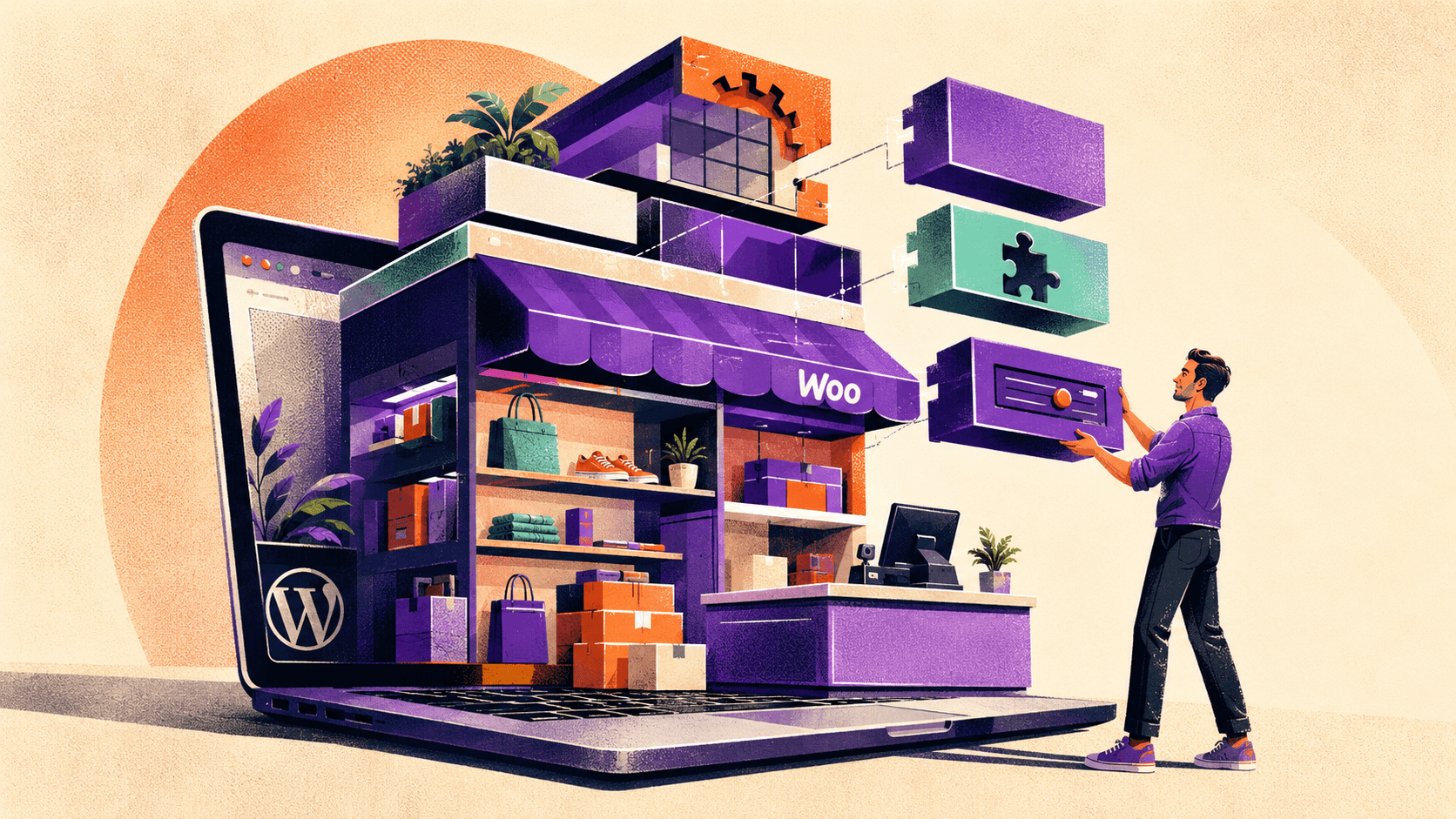
The seven reasons above share one root cause: WooCommerce is a component you assemble, not a product you rent. Every advantage on this list (custom checkout flows, any payment gateway you want, full SEO control, mixed catalogs, data ownership) exists because nobody decides those things for you. Every drawback exists for the same reason.
That makes the decision less about features and more about a single question: does your business have a specific requirement that a hosted platform will not accommodate, and do you have the technical capacity, in-house or contracted, to own the stack that comes with the answer? Two yeses and WooCommerce is very likely the right call. A no on the second means starting with a managed WooCommerce host rather than a bare install.
If you already run WordPress and publish content, the calculus tilts further in WooCommerce’s favor, because product pages and editorial pages living on one domain compound into organic traffic that a separate storefront subdomain never accumulates. That compounding effect is also why store owners are now optimizing that same content for AI-driven discovery, which we cover in our WordPress GEO guide for AI search.