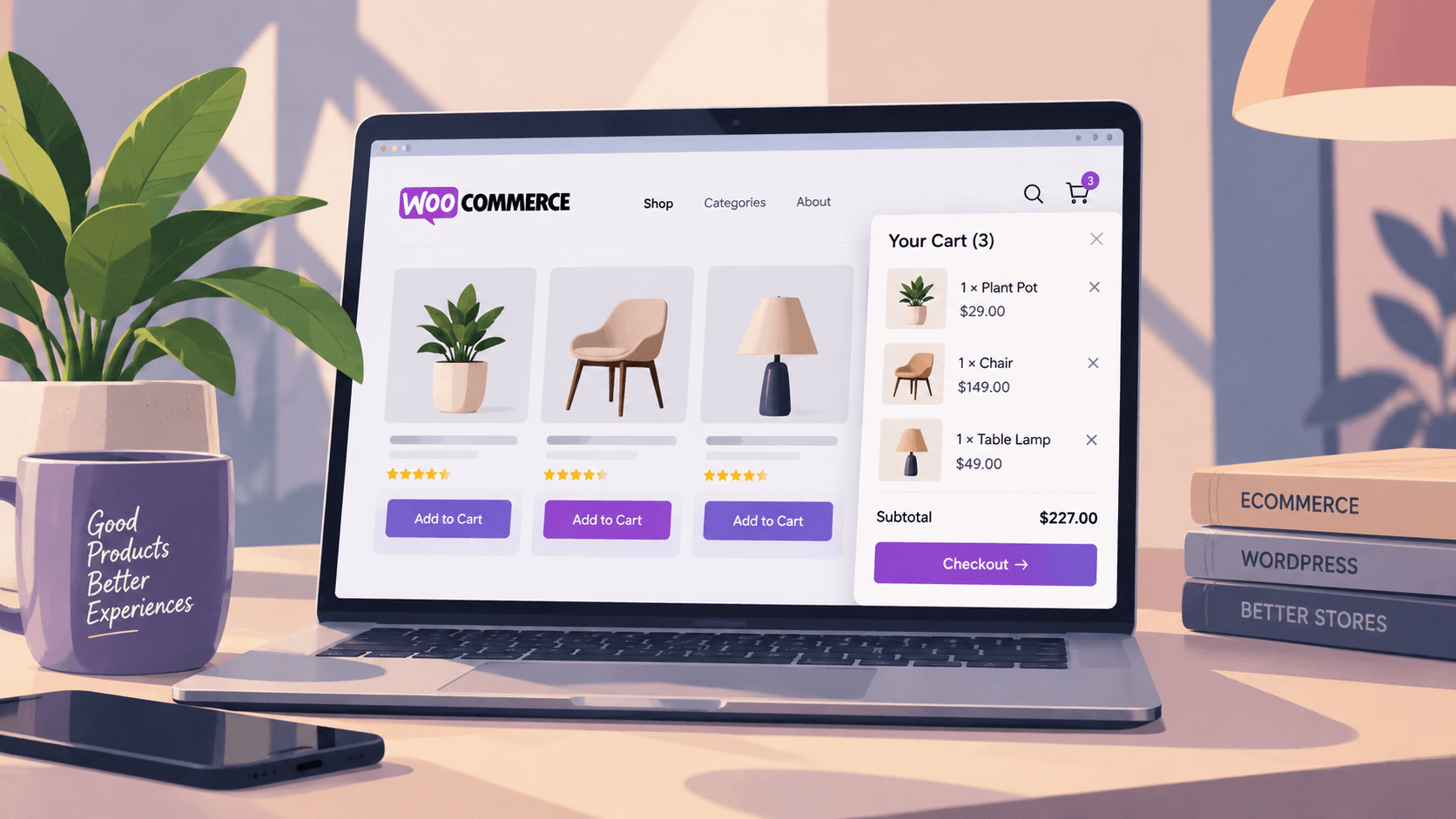
By default, WooCommerce sends shoppers to a dedicated cart page every time they want to check what they have added. That is one extra page load, one extra click, and one more opportunity for someone to lose the thread and leave.
A WooCommerce mini cart plugin removes that detour. Instead of a separate page, the cart opens as a panel over the current page: a side cart that slides in from the edge, a floating cart icon pinned to a corner, a cart drawer triggered on add-to-cart, or a dropdown attached to the menu. The shopper reviews the order, changes quantities, removes a line, and continues browsing without a single page refresh.
The category has more names than it needs. WooCommerce side cart plugin, off-canvas cart, cart drawer, WooCommerce floating cart, slide out cart, sticky cart, and WooCommerce cart popup all describe roughly the same pattern with different animation and anchor points. What actually separates them is how much JavaScript they load, whether they survive a variable product, and whether they work with your checkout.
This guide compares the best WooCommerce mini cart plugins available in 2026, covers the free native option that ships inside WooCommerce itself, and gives you a test protocol so you can rule out a bad fit in fifteen minutes instead of three weeks.
Table of contents
- Quick Comparison: WooCommerce Mini Cart Plugins
- What Is a WooCommerce Mini Cart?
- Before You Install Anything: WooCommerce Already Ships a Mini Cart
- Where a Mini Cart Actually Changes Behavior
- Best WooCommerce Mini Cart Plugins in 2026
- How to Choose the Right WooCommerce Mini Cart Plugin
- Mini Cart vs. Traditional WooCommerce Cart
- Cart Drawers, Fragments, and Block Themes: Common Questions
- The Short Version
Quick Comparison: WooCommerce Mini Cart Plugins
| Plugin | Cart style | Free version | Best for | Adds cart fragments |
|---|---|---|---|---|
| Native Mini-Cart Block | Header drawer | Core, free | Block themes, minimal overhead | No, uses Store API |
| WPC Fly Cart | Fly/overlay cart | Yes | Classic themes, overlay style | Yes |
| XT Floating Cart | Floating/side cart | Yes | Floating icon experiences | Yes |
| Side Cart WooCommerce | Slide-in side cart | Yes | Simple side cart, low setup | Yes |
| FunnelKit Cart | Cart drawer | Yes | In-drawer upsells and rewards | Yes |
| Cart All In One | Sticky/floating/sidebar | Yes | Multiple cart layouts in one plugin | Yes |
What Is a WooCommerce Mini Cart?
A WooCommerce mini cart is a compact cart interface that lets customers view and manage their selected products without necessarily leaving the page they are browsing.
Depending on the plugin, customers may be able to:
- View products already added to the cart
- Change item quantities
- Remove products
- See the current order total
- Continue browsing without losing the cart state
- Proceed to checkout
- Access the cart from a side panel, floating widget, footer, or other layout
In practice this means a shopper can add three items from three different category pages, check the running total, remove one, and reach checkout without a single full page load.
Before You Install Anything: WooCommerce Already Ships a Mini Cart
Most mini cart roundups skip this, and it costs their readers money.
WooCommerce core includes a free Mini-Cart block. If you run a block theme, it is very likely already sitting in your site header. According to the official WooCommerce Mini-Cart block documentation, the block gives shoppers a cart button with a configurable icon, an optional running total, control over whether the drawer auto-opens when someone adds a product, and settings to hide or remove the cart entirely on the cart and checkout pages. It also has its own template part, so you can restyle the drawer contents in the Site Editor without touching CSS.
What the native block gives you:
- A cart drawer that opens over the page with no add-to-cart page reload
- Lazy-loaded scripts, so the drawer contents only load when someone interacts with it
- Quantity changes and line removal inside the drawer
- Site Editor styling for colours, typography, and the empty-cart state
- Zero additional plugins, zero additional update surface, zero licence renewals
Where it runs out of road:
- Block themes only in practice. On a classic theme you are using a shortcode or widget fallback and losing most of the benefit
- No cross-sells, no coupon field, and no free-shipping progress bar inside the drawer
- No floating or sticky cart icon variant. It lives where you place it, normally the header
- Layout control is limited to what the block exposes. Deep customisation means custom code
- Some extensions still declare incompatibility with the Cart and Checkout blocks, and a few have known conflicts with JS concatenation features
The honest recommendation: if you run a block theme and your requirement is “let people see and edit the cart without leaving the page,” install nothing. Use the block. Reach for a plugin when you need a floating cart on a classic theme, in-drawer upsells, a coupon field, a free-shipping threshold bar, or design control the block does not expose. If upsells are the reason you are here, the cart drawer is only one lever among several, and our guide to the 12 best WooCommerce addons for growing sales covers the rest of the stack in order of impact.
Where a Mini Cart Actually Changes Behavior
A cart drawer is not universally useful. It earns its place in three specific situations, and adds weight without benefit everywhere else.
Multi-item baskets across several category pages. If a typical order contains one item, the shopper adds it and goes to checkout, and a drawer saves nothing. If a typical order contains four items pulled from different parts of the catalogue, the drawer removes three or four round trips to the cart page.
Catalogues where people compare before committing. Apparel, supplements, parts, and anything sold in variants all produce browse-add-check-remove behaviour. The drawer makes the check-and-remove step cost nothing.
Stores with heavy editorial traffic. If people arrive on blog posts and browse into products, a persistent cart button gives them a way back into the purchase path that a cart page link in the footer never will.
Where it does not help: single-product stores, one-click purchases, and any store whose drop-off happens at payment rather than at cart. In those cases you are adding JavaScript to solve a problem you do not have.
Restaurants and food ordering sites are a strong fit for the first pattern, since orders usually combine a main, a side, a drink, and sometimes a dessert. The ordering workflow around the cart, meaning delivery and pickup selection, scheduling, minimum order values, and item customisation, is a separate category of plugin and is not something a mini cart provides.
Best WooCommerce Mini Cart Plugins in 2026
The right plugin depends on the type of website, the desired cart layout, the required features, and how the cart fits into the existing WooCommerce checkout.
Six options, in the order most store owners should evaluate them. The first is free and already installed on many stores, so start there and only move down the list when you hit something it cannot do.
Native Mini-Cart Block
Best for: any store running a block theme
Free, bundled with WooCommerce core, and already sitting in the header of most block themes. It opens a drawer over the current page, handles quantity changes and line removal inside the drawer, and lazy-loads its own scripts so the contents only download when someone actually interacts with it. It reads the cart through the Store API rather than the legacy fragments request, which is why it is the only option on this list that does not add a blocking AJAX call to every page load.
What it will not do: floating or sticky positioning, coupon entry inside the drawer, free-shipping progress bars, or cross-sells. Deep layout changes mean custom code rather than a settings panel.
Install it by opening the Site Editor, editing your header template part, and inserting the Mini-Cart block. Nothing to download.
WPC Fly Cart
Best for: classic themes that need an overlay cart with no build work
Active installs: 10,000+. Rating: 4.7 out of 5 stars.
Opens a full-height overlay panel triggered by add-to-cart, and works with both AJAX and standard add-to-cart buttons, which matters because many classic themes still use the non-AJAX button on archive pages. Quantity controls, line removal with an undo action, and suggested products are all in the free version.
The free version does not include the coupon field, instant checkout, or shipping calculation inside the panel. Those sit behind the premium licence at [fill from wpclever.net]. Support response times on the free version are inconsistent, which several WordPress.org reviewers have raised, so factor that in if you are not comfortable debugging CSS yourself.
To get the panel to open on single product pages without a reload, the developer requires a second plugin, WPC AJAX Add to Cart. Budget for two plugins, not one.
XT Floating Cart
Best for: stores that want a persistent cart button on every page
Active installs: 4,000+. Rating: 4.6 out of 5 stars.
Pins a floating cart button to a screen corner and opens a side panel from it. The free version covers the button, the panel, quantity editing, and line removal. Product variations and cart totals update over AJAX.
Test the button position on a 375px viewport before you ship it. The default bottom-right anchor collides with the iOS Safari toolbar, with most chat widgets, and with any sticky add-to-cart bar your theme adds on product pages. The setting to move it exists, so use it.
Side Cart WooCommerce
Best for: the fastest path from install to a working side cart
Active installs: 80,000+. Rating: 4.9 out of 5 stars.
The simplest option here. Activate it and you have a working slide-in cart with no configuration. Settings cover width, colours, layout, which elements appear in the cart, and which pages hide it entirely, which is the setting most people forget and the one that matters most for page weight on your blog.
Independent plugin testing has scored it well on memory footprint and PageSpeed impact relative to the WordPress.org average, and it has been translated into a dozen locales, which is worth knowing if you run a multilingual store. The pro version adds shortcodes, template overrides, and upsell placement.
Choose this when you want a side cart and nothing else. Choose something else when you want the cart to do marketing work.
FunnelKit Cart
Best for: stores that want the drawer to increase order value
Active installs: 30,000+. Rating: 5 out of 5 stars.
The most feature-heavy drawer on this list. In-drawer upsells and cross-sells, a coupon field, a free-shipping progress bar, and reward or discount messaging all live inside the panel rather than on a separate cart page. It is compatible with WPML, Polylang, TranslatePress, and Weglot, which is unusual in this category and is the deciding factor for multilingual stores.
The catch is scope. It is built to work alongside the wider FunnelKit funnel builder, and the pro features are bundled into that product’s paid tiers rather than sold as a standalone cart licence. Check the current pricing at funnelkit.com before you assume the free version covers what you need.
Pick this if your reason for adding a cart drawer is revenue rather than convenience. Pick something lighter if it is convenience.
Cart All In One
Best for: stores still deciding which cart layout they want
Active installs: 5,000+. Rating: 4.5 out of 5 stars.
Bundles sticky, floating, and sidebar cart layouts into a single plugin with AJAX updates across all three. Useful when you want to test two layouts against each other without installing and uninstalling separate plugins.
The trade-off is that you carry the code for three layouts while using one. If you already know you want a side cart, a single-purpose plugin will be lighter. If you genuinely do not know, this saves you a round of testing.
What a Mini Cart Actually Costs You in Page Speed
Every mini cart plugin adds JavaScript, CSS, and in most cases an extra network request on page load. On a small catalogue this is invisible. On a 400-product store on shared hosting it is the difference between a passing and a failing Interaction to Next Paint score.
The cart fragments problem
WooCommerce keeps the cart total accurate across cached pages using an AJAX call to ?wc-ajax=get_refreshed_fragments. It fires on page load, and it is uncacheable by design, because the cart is per-visitor.
This is a long-documented performance issue. WooCommerce’s own issue tracker carries a confirmed bug report about the request measurably slowing sites, and performance tooling regularly flags it as the slowest single request in a waterfall, sometimes taking seconds on loaded servers. Perfmatters has reported seeing it account for delays of up to ten seconds on large stores.
The relevant point for this article: most mini cart plugins depend on cart fragments. Adding a WooCommerce AJAX cart to a store that was not using fragments heavily means you have just introduced this request on every single page, including your blog, your about page, and your contact form.
What to do about it
- Conditionally disable fragments when the cart is empty. WP Rocket optimises the request automatically, and Perfmatters offers a “Disable Cart Fragmentation” toggle that checks for the
woocommerce_cart_hashcookie and only loads the script when something is actually in the cart. This keeps the functionality and removes the cost for the majority of visitors - Dequeue
wc-cart-fragmentson non-shop pages. If your blog is 80% of your traffic, this alone is a meaningful win - Prefer plugins that use the Store API over legacy fragments. The native Mini-Cart block does. Most older third-party carts do not
- Measure before and after, on mobile, on a real device. Lab scores hide INP regressions that only appear under real interaction
If your store is already slow before you add anything, fix that first. Our walkthrough on how to improve Google PageSpeed Insights for WordPress covers the render-blocking and caching work that should happen before you bolt another script onto the front end.
The mobile tap target most carts get wrong
A floating cart icon anchored bottom-right sits exactly where iOS Safari draws its toolbar and where most sites put their chat widget. On a 375px viewport that corner is crowded, and a cart button that overlaps a sticky add-to-cart bar is a conversion leak, not a conversion tool.
Test the floating cart position on a real phone before you ship it. Check that the drawer does not lock body scroll incorrectly, that it closes on backdrop tap, and that it does not cover the price or the add-to-cart button on a product page. The same discipline applies across your whole layout, which we cover in detail in our guide to mobile-first WordPress design for better SEO and user experience.
The Accessibility Checks Most Mini Cart Plugins Fail
A cart drawer is a modal dialog. Modal dialogs have well-established accessibility requirements, and a surprising number of WooCommerce cart plugins meet almost none of them. If you sell into the EU, the European Accessibility Act makes this a compliance question rather than a nice-to-have.
Open the cart drawer and run these five checks. They take four minutes total.
- Keyboard focus moves into the drawer when it opens. Press Tab. If focus stays behind the overlay on the page underneath, the plugin fails
- Focus is trapped inside the drawer. Keep tabbing. Focus should cycle through the drawer’s own controls, not wander off into the page behind it
- Escape closes it. If the only way out is a mouse click on a small X, keyboard users are stuck
- Focus returns to the add-to-cart button on close. Otherwise a screen reader user is dumped at the top of the document
- The cart count is announced. The item counter should sit inside an
aria-live="polite"region, so a screen reader announces the update when someone adds a product. Most plugins update the number silently, which means a blind user gets no confirmation their click worked
Failing points 1 through 4 is common. Failing point 5 is close to universal. Neither is hard to patch with a small amount of custom JavaScript, but you should know which you are buying into before you commit, not after your first accessibility complaint.
How to Choose the Right WooCommerce Mini Cart Plugin
Choosing a mini cart should be based on the actual customer journey rather than simply choosing the plugin with the longest feature list.
Work through these in order. The first three rule out most bad fits before you have spent an afternoon on configuration.
1. Mobile Experience
A large percentage of restaurant website visitors may browse from smartphones.
The mini cart should be easy to open, read, update, and close on smaller screens.
2. Easy Quantity Management
Customers should be able to increase or decrease quantities without unnecessary navigation.
This is especially important for food orders containing multiple dishes or drinks.
3. Remove-Item Controls
Mistakes happen. Customers need an obvious way to remove something they no longer want.
4. AJAX Cart Updates
AJAX functionality can update cart information without requiring a full page refresh.
For menu-heavy restaurant websites, this can make browsing feel more continuous.
5. Clear Checkout Access
The mini cart should make the next step obvious.
A clear checkout button can help customers understand how to complete their order.
6. WooCommerce Compatibility
The plugin must work correctly with your theme, your WooCommerce version, your payment gateways, variable products, and every other extension that touches cart or checkout. Cart plugins conflict with checkout plugins more often than any other pairing.
7. Update Cadence and Support
Check the plugin’s last-updated date and its tested-up-to WordPress version before anything else. A cart plugin sits directly in the purchase path, so an abandoned one is not a cosmetic risk, it is a revenue risk the first time WooCommerce changes the Store API. If the last update is more than a year old, do not install it regardless of how good the feature list looks.
A 15-Minute Test Protocol Before You Commit
Install on staging. Never on production. Then work through this in order, because each step rules out a different class of failure.
Minutes 1 to 3: the variable product test. Add a product with two attributes, for example size and colour, from an archive page rather than the product page. Most add to cart without page reload implementations break here first, either by adding the wrong variation or by silently failing and leaving the shopper staring at an unchanged cart icon.
Minutes 4 to 6: the quantity race. Open the drawer and click the plus button five times quickly. A well-built slide out cart debounces the request and shows one correct total. A badly built one fires five AJAX calls, and you watch the total flicker between wrong values before settling, sometimes on the wrong number.
Minutes 7 to 9: the coupon and shipping test. If the drawer has a coupon field, apply a percentage coupon and confirm the total recalculates correctly. If you run a free-shipping threshold, confirm the progress bar updates without a refresh. This is where most plugins diverge from their marketing copy.
Minutes 10 to 12: the checkout handoff. Click through to checkout from the drawer. Confirm the cart contents survive intact, that no duplicate lines appear, and that your payment gateway still renders. If you use the block-based checkout, confirm the plugin has not forced a fallback to the classic checkout.
Minutes 13 to 15: the performance delta. Run PageSpeed Insights on a category page before and after activation. Look specifically at total blocking time and the number of requests. A WooCommerce side cart plugin adding more than 50KB of JavaScript and a fragments call on every page needs to justify itself with real functionality, not animation.
One thing this protocol will not tell you is whether the cart drawer is solving the right problem. If your abandonment is happening at the payment step rather than the cart step, a nicer cart will not move the number. Our breakdown of checkout UX and why simplicity wins is the better starting point if that is where your drop-off actually lives.
Mini Cart vs. Traditional WooCommerce Cart
Both approaches can work, but they provide different experiences.
| Feature | Traditional Cart | Mini Cart |
| View selected products | Usually requires cart page | Often available while browsing |
| Change quantities | Cart page | Can be available directly |
| Continue browsing | Requires navigation back | Easier to continue |
| Quick cart access | Limited to cart link/widget | Usually more visible |
| Mobile experience | Depends on cart page | Depends on mini cart design |
A mini cart does not necessarily replace the standard WooCommerce cart or checkout. Instead, it can act as a convenient layer between menu browsing and the full checkout process.
Cart Drawers, Fragments, and Block Themes: Common Questions
If you run a block theme and you only need shoppers to view and edit the cart without a page reload, the native block is enough and you should use it. You need a plugin when you want a floating cart icon, a coupon field or upsells inside the drawer, a free-shipping progress bar, or a cart on a classic theme where the block has no proper home.
Yes, measurably, though the size varies. Every option adds JavaScript and CSS, and most legacy plugins rely on the wc-ajax=get_refreshed_fragments request that fires on every page load and cannot be cached. Budget for roughly 20KB to 60KB of extra JavaScript depending on the plugin, and conditionally disable cart fragments when the cart is empty to claw most of the cost back.
Four causes account for almost all of it. Aggressive page caching is serving a stale cart fragment. A JavaScript error elsewhere on the page is halting execution before the cart script runs. Your theme overrides the mini-cart.php template and does not expose the fragment selector the plugin expects. Or a JS concatenation or minification feature is breaking the script bundle. Check the browser console first, then disable optimisation features one at a time.
Very little, functionally. A side cart or cart drawer slides in from the screen edge and overlays the page. A floating cart is a persistent icon anchored to a corner that opens that same panel. A cart popup opens a centred modal instead of a side panel. The mechanics are near-identical, so choose based on where the trigger sits and how it behaves on a 375px screen, not on what the plugin calls itself.
Yes. Several plugins register a menu item with a live item count, and some offer a [mini_cart] style shortcode you can place in a widget area or header block. On block themes, you can insert the Mini-Cart block directly into the header template part in the Site Editor.
Not all of them. WooCommerce marks Cart and Checkout block compatibility on extension listings, and incompatible extensions can trigger a warning with a one-click revert to the classic checkout. Older third-party cart plugins built against classic templates are the most likely to conflict. Test the full checkout path on staging before you switch.
It removes a page load between browsing and reviewing an order, which is a real friction reduction. Whether it moves your abandonment rate depends on where your drop-off is. If shoppers abandon at payment, a cart drawer changes nothing. Measure where you are losing people before you assume the cart is the cause.
Free versions generally cover the drawer, AJAX add-to-cart, quantity editing, and line removal. Paid tiers add in-drawer upsells and cross-sells, coupon fields, free-shipping progress bars, shortcode and template-override support, multi-currency handling, and actual support. If you only need the first list, the native block or a free plugin is sufficient.
The Short Version
Start with the Mini-Cart block. It is free, it is already installed, it does not add a fragments request, and for a large share of stores it is the whole answer.
Move to a plugin when you need something the block genuinely cannot do: a floating cart button, a coupon field or upsells inside the drawer, a free-shipping progress bar, or a cart on a classic theme where the block has nowhere sensible to live.
Whichever you choose, run it on staging first, test a variable product from an archive page, click the quantity control five times fast, walk the full path to a completed test order, and compare PageSpeed before and after. Fifteen minutes there saves a fortnight of debugging why the checkout broke.
And measure where your shoppers actually drop off before you assume the cart is the cause. A better cart drawer cannot fix a payment step that is losing people.