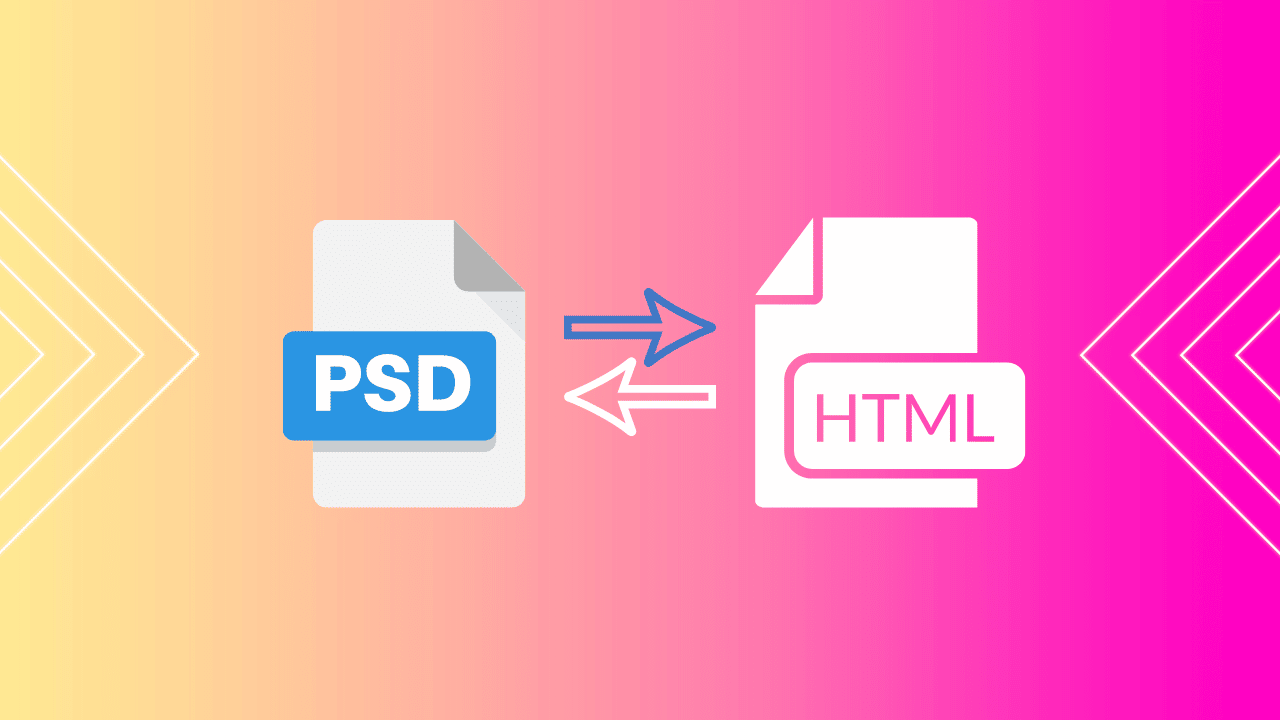
A PSD to HTML conversion service turns a flat Photoshop mockup into working front-end code: semantic HTML, responsive CSS, and whatever JavaScript the interface needs to behave. The question in 2026 is not whether the work can be done. It is whether paying someone else to do it still makes sense, now that Figma has replaced Photoshop in most design teams and AI design-to-code tools can produce a rough first pass in minutes.
This guide answers that directly. You will get the cases where hiring a PSD to HTML conversion service is still the right call, what the work costs and why quotes vary so widely, how to prepare a PSD file so you are not billed for the chaos in your layers, and a nine-point acceptance checklist to run before you approve the final invoice.
Table of contents
- What a PSD to HTML conversion service actually delivers
- Is PSD to HTML conversion still relevant?
- PSD to HTML, Figma to HTML, or AI design-to-code
- What PSD to HTML conversion costs, and what drives the price
- How to prepare your PSD before handoff
- What good converted markup looks like
- The nine-point checklist before you pay the invoice
- When to skip conversion entirely
- Frequently asked questions about PSD to HTML conversion services
- The short version
What a PSD to HTML conversion service actually delivers
Most quotes describe the same deliverable, even when the wording differs. A standard PSD to HTML conversion covers six things.
- PSD slicing and asset export. Icons, illustrations and photography pulled out of the layered file at the right resolutions and formats, typically SVG for vectors and WebP or AVIF for raster images.
- HTML5 markup. The structural pass. This is where quality separates good vendors from cheap ones, and we will come back to it.
- Responsive CSS3. Breakpoints for desktop, tablet and mobile, built from a single static comp that only shows one width.
- Interaction states. Hover, focus, active, disabled, error, loading and empty states, almost none of which exist in the source file.
- Cross browser compatible testing. Chrome, Safari, Firefox and Edge, on real devices rather than emulators.
- Optional CMS integration. A PSD to WordPress conversion service takes the extra step of wiring the static markup into a theme, with editable regions, dynamic loops and a working admin experience.
Note how much of that list does not exist in the PSD. A Photoshop comp shows one state of one page at one width. Everything else is interpretation, and interpretation is where projects go wrong.
Is PSD to HTML conversion still relevant?
Yes, but in a narrower set of situations than five years ago. Figma is now the default design environment for new product work, and most conversion shops have rebranded around Figma to HTML as a result. PSD to HTML conversion survives in three specific cases.
Legacy asset libraries
Agencies and in-house teams are sitting on years of archived PSDs. When a client asks to revive a 2019 microsite or roll an old brand system onto new pages, the source of truth is a Photoshop file. Rebuilding it in Figma first adds a step without adding accuracy.
Locked, approved, single-shot scope
PSD to HTML is at its best when the design is signed off, the scope will not move, and the brief is genuinely “build exactly this.” A static file is a perfectly good contract when nobody intends to renegotiate it. The moment revisions start arriving, the lack of a collaborative source of truth becomes expensive fast.
Raster-heavy visual work
Photo compositing, complex blend modes and detailed retouching are still Photoshop’s territory. Design-led campaign pages and editorial layouts sometimes originate there for good reason.
The honest counterpoint: if you are starting a new site today and have a free choice of tool, you probably should not be designing it in Photoshop. The workflow advantages of a collaborative file, shared design tokens and in-context comments are large, and they compound across revisions.
PSD to HTML, Figma to HTML, or AI design-to-code
Three routes get a design into code. They fail in different places, which matters more than their headline speed.
| Route | Best for | Cost of a revision | Where it breaks |
|---|---|---|---|
| PSD to HTML conversion service | Legacy files, approved scope, one-off builds | High. Every change means a new file and a new round trip | Ambiguity. Anything not shown in the comp gets guessed |
| Figma to HTML conversion | New projects, multi-stakeholder teams, ongoing work | Low. Changes propagate in a shared file | Sloppy files. Detached components and ad hoc values defeat the advantage |
| AI design-to-code tools | Prototypes, internal tools, first drafts | Very low, but you inherit whatever the generator produced | Structure. Output is often div-heavy, weak on accessibility and hard to maintain |
The AI route deserves a specific caveat. Generators are genuinely useful accelerators and they have improved a great deal, but they optimise for visual resemblance, not for markup quality. A generated page can look identical to the comp while producing nested container soup, missing form labels and a heading hierarchy that jumps from h1 to h4. If you want a current view of that tooling, we cover it in depth in our guide to AI design-to-code tools and how they are reshaping web design workflows. The practical stance most teams land on is to use AI for the first pass and a human for the structural pass.
What PSD to HTML conversion costs, and what drives the price
Quotes for the same file routinely differ by a factor of five, which confuses buyers into thinking the market is arbitrary. It is not. The spread comes from what each vendor is quietly including or excluding.
As a rough orientation at the time of writing, a single static template built from a clean, well organised PSD commonly quotes in the low hundreds of dollars. A responsive template with multiple breakpoints, full interaction states and cross browser testing is usually several times that. Adding CMS integration, so the page becomes an editable WordPress template rather than a static file, moves the project into four figures. Treat those as orientation only and get line-item quotes.
The variables that actually move the number:
- Unique templates, not page count. Forty blog posts sharing one layout is one template. Six pages with six different layouts is six.
- Number of breakpoints. Two is cheap. Four plus a large desktop variant is not.
- Interaction and edge states. If your PSD does not show error, empty and loading states, either you specify them or the developer invents them.
- Animation and scroll behaviour. Impossible to infer from a static file. Always priced separately.
- Accessibility requirements. A WCAG target changes the markup, the contrast handling and the testing scope. Say so upfront or pay for a retrofit.
- File quality. The largest hidden cost driver, and the one entirely within your control.
On larger builds the cost curve is set earlier than most buyers expect. Architectural decisions made in the first week determine the performance and maintainability of everything that follows, a pattern we wrote about in seven lessons from delivering enterprise WordPress projects. The same logic applies at small scale: a cheap conversion that produces unmaintainable markup is not cheap.
How to prepare your PSD before handoff
This section will save you more money than any negotiation. Developers price uncertainty, and a disorganised file is pure uncertainty. Send the following with the PSD and watch the quote drop.
- Named, grouped layers. Not “Layer 47 copy 3”. Group by component, name by purpose.
- A font list with sources and licences. Include the web licence status. A font that cannot legally be served on the web is a problem best discovered now.
- A colour and spacing reference. Even an informal token list beats eyedropping forty near-identical greys.
- Mobile and tablet comps, or written rules. If you only supply desktop, write down what stacks, what hides and what reflows. Otherwise the developer decides for you.
- Real content, or realistic content. Text areas in a PSD are almost always smaller than what production copy needs. Long headlines collide with design elements or get truncated, and that discovery belongs before the build, not after.
- Exported assets where you care about fidelity. If a logo must be exact, export it yourself rather than trusting a slice.
- A one-page spec of the non-visual requirements. Browser support, accessibility target, performance budget, and whether you need the code to drop into an existing codebase.
What good converted markup looks like
Two conversions can look pixel identical in the browser and be worth wildly different amounts. The difference is in the structure, and you can inspect it without being a developer.
Good output uses semantic HTML markup: a real header, nav, main, article and footer rather than a stack of generic containers, headings in a logical h1 to h6 order with no skipped levels, lists marked up as lists, and form inputs tied to visible labels. This is not stylistic preference. Semantic structure is what screen readers navigate by, what search engines use to understand the relationship between elements on the page, and increasingly what AI answer engines rely on to extract a passage cleanly. Mozilla’s MDN guide to structuring content with HTML is the reference worth holding a vendor against, and it is free to point them at.
On the CSS side, look for modern layout rather than absolute positioning and float hacks. A conversion built on Flexbox and Grid adapts to content it was never shown; one built on fixed pixel offsets breaks the first time a headline runs two lines. If you want to judge the approach yourself, our guide to CSS Grid and Flexbox for responsive layouts covers what each is for and where each is the wrong tool.
Three quick red flags in delivered code: a page where nearly every element is a div, inline styles scattered through the markup, and images with empty or auto-generated alt attributes.
The nine-point checklist before you pay the invoice
Run this before sign-off. Every item is checkable by a non-developer in under an hour.
- Pixel comparison. Overlay the rendered page against the comp at the design width. Small discrepancies are fine, systematic drift is not.
- Real device testing. Open it on an actual phone and an actual tablet, not just a resized browser window.
- Cross browser check. Chrome, Safari, Firefox, Edge. Safari is where most conversions reveal their shortcuts.
- Content stress test. Replace a headline with one twice as long. Replace a short paragraph with four. Nothing should overlap or disappear.
- Markup validation. Run it through the W3C validator. A handful of warnings is normal, dozens of errors is a signal.
- Keyboard navigation. Tab through the page. Every interactive element should be reachable and should show a visible focus state.
- Heading outline. View the page’s heading structure. One h1, no skipped levels, headings that describe the section rather than decorate it.
- Performance baseline. Run PageSpeed Insights on the delivered page before any CMS or plugins get involved. If the static conversion is already slow, nothing downstream will rescue it. Our guide on how to speed up a WordPress site without a developer covers the metrics worth watching and the thresholds to hold vendors to.
- Source file handover. Uncompiled CSS or Sass, a readable file structure and any build instructions. If you only receive minified output, you cannot maintain what you bought.
When to skip conversion entirely
Conversion is the right answer when the design is genuinely bespoke and the business depends on it being exactly that design. It is the wrong answer more often than vendors will tell you.
If the PSD is essentially a conventional marketing site, a services page, a portfolio or a small business brochure, you are likely paying a custom price for a solved problem. A well built theme gets you a tested, responsive, maintained codebase on day one, with update paths and support, for a fraction of a custom conversion. That is the tradeoff behind our own WordPress themes: the layout flexibility is deliberately broad so most standard site designs can be reached without touching code. It is also why our guide to creating a website without coding knowledge exists.
A reasonable test: list everything in your design that a good theme could not reproduce. If that list is short, the honest recommendation is to skip the conversion, use a theme, and spend the saved budget on content and performance instead.
Frequently asked questions about PSD to HTML conversion services
Yes, though in a narrower set of cases than a few years ago. Figma is the default design tool for new projects, so most new work is Figma to HTML. PSD to HTML conversion remains active for legacy design archives, Photoshop-based agency pipelines, raster-heavy visual work, and projects where the design is fully approved and unlikely to change after handoff.
Pricing is driven by unique templates rather than page count, plus the number of breakpoints, the interaction states you need, animation, accessibility targets, and whether CMS integration is included. A single static template from a clean file sits at the low end, responsive multi-breakpoint work with full state coverage costs several times more, and adding WordPress integration moves it higher again. Always ask for a line-item quote so you can see what is excluded.
A single clean static template is often turned around in a few business days. Multi-template responsive builds with interaction states and cross browser testing typically run one to three weeks. The largest variable is not developer speed but file quality and revision rounds, since every round trip on a static file costs a full cycle.
Send named and grouped layers, a font list with web licence status, a colour and spacing reference, mobile and tablet comps or written responsive rules, realistic content rather than placeholder text, and a short spec covering browser support, accessibility target and performance expectations. Supplying these reliably lowers both the quote and the number of revision rounds.
AI design-to-code tools can produce a working first pass quickly and they have improved substantially. They optimise for visual resemblance rather than structural quality, so output is frequently container-heavy, weak on accessibility and awkward to maintain. Most teams use AI for the initial draft and a developer for the structural and accessibility pass.
For new projects with multiple stakeholders and expected revisions, yes. A collaborative file with shared design tokens, developer inspection and in-context comments removes most of the ambiguity that makes static handoff expensive. PSD to HTML holds up well when the design is signed off, the scope is locked and the source file is already a PSD.
Significantly. Semantic structure, a clean heading hierarchy, descriptive alt text and fast-loading assets are all determined during conversion, and all feed directly into how search engines and AI answer engines interpret the page. Two visually identical conversions can perform very differently in search if one uses generic containers throughout and the other uses proper semantic elements.
PSD to HTML delivers static front-end files: markup, stylesheets, scripts and assets. A PSD to WordPress conversion service takes those files further and builds them into a theme, with editable content regions, dynamic templates and a working admin experience. If you need non-technical people to update the site, you need the second one.
The short version
Hire a PSD to HTML conversion service when the design is genuinely custom, the file already exists in Photoshop, and the scope is settled. Prepare the file properly, because a disorganised PSD is the single largest avoidable cost in the project. Judge the delivery on structure rather than on how closely it resembles the comp, since two pixel-identical conversions can differ enormously in maintainability, accessibility and search performance. And if a good theme could reproduce most of your design already, the most useful advice anyone can give you is to not commission the conversion at all.